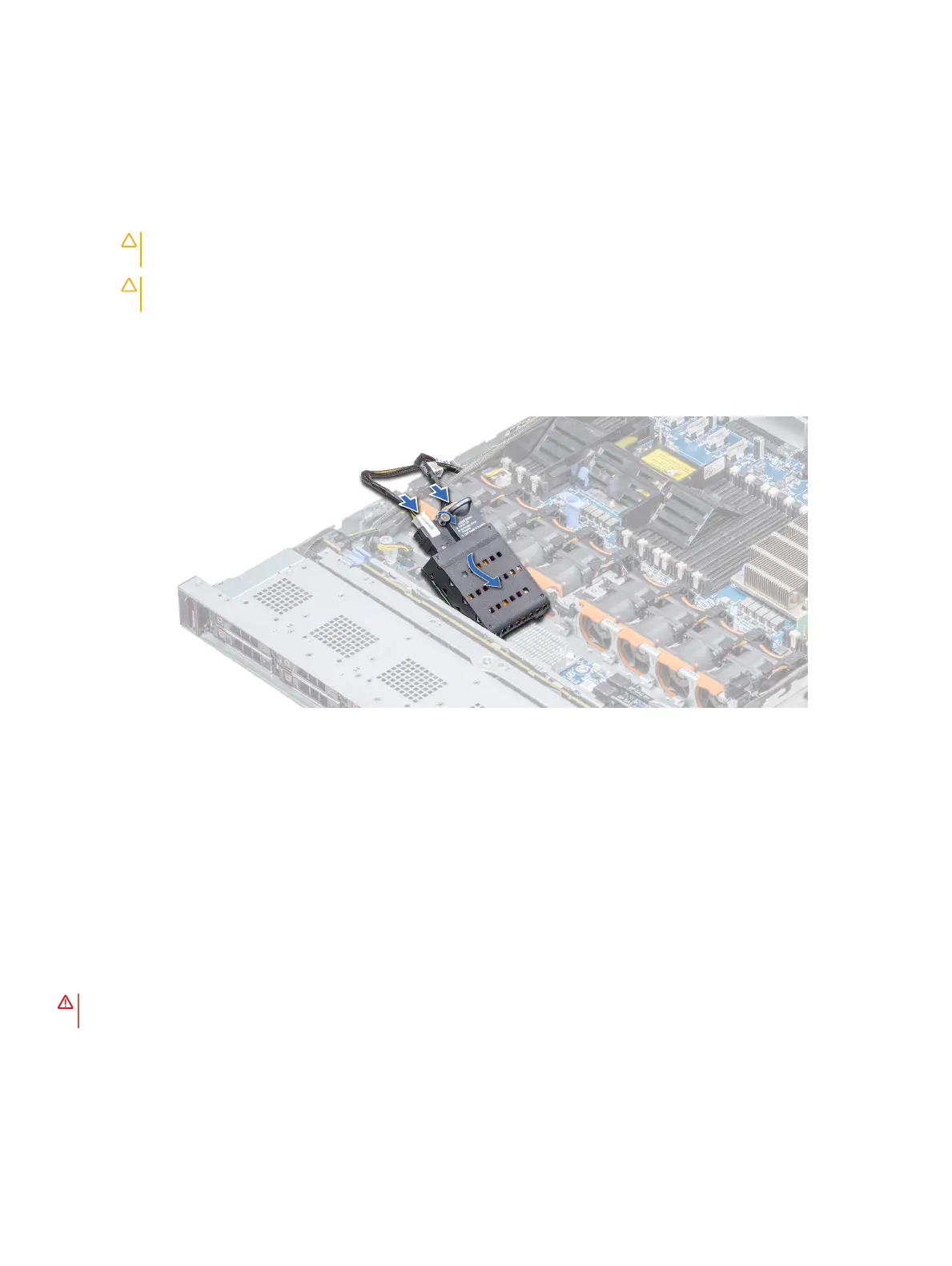
Installing the NVDIMM-N battery
Prerequisite
1 Follow the safety guidelines listed in Safety instructions.
CAUTION: To prevent data loss, ensure that your system and LEDs on NVDIMM-N and NVDIMM-N battery are turned
o before removing the NVDIMM-N battery.
CAUTION: To avoid damage to the battery connector, you must rmly support the connector while installing or
removing a battery.
Steps
1 Holding the edges, align the NVDIMM-N battery with the battery connector on the system board
2 Connect the cables to the NVDIMM-N battery.
3 Using the Phillips #2 screwdriver, tighten the screw to secure the NVDIMM-N battery.
Figure 37. Installing the NVDIMM-N battery
Next step
1 Follow the procedure listed in After working inside your system.
Processors and heat sinks
Removing a processor and heat sink module
Prerequisites
WARNING
: The heat sink may be hot to touch for some time after the system is powered down. Allow the heat sink to cool
before removing it.
1 Follow the safety guidelines listed in Safety instructions.
2 Follow the procedure listed in Before working inside your system.
3 If applicable, remove the air shroud.
Installing and removing system components
93















 To Next Page