Installing an expansion card into expansion card riser
Prerequisites
1 Follow the safety guidelines listed in Safety instructions.
2 Unpack the expansion card and prepare it for installation.
NOTE: For instructions, see the documentation accompanying the card.
NOTE: When installing a card into the riser 1, open the PCIe card holder latch. If applicable, open the PCIe guide and then install
the expansion card.
Steps
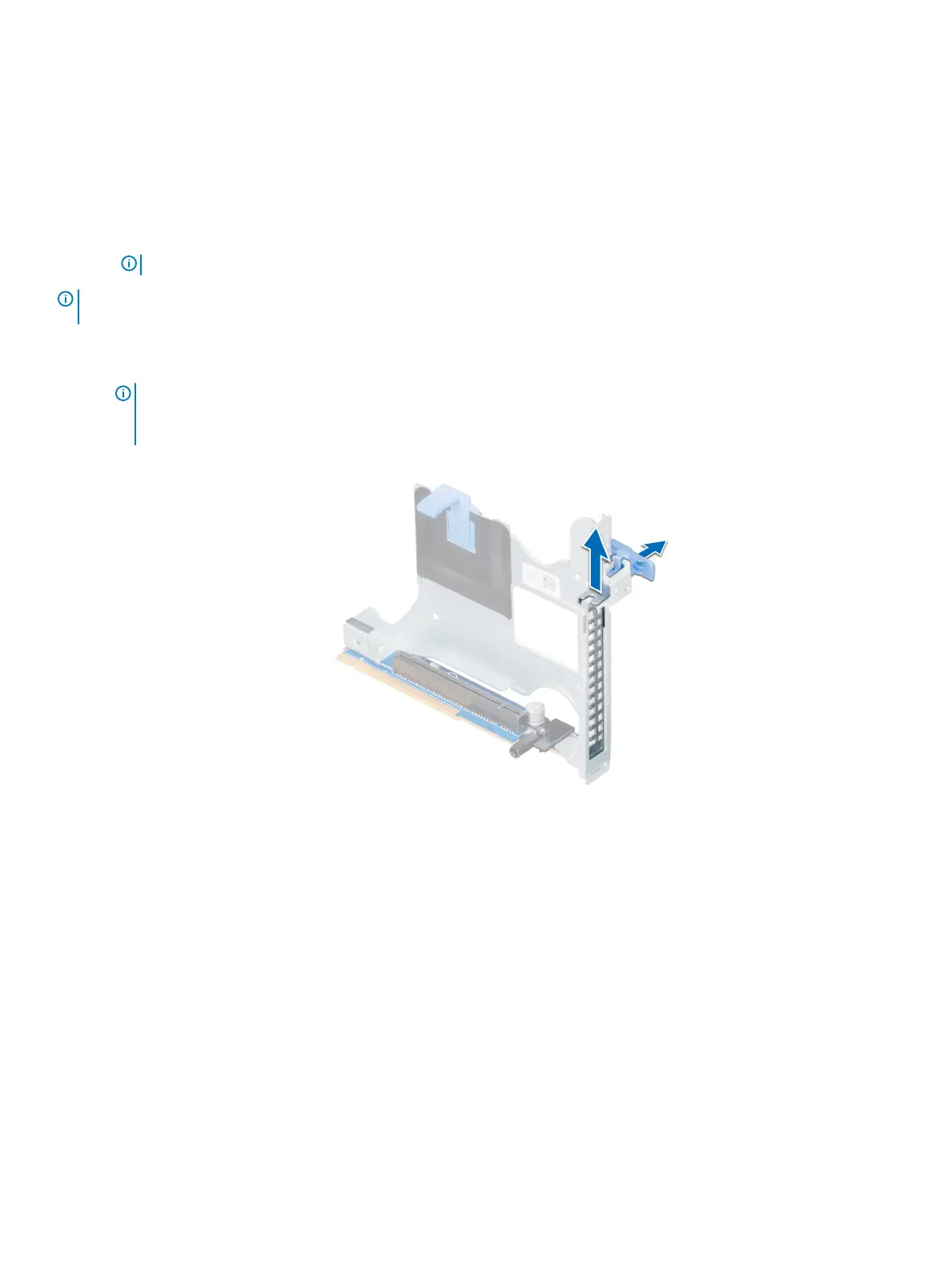
1 If applicable, lift the expansion card latch and remove the ller bracket.
NOTE: Store the ller bracket for future use. Filler brackets must be installed in empty expansion card slots to maintain
Federal Communications Commission (FCC) certication of the system. The brackets also keep dust and dirt out of the
system and aid in proper cooling and airow inside the system.
Figure 58. Removing the metal ller bracket on Riser 2B
Installing and removing system components
113















 To Next Page