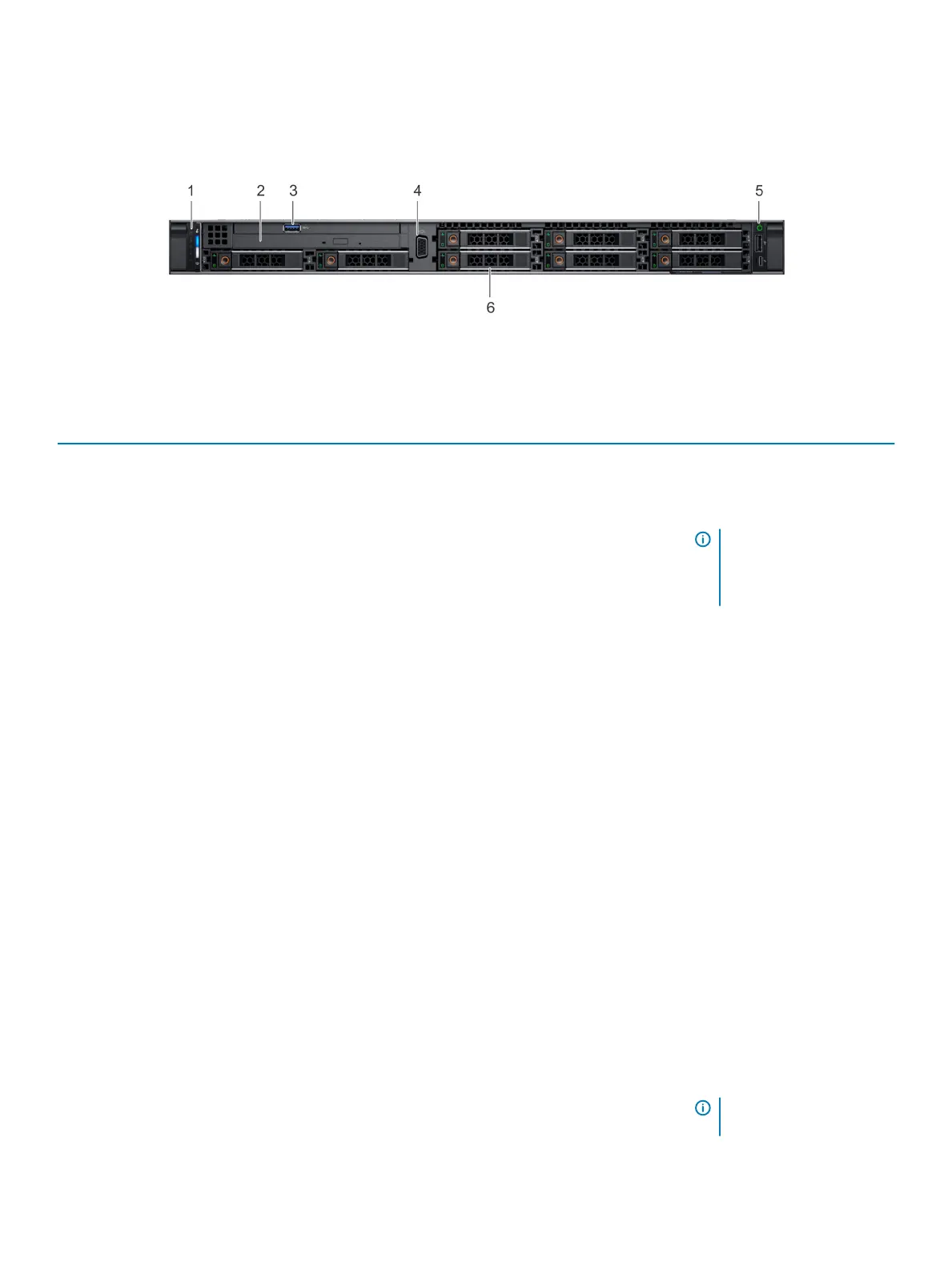
Front view of the system
The front view displays the features available on the front of the system.
Figure 2. Front view of 8 x 2.5-inch drive system
Table 1. Features available on the front of the system
Item Ports, panels, and slots Icon Description
1 Left control panel N/A
Contains the system health and
system ID, status LED, and the
iDRAC Quick Sync 2 (wireless)
indicator.
NOTE: The iDRAC Quick
Sync 2 indicator is
available only on certain
congurations.
• Status LED: Enables you to
identify any failed hardware
components. There are up to
ve status LEDs and an
overall system health LED
(Chassis health and system
ID) bar. For more information,
see the Status LED
indicators section.
• Quick Sync 2 (wireless):
Indicates a Quick Sync
enabled system. The Quick
Sync feature is optional. This
feature allows management
of the system by using
mobile devices. This feature
aggregates hardware or
rmware inventory and
various system level
diagnostic and error
information that can be used
in troubleshooting the
system. For more
information, see the
Integrated Dell Remote
Access Controller User’s
Guide at Dell.com/
poweredgemanuals.
2
Optical drive (optional) N/A One optional slim SATA DVD-
ROM drive or DVD+/-RW drive.
NOTE: DVD devices are
data only.
10 Dell EMC PowerEdge R640 system overview















 To Next Page