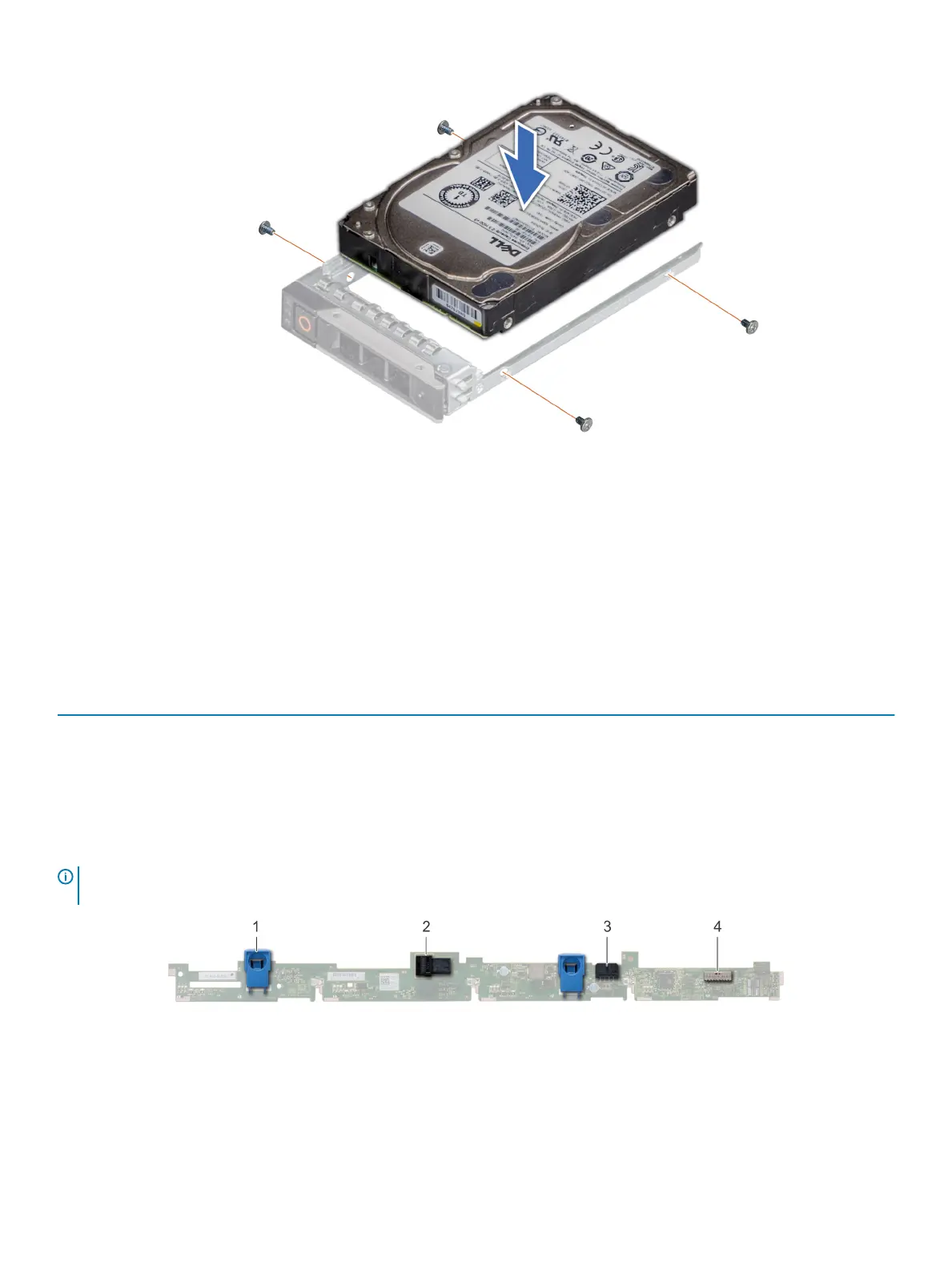
Figure 78. Installing a drive into the drive carrier
Backplane
Backplane details
Depending on your system conguration, the drive backplanes supported in PowerEdge R640 are listed here:
Table 51. Supported backplane options for PowerEdge R640 systems
System Supported drives options
PowerEdge R640
2.5 inch (x8) SAS, SATA, or NVMe backplane
2.5 inch (x10) SAS, SATA, or NVMe backplane
2.5 inch (x10) SAS, SATA, or NVMe backplane and 2.5 inch (x2)
SAS or SATA backplane (back)
3.5 inch (x4) SAS or SATA backplane
NOTE: Mixing of 2.5 inch 10K or 15K SAS drives with 2.5 inch 7.2K SATA or Nearline SAS drives on the same backplane is not
supported. You can mix solid state drives with hard drives on the same backplane.
Figure 79. 4 X 3.5 drive backplane
1
release tab (2) 2 SAS cable A connector
3 SAS cable B connector 4 backplane signal cable connector
130 Installing and removing system components















 To Next Page