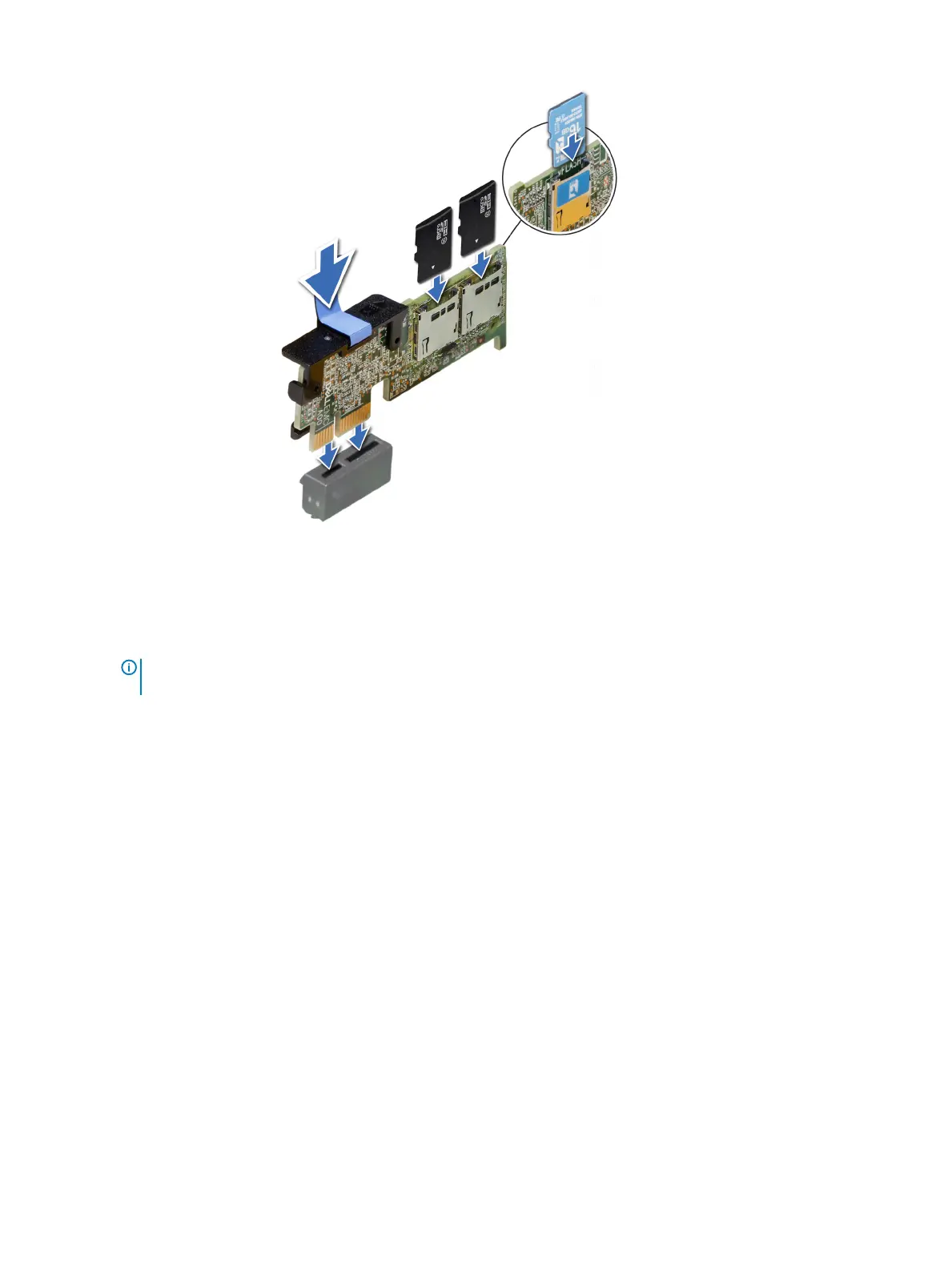
Figure 66. Installing optional IDSDM/vFlash card
Next steps
1 Install the MicroSD cards.
NOTE
: Reinstall the MicroSD cards into the same slots based on the labels you had marked on the cards during
removal.
2 Follow the procedure listed in After working inside your system.
Network daughter card
Removing the network daughter card
Prerequisites
1 Follow the safety guidelines listed in Safety instructions.
2 Follow the procedure listed in After working inside your system.
3 Remove the expansion card riser 2 or the rear drive cage, depending on the conguration of your system.
Steps
1 Using a Phillips #2 screwdriver, loosen the captive screws that secure the network daughter card (NDC) to the system board.
2 Hold the NDC by the edges on either side of the touch points, and lift to remove it from the connector on the system board.
3 Slide the NDC towards the front of the system until the Ethernet connectors are clear of the slot in the back panel.
120
Installing and removing system components















 To Next Page