Next step
Install the integrated storage controller card.
Installing the integrated storage controller card
Prerequisite
Follow the safety guidelines listed in Safety instructions.
Steps
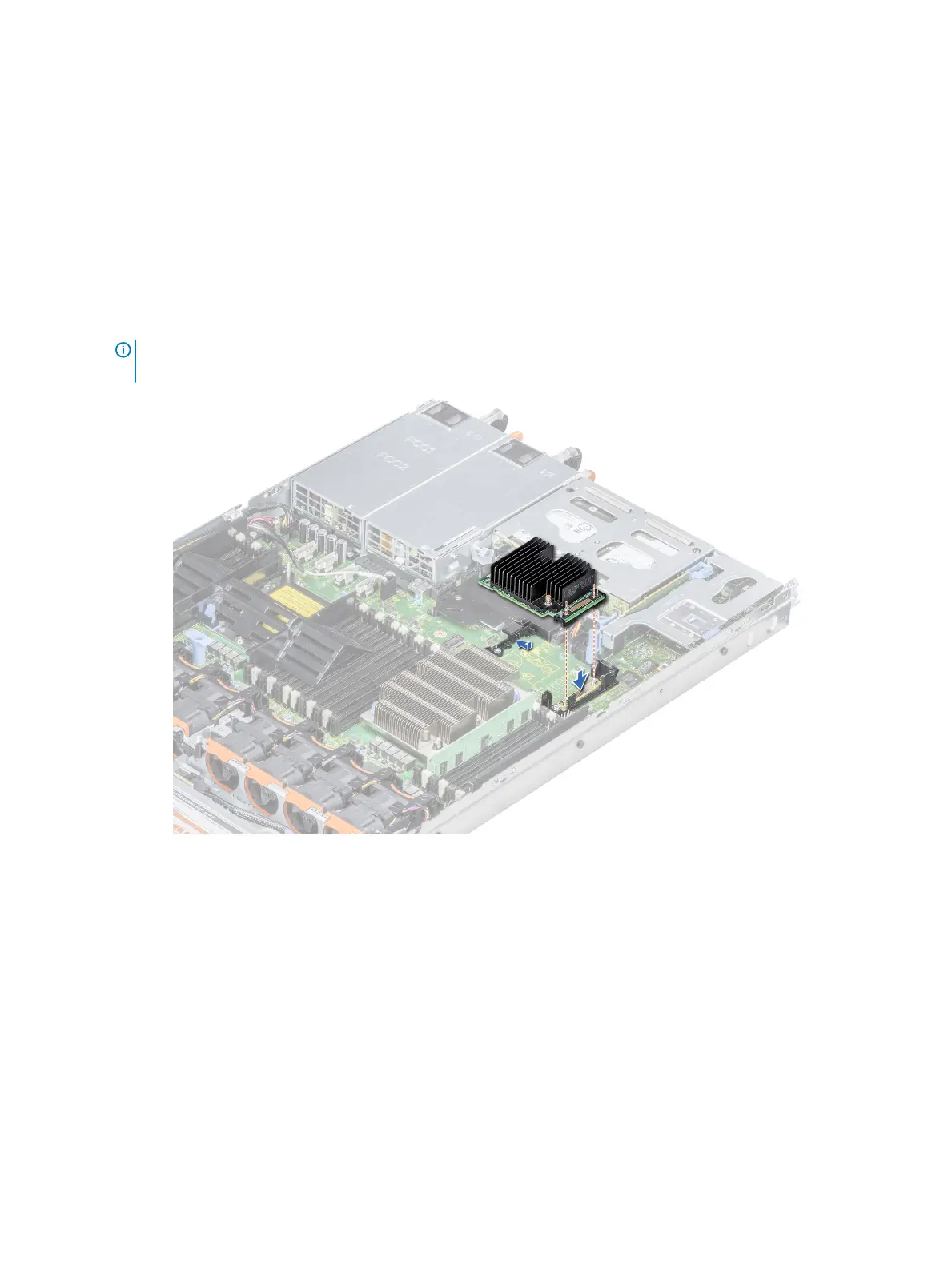
1 Angle the integrated storage controller card and align the end of the card with the controller card connector on the system board.
2 Lower the connector side of the integrated storage controller card into the integrated storage controller card connector on the system
board.
NOTE: Ensure that the slots on the system board align with the screw holes on the integrated storage controller card
connector.
Figure 71. Installing the integrated storage controller card
3 Route the integrated storage controller card cable along the wall of the system.
4 Align the screws on the integrated storage controller card cable with the screw holes on the connector.
5 Using Phillips #2 screwdriver, tighten the screws to secure the integrated storage controller card cable to the card connector on the
system board.
124
Installing and removing system components















 To Next Page