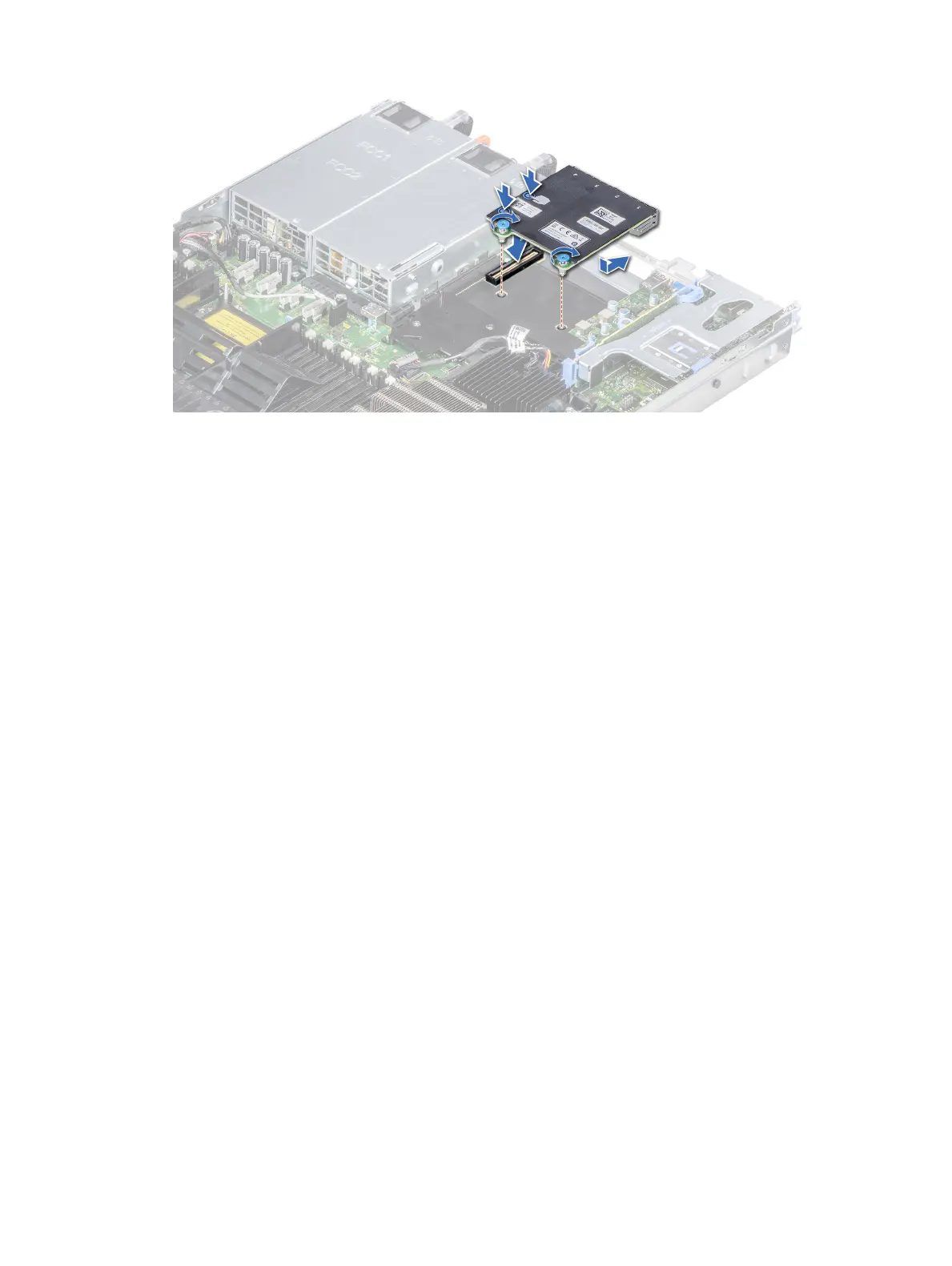
Figure 68. Installing the network daughter card
Next steps
1 Install the expansion card riser 2 or the rear drive cage, depending on the conguration of your system.
2 Follow the procedure listed in After working inside your system.
Integrated storage controller card
Removing the integrated storage controller card
Prerequisites
1 Follow the safety guidelines listed in Safety instructions.
2 Follow the procedure listed in After working inside your system.
3 Remove the air shroud.
Steps
1 Using Phillips #2 screwdriver, loosen the screws that secure the integrated storage controller cable to the connector on the system
board.
2 Lift the integrated storage controller cable to disconnect it from the connector on the system board.
122
Installing and removing system components















 To Next Page