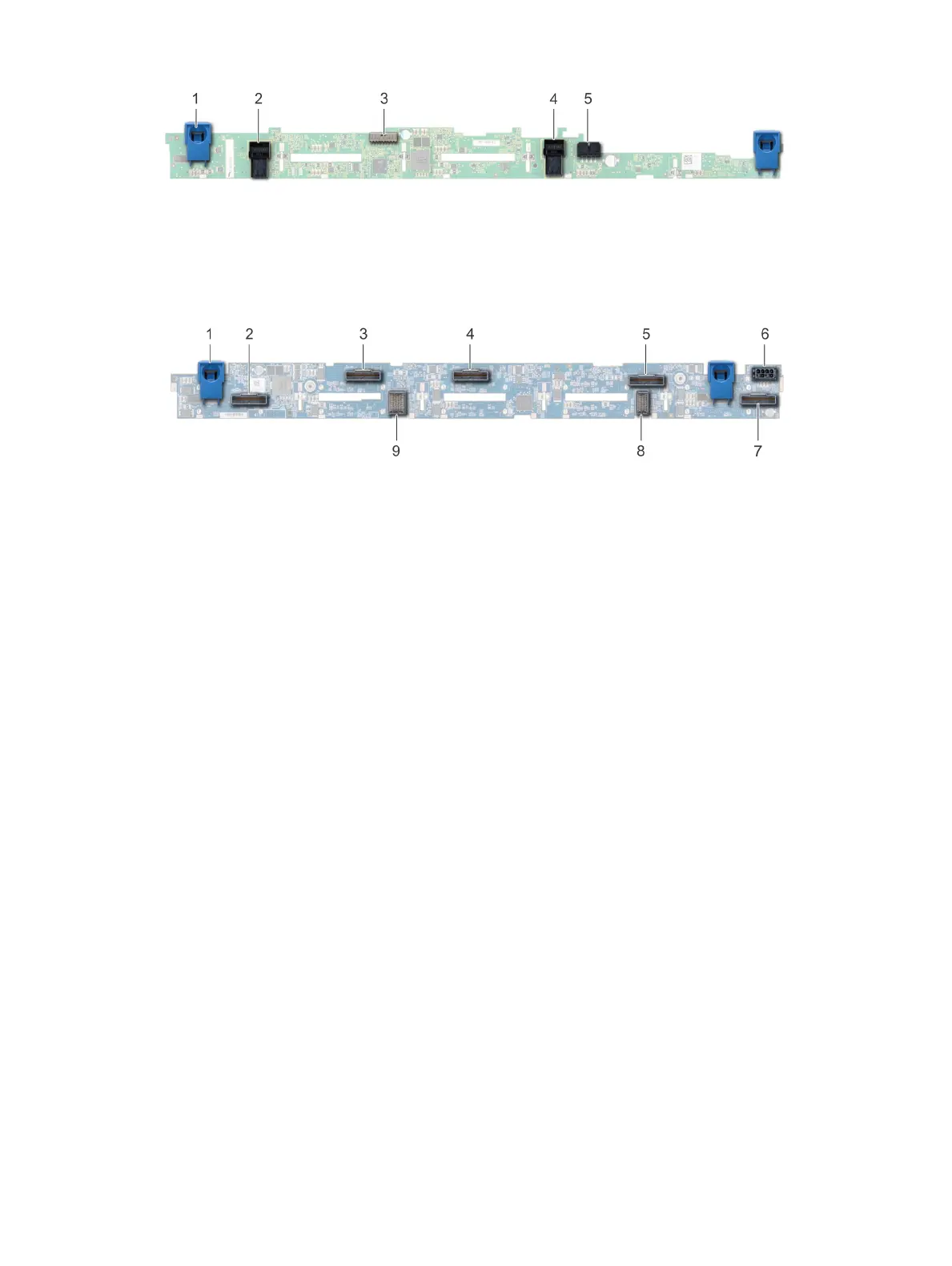
Figure 80. 8 X 2.5 drive backplane
1 release tab (2) 2 SAS cable A connector
3 backplane signal cable connector 4 backplane
5 SAS cable B connector 6 power cable connector
Figure 81. 10 X 2.5 drive backplane
1 release tab (2) 2 NVMe cable connector
3 NVMe cable connector 4 NVMe cable connector
5 NVMe cable connector 6 power cable connector
7 NVMe cable connector 8 backplane to expander board cable connector
9 backplane to expander board cable connector
Removing the backplane cover
Prerequisites
1 Follow the safety guidelines listed in Safety instructions.
2 Follow the procedure listed in Before working inside your system.
3 Remove the system cover.
Steps
1 Slide the backplane cover in the direction of the arrows marked on the backplane cover.
2 Lift the backplane cover away from the system.
Installing and removing system components
131















 To Next Page