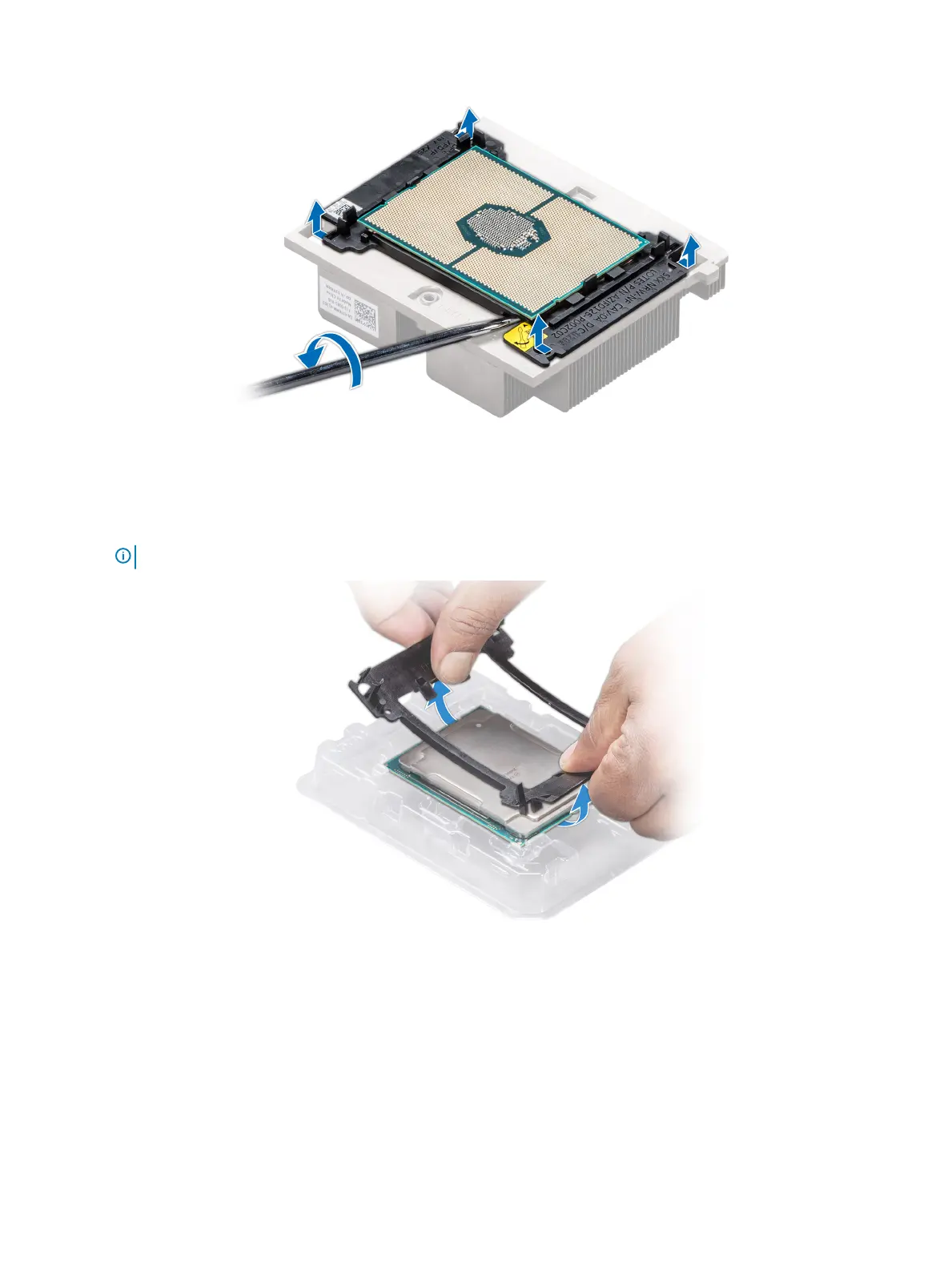
Figure 40. Loosening the processor bracket
4 Lift the bracket and the processor away from the heat sink, and place the processor connector side down on the processor tray.
5 Flex the outer edges of the bracket to release the bracket from the processor.
NOTE
: Ensure that the processor and the bracket are placed in the tray after you remove the heat sink.
Figure 41. Removing the processor bracket
Next step
Install the processor into the processor and heat sink module.
96
Installing and removing system components















 To Next Page