Periodic Maintenance
56
Chapter 3 Maintenance
Lightly tug on the automatic correction jig to check that it does not come loose.
Close the front cover.
3.
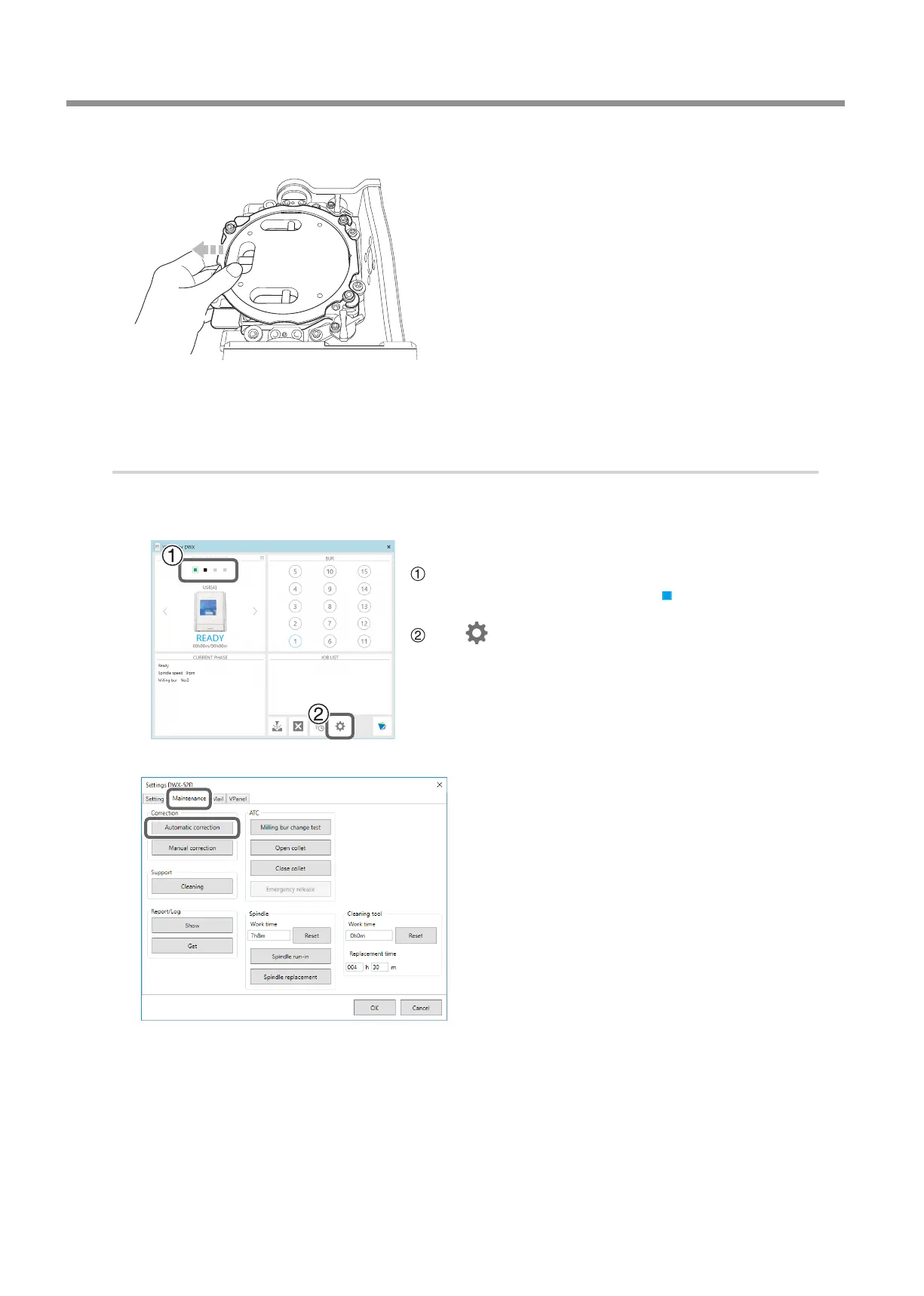
Perform automatic correction.
Show VPanel.
" P. 5 "Displaying or Exiting VPanel"
Open the [Settings] dialog box.
In the top window of VPanel, select the machine to operate.
When multiple machines are connected, click
under MACHINE STATUS
to switch between machines.
Click .
The [Settings] dialog box will appear.
Click the [Maintenance] tab, and then click [Automatic
correction].



 To Next Page