Periodic Maintenance
55
Chapter 3 Maintenance
2.
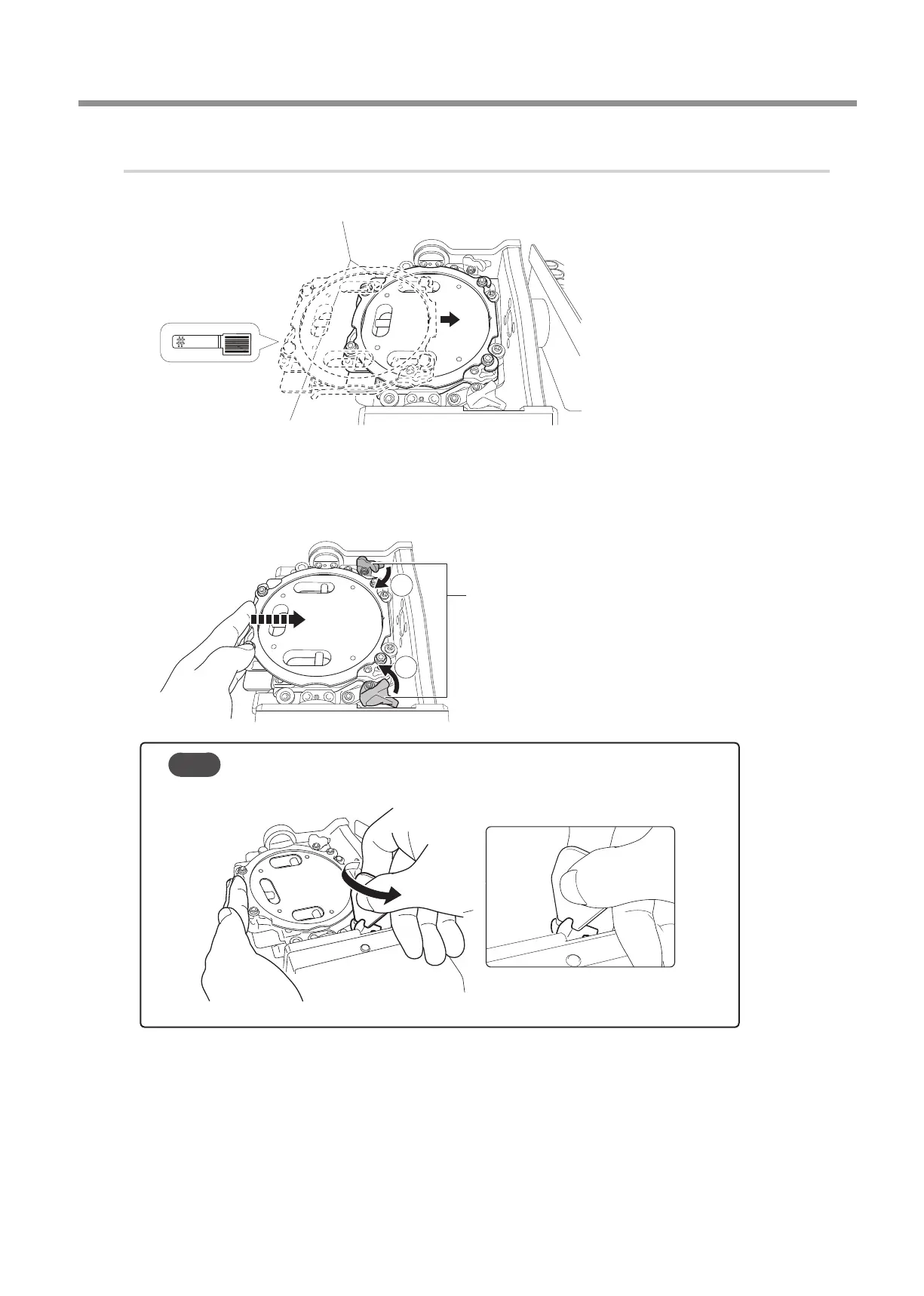
Attach the automatic correction jig.
Orient the parts as shown in the gure, and then insert the automatic correction jig into the clamp.
Secure the automatic correction jig.
As shown in the gure, turn the xing knobs (in two locations) in the directions of the arrows while pressing in on the
automatic correction jig.
2
1
Point
If it is difcult to turn the knobs by hand, use the included wrench.
Fixing knob



 To Next Page