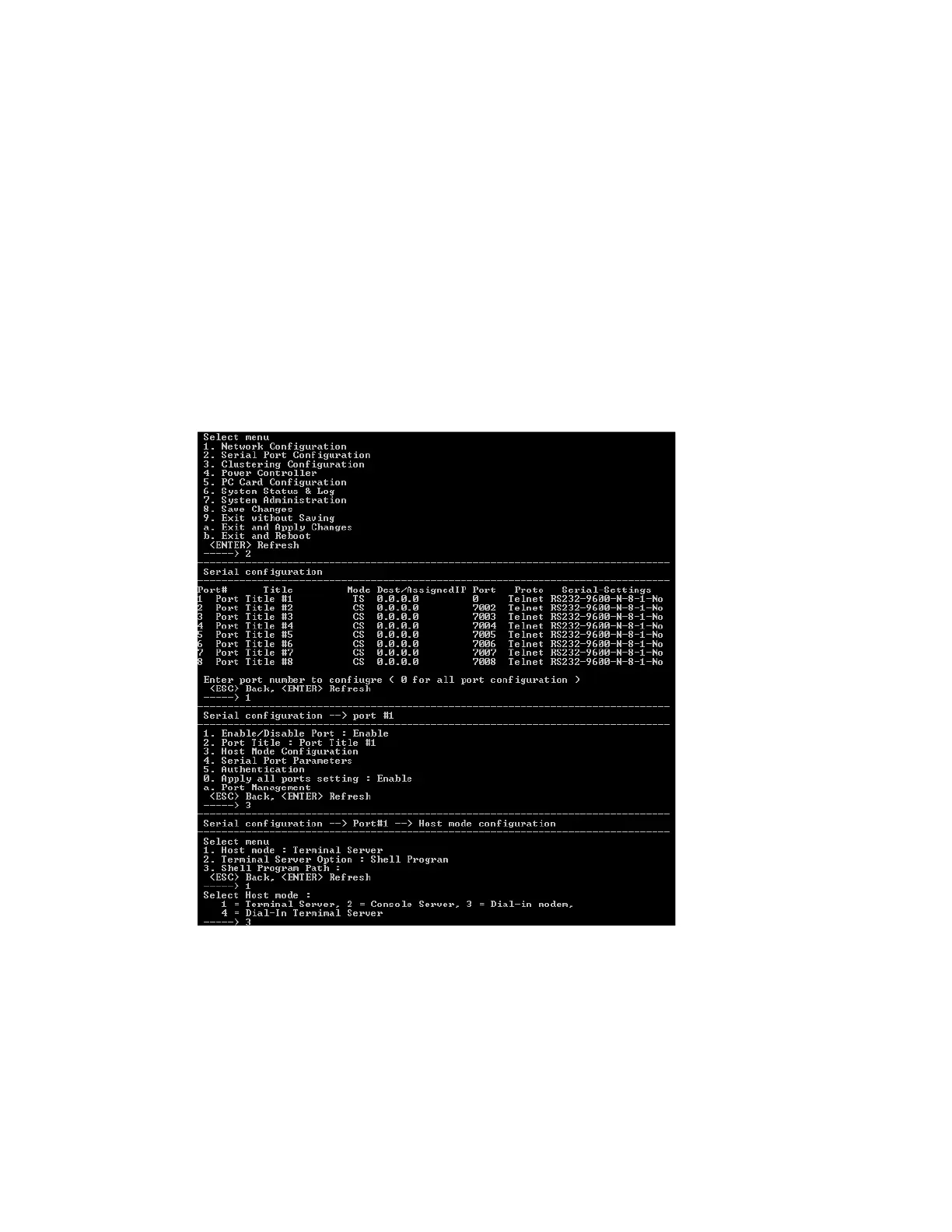
Configuration menu Dial-in modem access
Digi CM User Guide 170
# cat key.pem >> server.pem
Dial-in modem access
Individual serial ports on the Digi CM unit can be configured for dial-in modem access. To use dial-in
modem mode, an external modem is first attached to a serial port and then the serial port is
configured for dial-in modem access. In the illustration below, port 7 is configured for a dial-in
modem.
To configure a serial port for a dial-in modem, do the following:
1 Access the configuration menu.
2 Choose Serial Port Configuration.
3 Choose an individual port number and then Host Mode Configuration.
4 Select Host mode and then Dial-in modem.
5 Use the ESC key to return to the main menu.
6 Choose Save changes.
Dial-in terminal server access
Individual serial ports on the Digi CM unit can be configured for a dial-in terminal server access. To
use dial-in terminal server access, an external modem is first attached to a serial port on the Digi CM



 To Next Page