MTG2000 Trunk Gateway User Manual V| Dinstar
125
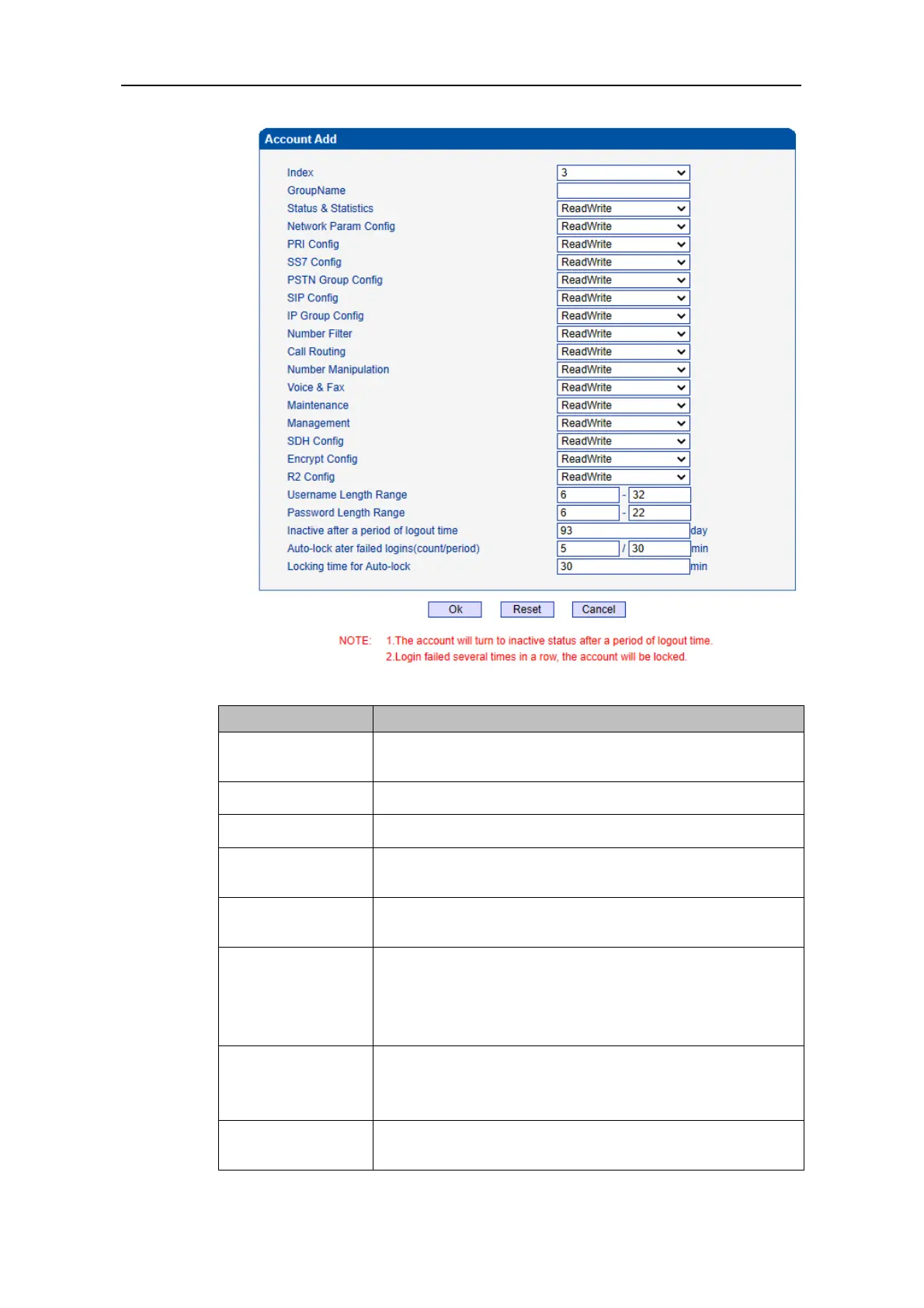
Account group index, 8 account groups can be configured,
account 0 cannot be modified or deleted.
Description of account group name.
ReadWrite/ ReadOnly/ None.
Limit the length of the password username (The front bit
cannot be length than the later).
Limit the length of the password (The front bit cannot be
length than the later).
Inactive after a
Period of Logout
Time
When the account is not logged in or used within the
configured time (the device has not been restarted), the account
into dormant and cannot be used。the account will go to sleep
and cannot be used.
Auto-lock after
Failed Login
(count/period)
The number of consecutive login failures within the configured
period. If more than the preset number, the account will be
locked and cannot be logged in.
Locking Time for
Auto-lock
Set the account lock time, and the account will be
automatically unlocked after the preset time is reached.



 To Next Page