MTG2000 Trunk Gateway User Manual V| Dinstar
47
4.7.7 Slave TG Management
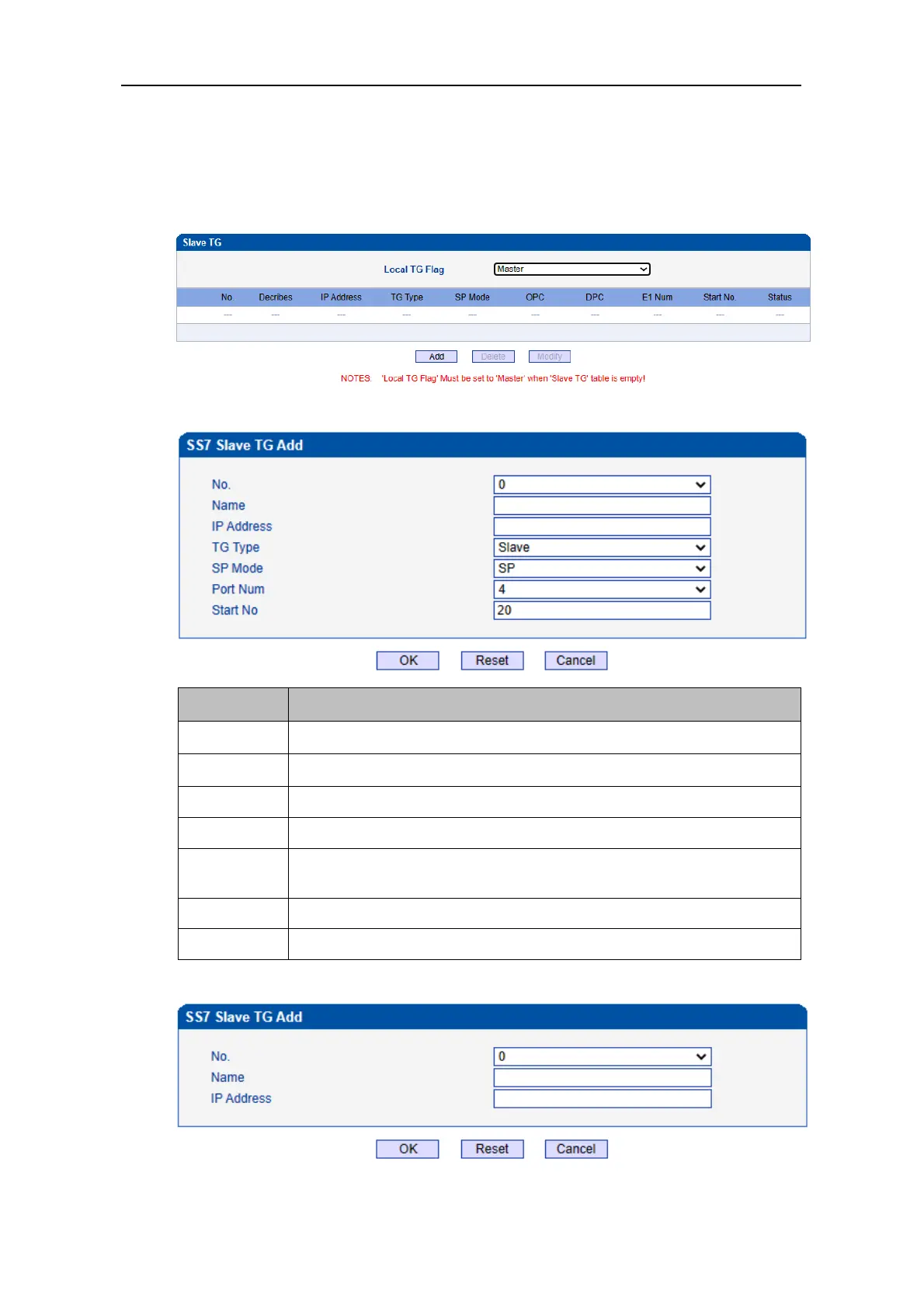
In this interface, the local TG Flag is used to define the type of current MTG device, which can
be Master or Slave. If the flag is master, the added MTG device is slave MTG. and if the flag is
slave, the added MTG device is master MTG.
If this TG is the master TG, and the added page is shown as follows.
The number of the slave TG, up to 16 slave TGs can be added.
The name of the slave TG.
The IP address of slave TG.
The type of added TG, and the default is slave.
SP/STP, when the mode is STP, users need to enter OPC(3-8-3/8-8-8) and
DPC(3-8-3/8-8-8).
The port number of slave TG, which can be 4/8/16/20/64.
This number needs to be greater than the current TG E1 number.
If this TG is the slave TG, and the added page is shown as follows.



 To Next Page