MTG2000 Trunk Gateway User Manual V| Dinstar
12
3.2.1 Example: Log in MTG2000 via Console Port
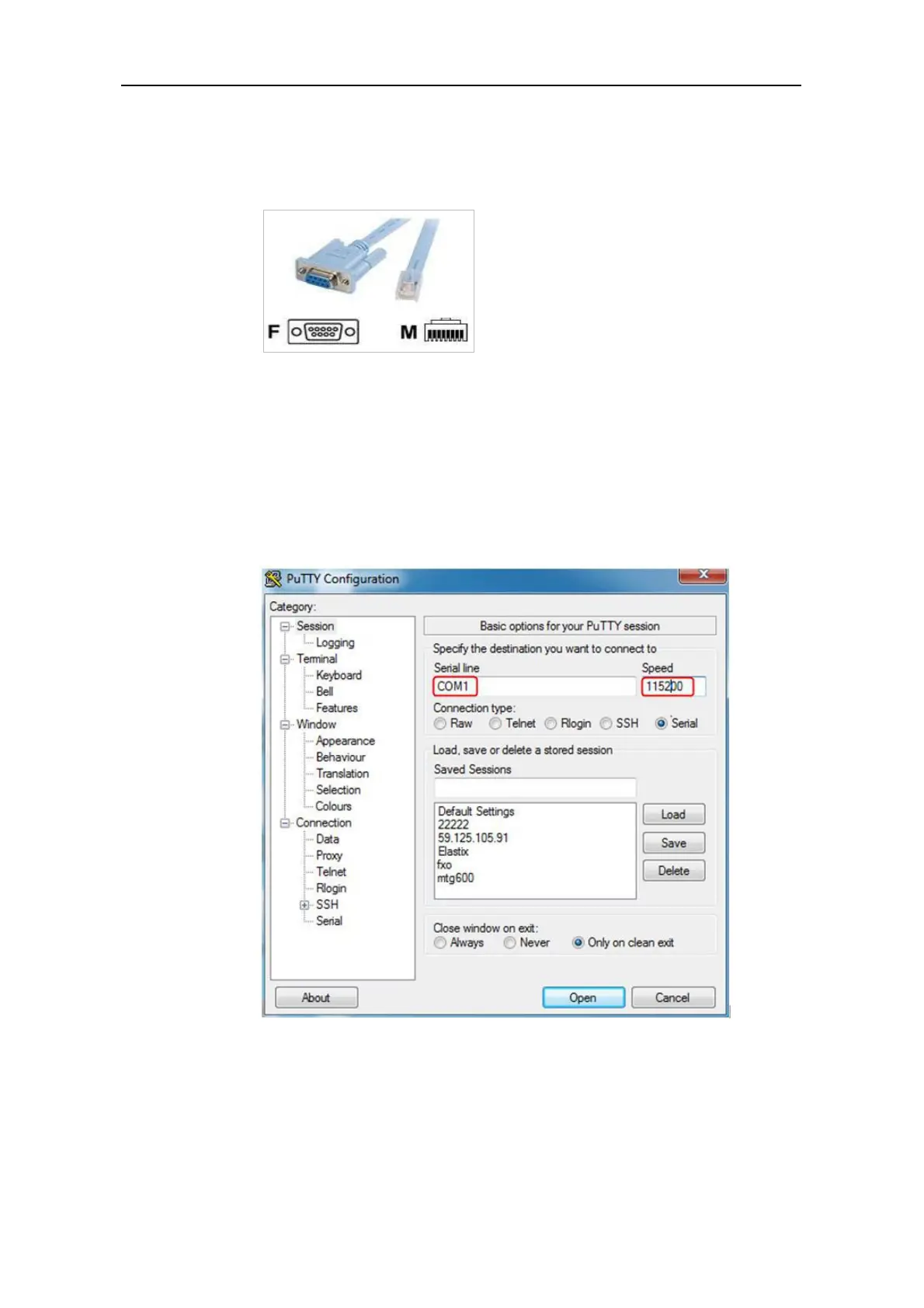
Step 1: Prepare a serial cable.
Step 2: Connect the F port of the serial cable to the COM port of PC.
If the PC does not have a COM port, please use a USB-to-COM converting line to
connect the serial cable to the PC.
Step 3: Connect the M port of the serial cable to the console port of MTG2000
Step 4: Conduct configurations on login software.
Herein we take the PuTTY as an example. Detailed configurations are as follows
(COM1 is an example. Please enter correct serial line according to actual conditions.)
After finishing the above configuration, click the Open button to enter the following
interface.



 To Next Page