MTG2000 Trunk Gateway User Manual V| Dinstar
64
4.9.10 PSTN Group
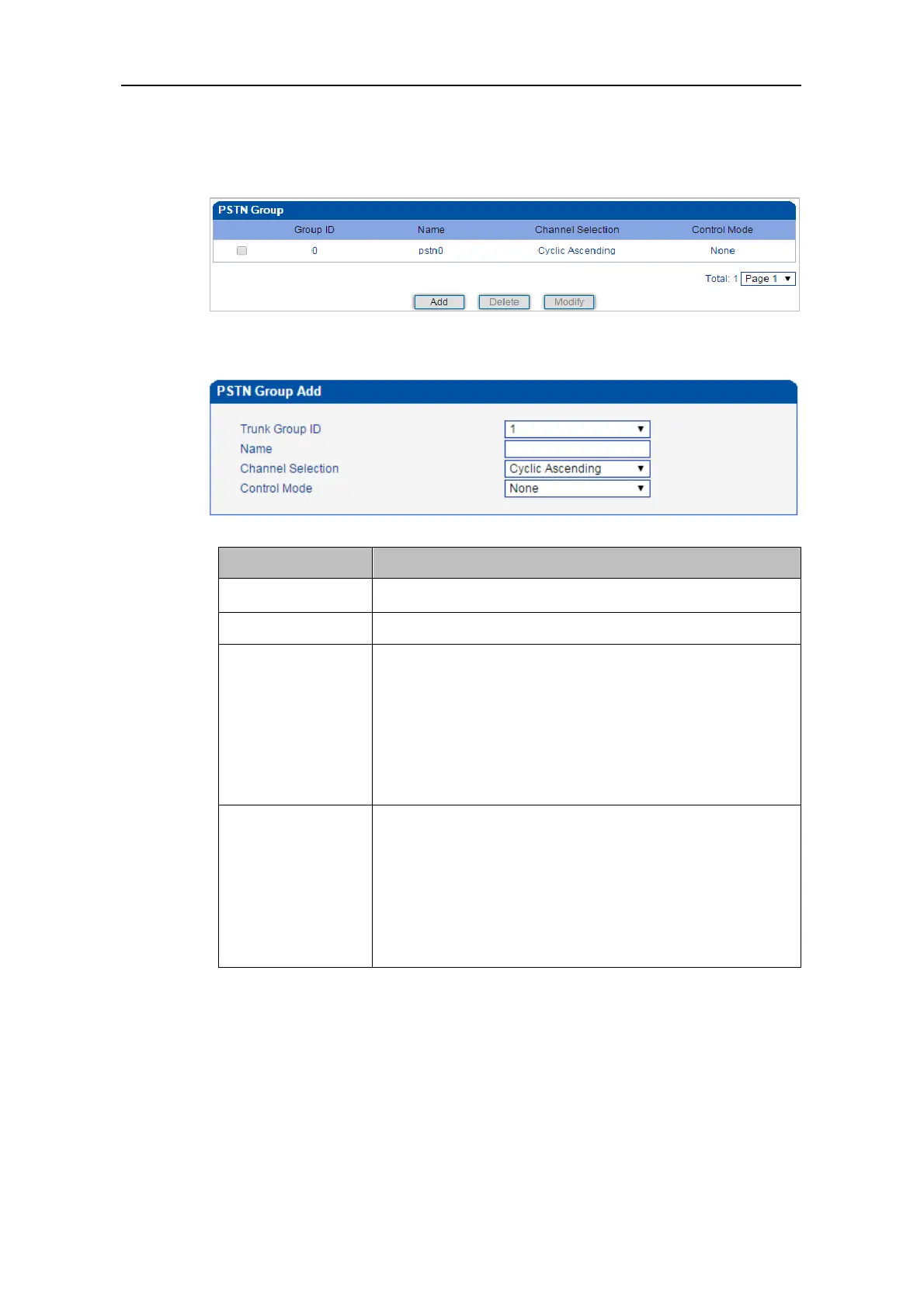
On the PSTN Group interface, you can create a PSTN group and set a strategy for channel
selection of the group.
Click the Add button to add a new PSTN group.
The ID of the trunk group
The name of the trunk group
There are four selection strategies: Ascending, Descending,
Cyclic Ascending and Cyclic Descending.
Ascending: to search idle channels starting from channel 0 to
channel 31;
Cyclic ascending: to search idle channel in an ascending order,
starting from the previous idle channel that has been selected
Control mode is also a method for channel selection and works
together with the set selection strategy.
Options include Master Odd, Master Even and None.
Master Odd: it means channels with odd ID will be searched
first, and channels with even ID will not be searched until all
channels with odd ID have been searched.
4.9.11 PSTN Group Management
On the PSTN Group Management interface, you can add start E1/T1 port, end E1 /T1
port, start channel, end channel and PSTN profile to a PSTN group.
Click the Add button, and you will see the following configuration interface.



 To Next Page