MTG2000 Trunk Gateway User Manual V| Dinstar
82
4.11.3 IP Group Management
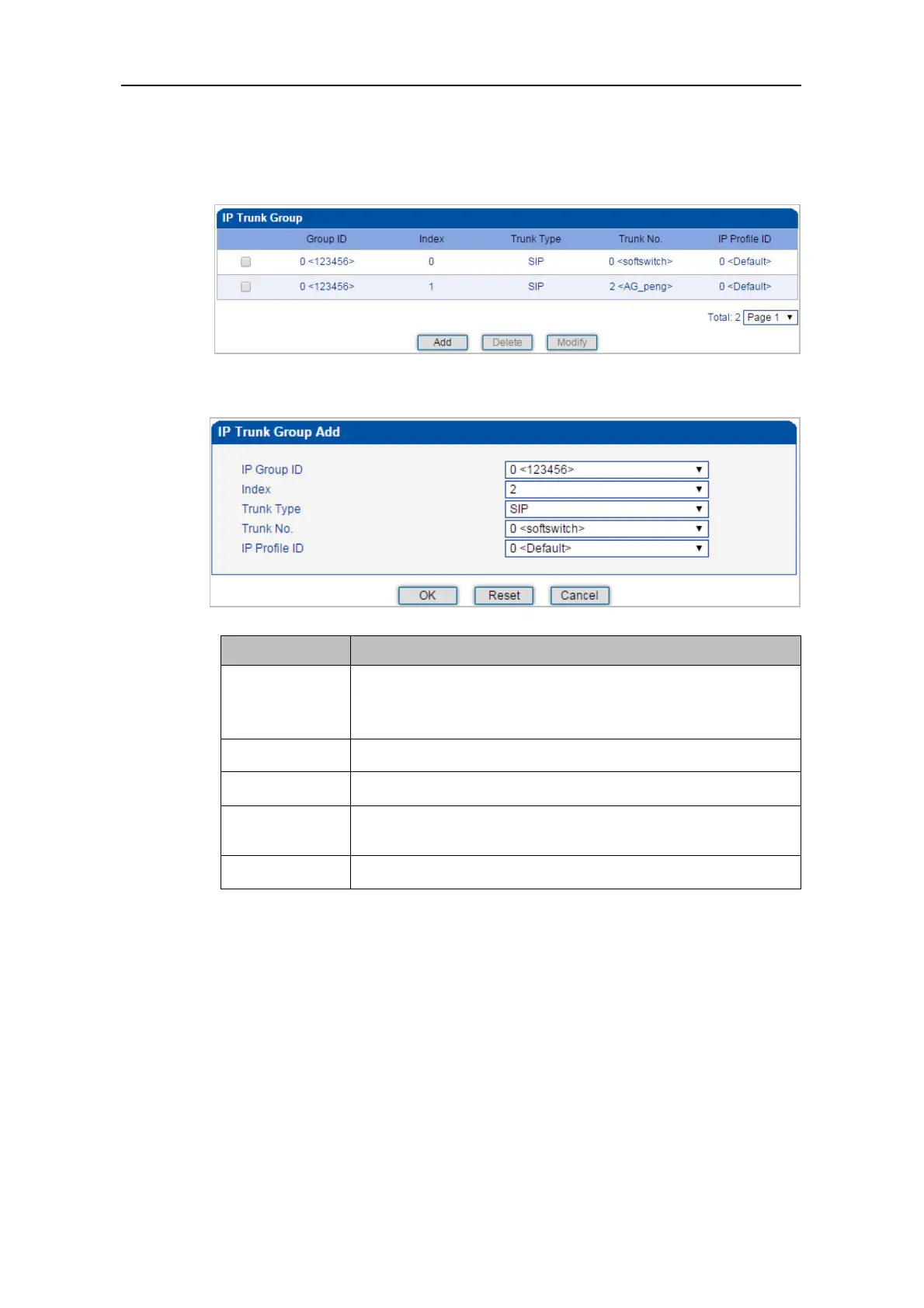
On the IP Group Management interface, you can add IP trunks to the IP group which have
been established on IP Group interface.
Click Add, and you can see the following interface.
The ID of the IP group
If you want to add more IP trunks to the IP group, do not change
the IP group ID.
The index of the IP trunk added to the IP group
Select an IP trunk that has been established on SIP Config -> SIP
Trunk interface.
The ID of the IP profile that will be used by the IP trunk.
4.12 Number Filter
This menu manages the black and white list of calling and callee numbers. The main purpose of
configuring this menu is to have flexible black and white list filtering support for calling and
callee numbers. The submenu settings include caller and callee black/white lists, caller number
pool, Number Bound TsNo and filter profile. These configurations are bound to each other and
achieved by filtered profile. when setting them, users need to avoid filtering out important calling
numbers. Advanced users need to understand the actual customer needs before configuring this
parameter and use its filtering function through certain tests.



 To Next Page