MTG2000 Trunk Gateway User Manual V| Dinstar
29
4.5 Network Parameter Config
This menu manages the necessary network configuration parameters for the device, including
network configure, static IP routing table, ACL management settings, and VLAN configuration.
This menu and its sub-menus can configure the IP addresses of the device's service and
management ports, ACL security access and VLAN parameters. Because the access rights of the
interface are involved, before implementing the above settings, users are required to confirm the
rights of the service port and management port, as well as the ACL address and other necessary
information to avoid the situation that the device cannot be accessed due to wrong configuration.
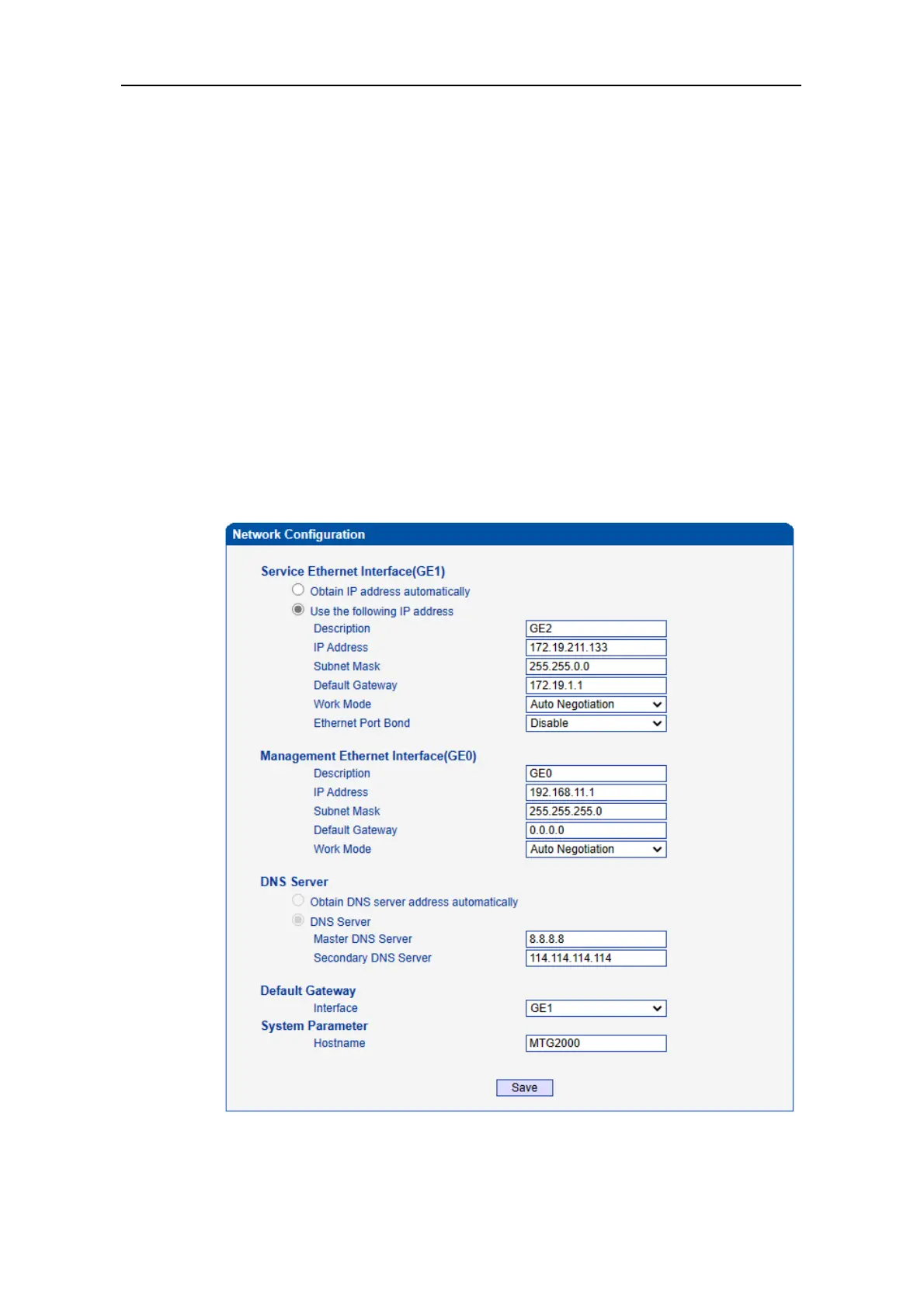
4.5.1 Network Config
Generally, it's necessary to modify the default IP address of GE1 according to actual
network conditions, and then modify the IP address of PC to make it at the same network
segment with the IP address of GE1. After completing the configurations, you need to
restart the MTG2000 device for the changes to take effect.



 To Next Page