MTG2000 Trunk Gateway User Manual V| Dinstar
55
If Remote is selected, clock source is produced by crystal
chip; if local is selected, clock source is obtained from the
data received by E1/T1 port.
Select Remote Clock
Source Port
The No. of the E1/T1 port from which clock source is
obtained.
Clock source is protected automatically indicates an
internal clock source mechanism is enabled.
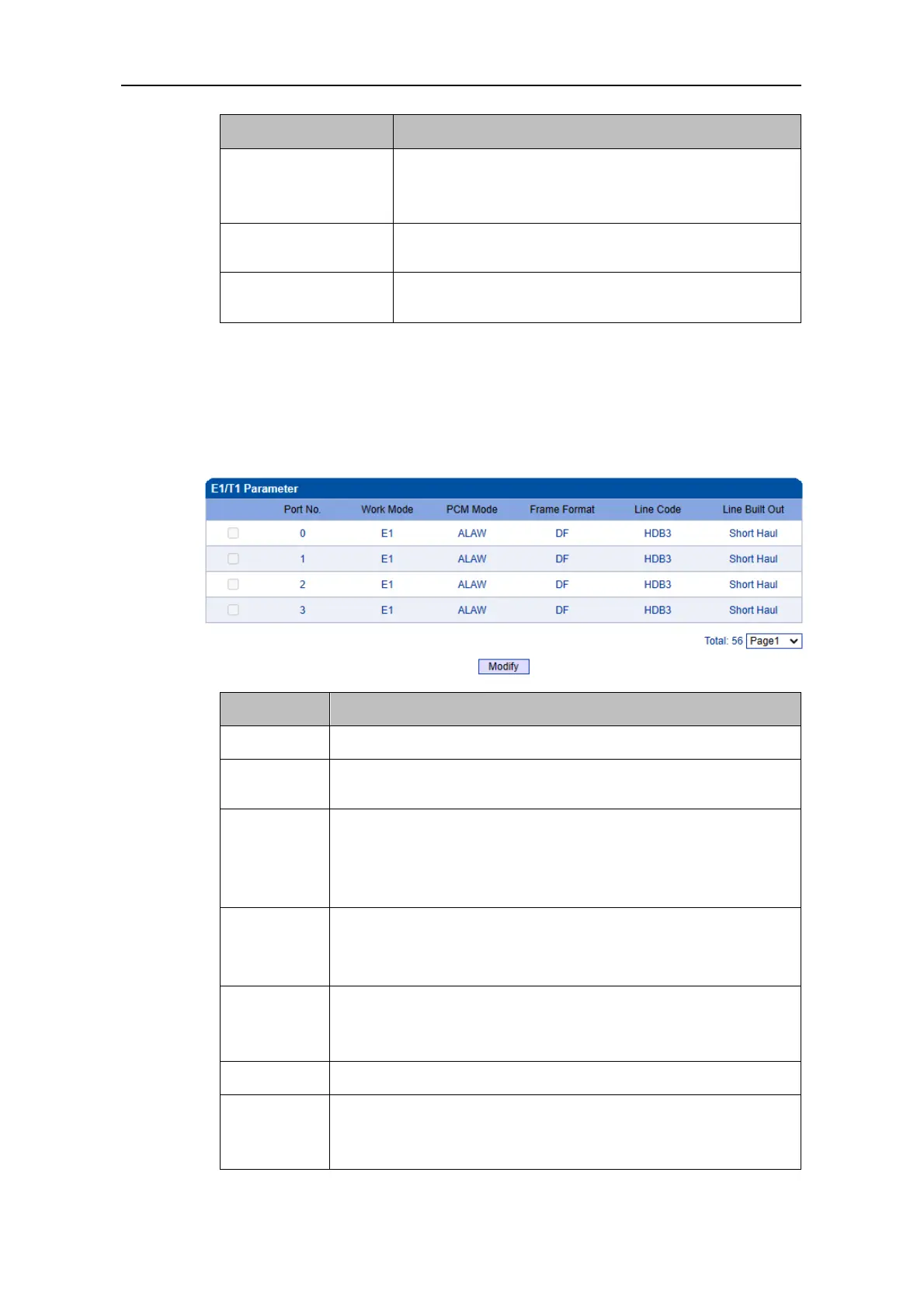
4.9.2 E1/T1 Parameter
Select the checkbox on the left of an E1/T1 port, and click the Modify button to modify
E1/T1 parameters.
The No. of each E1/T1 port
E1 or T1
If E1 is selected for one port, the work modes of all ports are E1.
PCMA(A LAW) or PCMU(Mu LAW)
If A LAW is selected for one port, the work modes of all ports are A
LAW. PCMA usually uses in E1 mode while PCMU uses in T1
mode.
Frame formats of E1 port include DF, CRC-4, CRC4_ITU, and the
default value is CRC-4; Frame formats of T1 port include F12, F4,
ESF, F72, and the default value is F4.
Line codes of E1 include NRZ, CMI, AMI, HDB3, and the default
value is HDB3; Line codes of T1 include NRZ, CMI, AMI, B8ZS,
and the default value is B8ZS.
If Disable is selected, E1/T1 parameter cannot be configured at
batch; If Enable is selected, E1/T1 parameter can be configured at
batch.



 To Next Page