MTG2000 Trunk Gateway User Manual V| Dinstar
42
Options include “User Provided” and “Network Provided”.
‘Stop Sending’ is an end mark. If ‘Yes’ is selected for ‘Called
Stop Sending’, it means there will be an end mark following the
called number.
‘Stop Sending’ is an end mark. If ‘Yes’ is selected for ‘Calling
Stop Sending’, it means there will be an end mark following the
calling number.
Transmission
Medium
Requirement
Configure the value of the transmission medium requirement in
the IAM message, 0 (speech) /1 (spare)/ 2 (64 kbits/s
unrestricted) /3 (3.1 kHz audio)
Default/Logical only, logical only means quasi-direct connection
When SS7 master-slave TG is enabled, the slave TG needs to
bind the shared TG number.
4.7.4 SS7 CIC
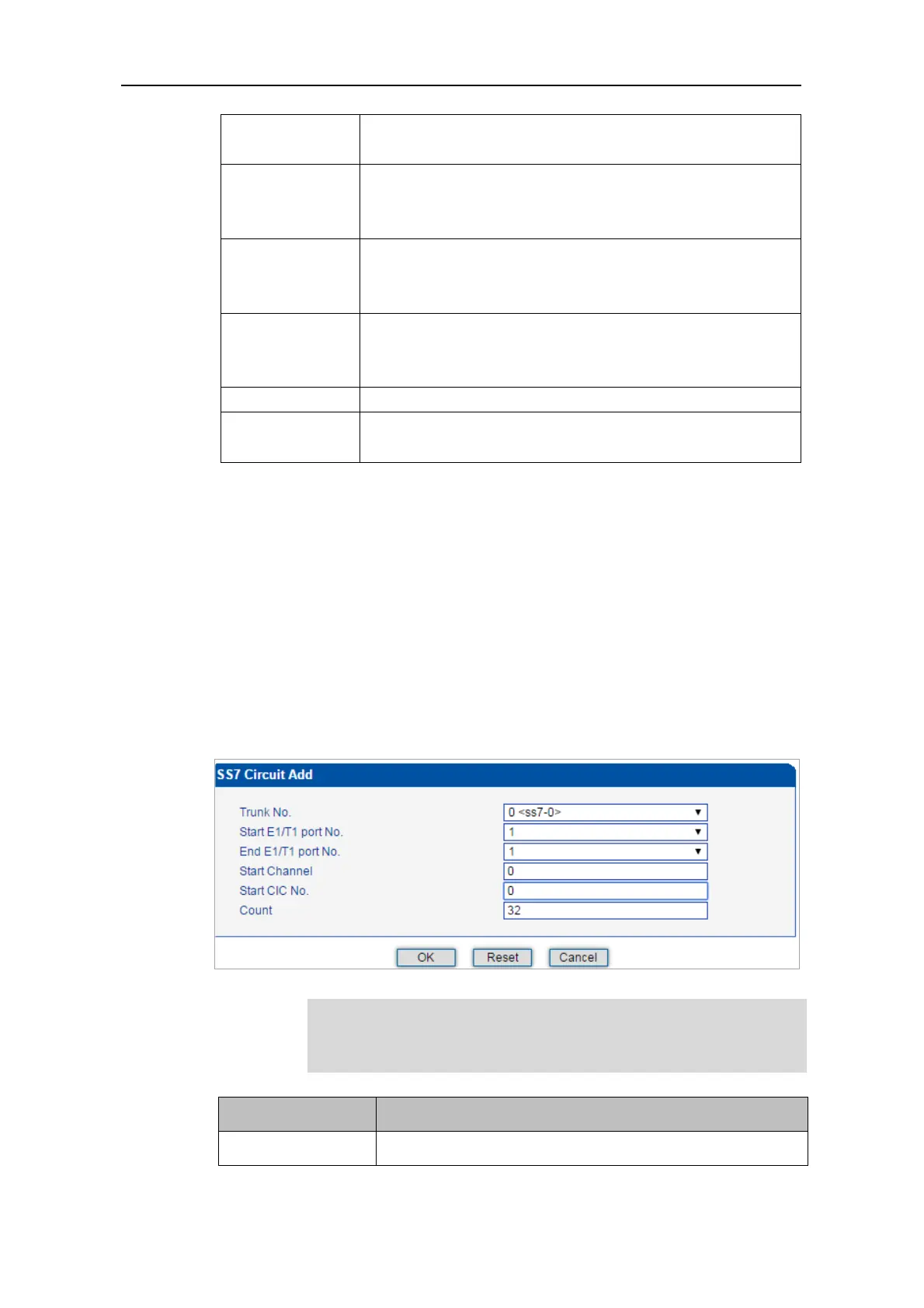
On the SS7 Config -> SS7 CIC interface, click the Add button, and you will see the
following interface. You can determine which channels will be used by an SS7 trunk on the
interface.
Procedures for adding SS7circuit that only involves an E1/T1 port:
Step 1: Click Add on the SS7 CIC interface.
Step 2: Select a trunk and an E1/T1 port. (Trunk 0 and Port 1 are taken as example in the
following figure
As there are 32 channels (from 0 to 31) for one E1/T1 port, so the value
for Count is 32. When start E1/T1 port is the same with end E1/T1 port, it
means only one E1/T1 port is connected to the SS7 trunk.



 To Next Page