MTG2000 Trunk Gateway User Manual V| Dinstar
88
4.13.3 PSTN -> PSTN Routing
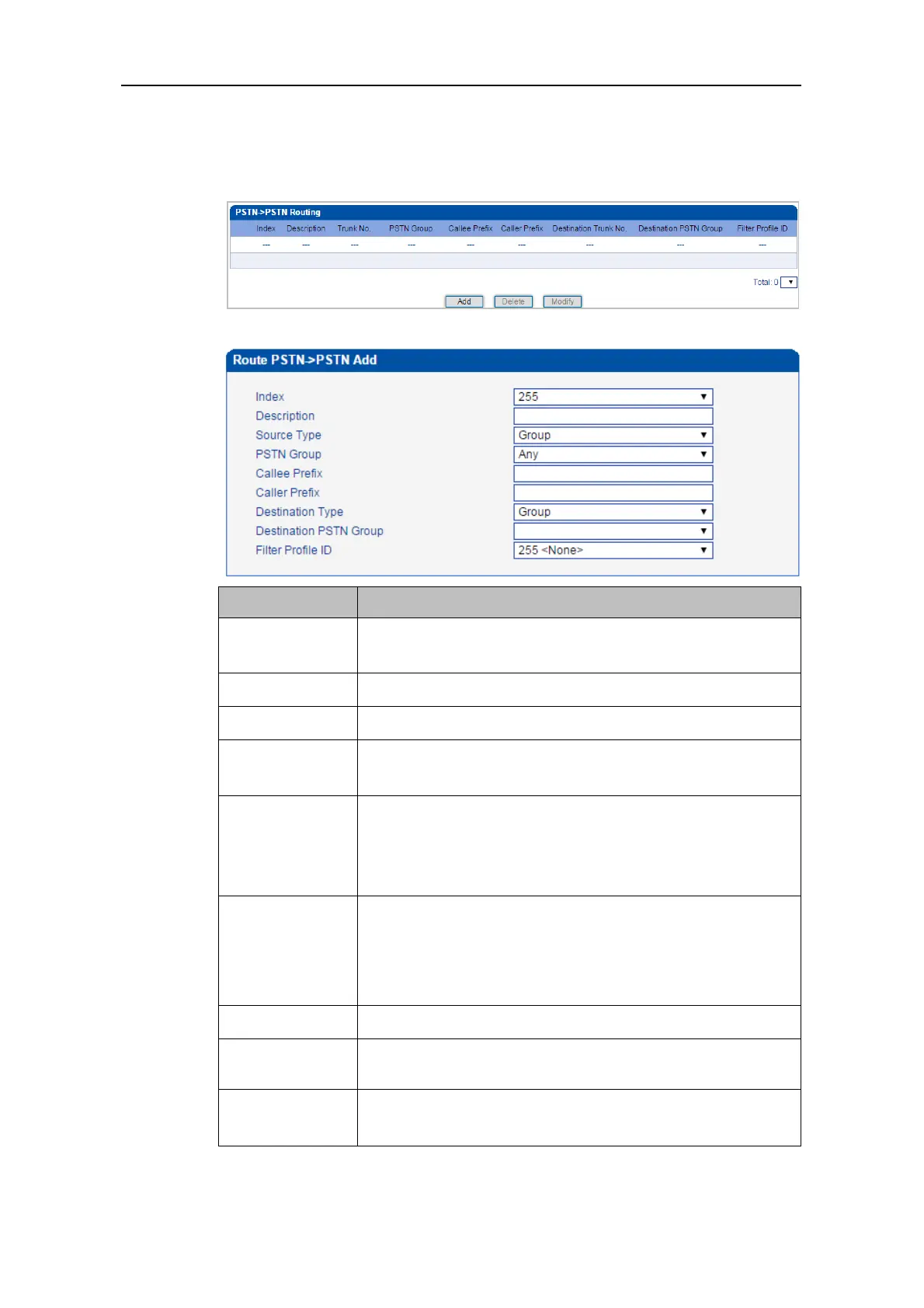
On the PSTN -> PSTN Routing interface, you can set routing parameters for PSTN ->
PSTN calls.
Click Add, and the following interface will be displayed.
The Index of the PSTN -> PSTN route, from 0 to 255. Greater
index value, higher priority for the route.
The description of the PSTN -> PSTN route,
Sources include PSTN group and PRI/SS7/R2 trunk.
If source is PSTN group, please select a specific PSTN group. If
‘Any’ is selected, it means the source is any PSTN group.
The prefix configured for callee number. When a callee number
matches the prefix, this PSTN -> IP route will be used.
‘.’ is a wildcard, which means this PSTN -> PSTN route will be
used, no matter what the callee number is.
The prefix configured for caller number. When a caller number
matches the prefix, this PSTN -> PSTN route will be used.
‘.’ is a wildcard, which means this PSTN -> PSTN route will be
used, no matter what the caller number is.
Destination is PSTN group or PRI/SS7/R2 trunk.
If source is PSTN group, please select a specific PSTN group.
The ID of filter profile. The white lists and black lists set in the
filter profile will apply to this PSTN -> PSTN route.



 To Next Page