MTG2000 Trunk Gateway User Manual V| Dinstar
11
3 Basic Operation
3.1 Configuration of IP Address
The default IP address of GE1 is 192.168.1.111, while that of GE0 is 192.168.11.1. When
GE1 is in use, it’s required that the IP address of GE1 and the IP address of PC are at the
same network segment.
1. Connect the GE1 port of MTG2000 to a PC by using a network cable.
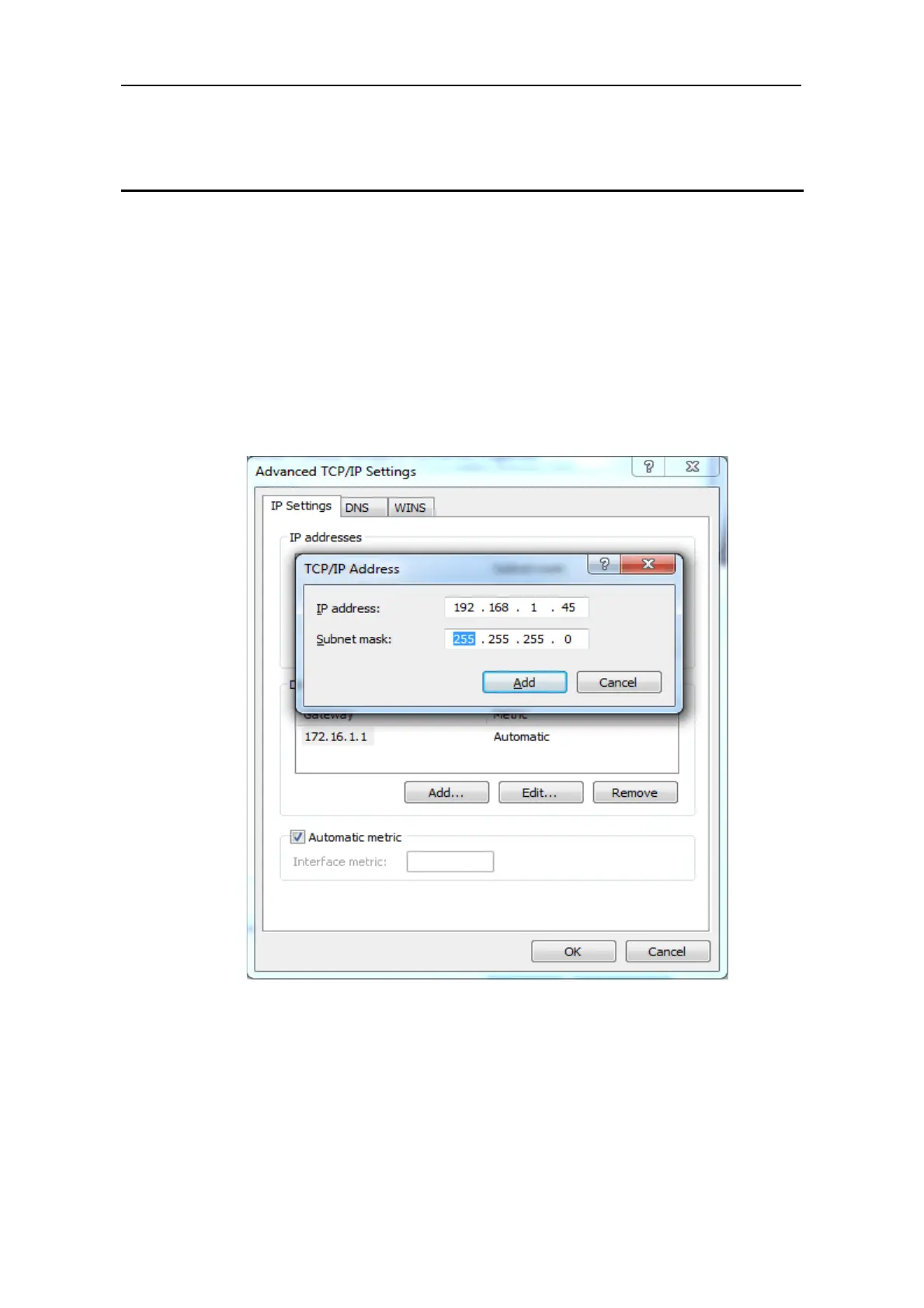
2. Open the TCP/IP Settings interface, click Advanced, and then click Add to add an
IP whose format is 192.168.1.XXX. Or you can open the Internet Protocol (TCP/IP)
interface to modify an existing IP into 192.168.1.XXX.
3.2 Local Maintenance
To ensure easy maintenance, the MTG2000 trunk gateway provides a standard RJ45
console port, which has a Baud rate of 115200bps. Users can log in the MTG2000 to carry
out maintenance-related configurations through the console port.



 To Next Page