MTG2000 Trunk Gateway User Manual V| Dinstar
10
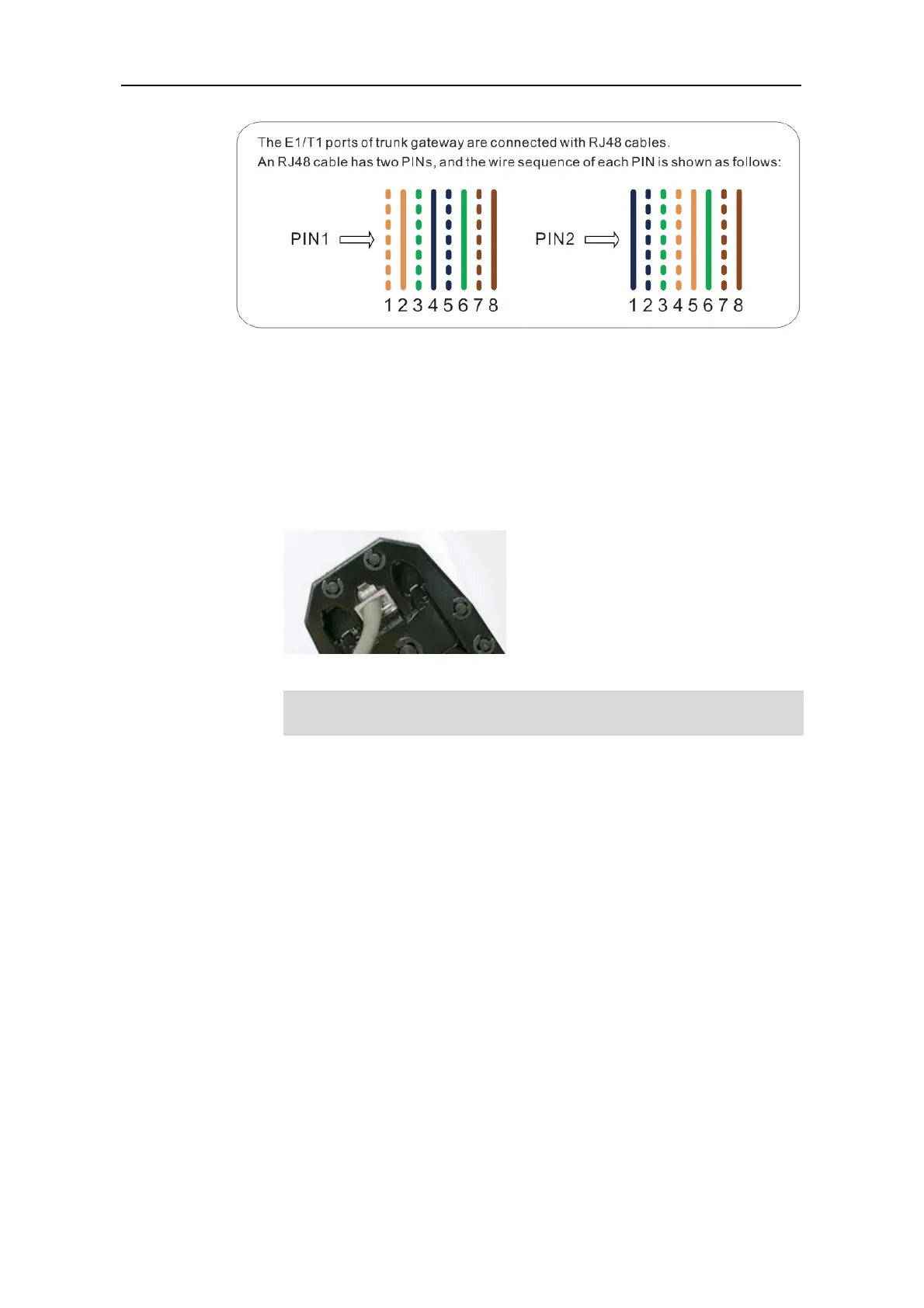
PIN1: orange & white, orange, green & white, blue, blue & white, green, brown &
white, brown.
PIN2: blue, blue & white, green & white, orange & white, orange, green, brown &
white, brown.
3. Put the lines into two pins of RJ-48 joint according to the mentioned sequence of the lines.
4. Use a RJ-48 wire crimper to crimp the RJ-48 joint.
Generally, a RJ-48 cable will be provided together with the MTG2000 device,
and users have no need to make RJ-48 joints by themselves.



 To Next Page