MTG2000 Trunk Gateway User Manual V| Dinstar
58
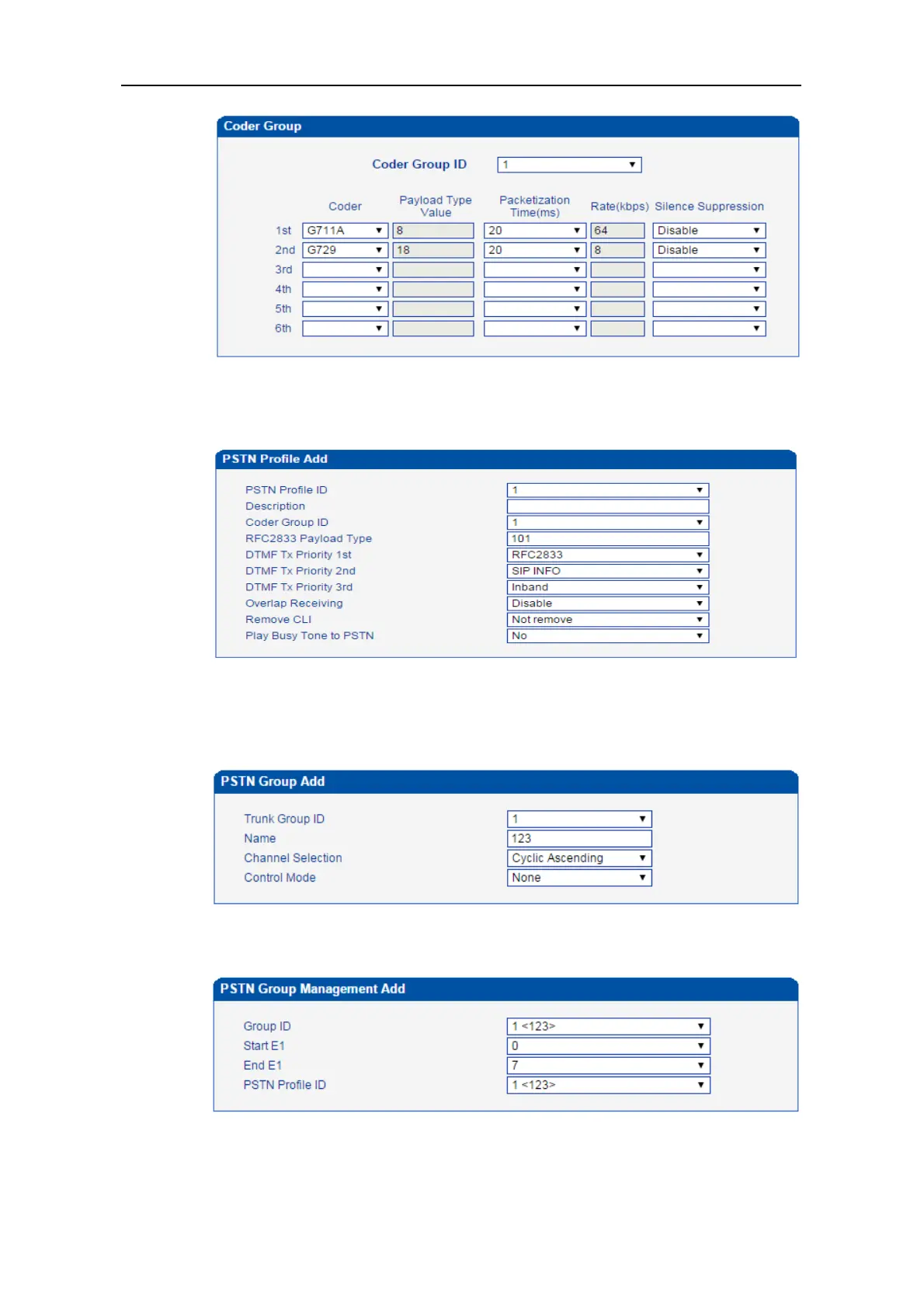
Step3:Enter the PSTN Profile interface, click Modify to modify the default PSTN profile
and change the Codec group ID, or click Add to add a new PSTN profile.
Step4:Click OK to save the above configuration.
Step5:Enter the PSTN Group interface to establish a PSTN group
Step6:Enter the PSTN Group Management interface to associate the PSTN profile and
PSTN group to an E1/T1 port or multiple E1/T1 ports.
Step7:Click OK save the above configuration.


 To Next Page