MTG2000 Trunk Gateway User Manual V| Dinstar
70
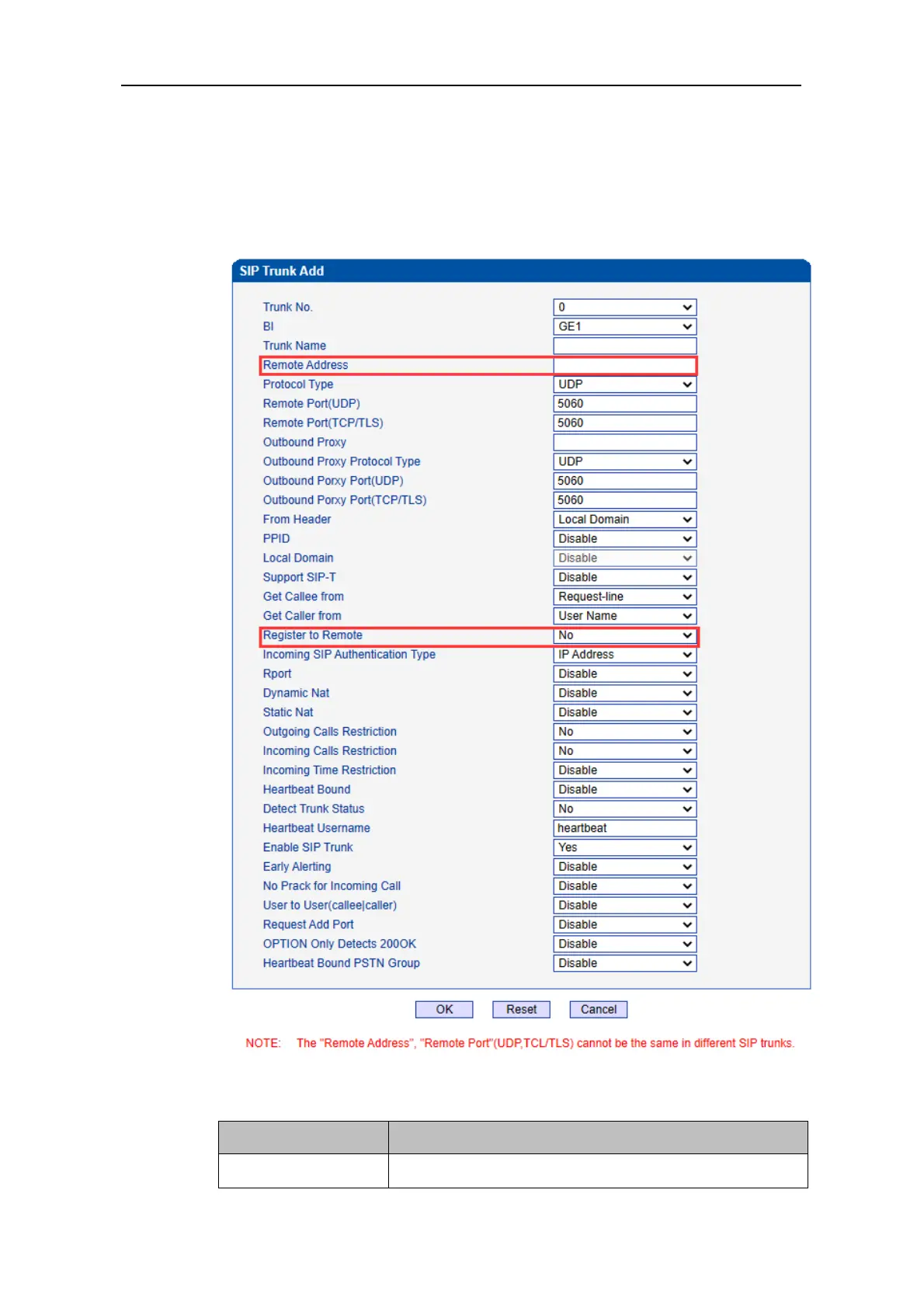
2) Configure parameters on the SIP Trunk Add interface according to related
explanations in the table.
As it is Peer mode, you should select No for the Register to Remote parameter, and
enter the IP address of the peer device.
3) After finishing the configuration of the parameters, click OK.



 To Next Page