MTG2000 Trunk Gateway User Manual V| Dinstar
75
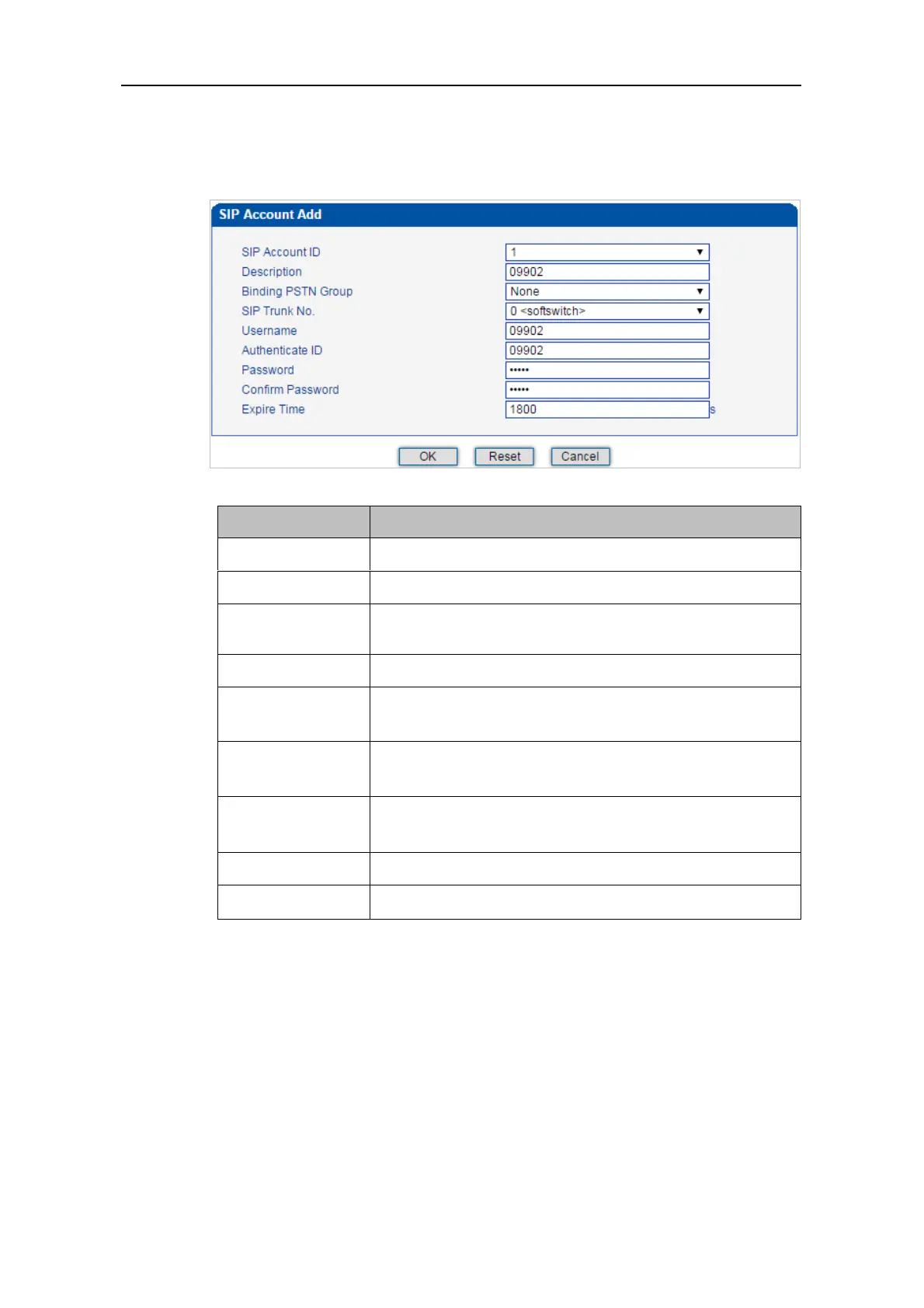
5) Configure the parameters on the SIP Account Add interface.
The ID of SIP Account, from 0 to 127
Description of the SIP account
Choose a PSTN group that is bound to the SIP account
The No. of the SIP trunk bound to the SIP account
The username of the SIP account, which is used to register the
SIP account to softswitch
The authentication ID to authenticate the SIP account for the
softswitch connected to MTG2000
The password of SIP account, which is used when the SIP
account is registered to softswitch
The interval to register the SIP account; Default value is 1800s.
6) Click OK. And you can click Status & Statistics -> IP Trunk Status to check the
SIP trunk that has been established.



 To Next Page