Rev 00
Dr.coffee Product Maintenance Manual 24
Date Selection: Select the date period of data;
Total Cup: The quantity of cups under the condition selected (The amount of each kind of beverage is available)
Time Selection: Select the time period of date
Deleted Drinks:shows the total cups were deleted
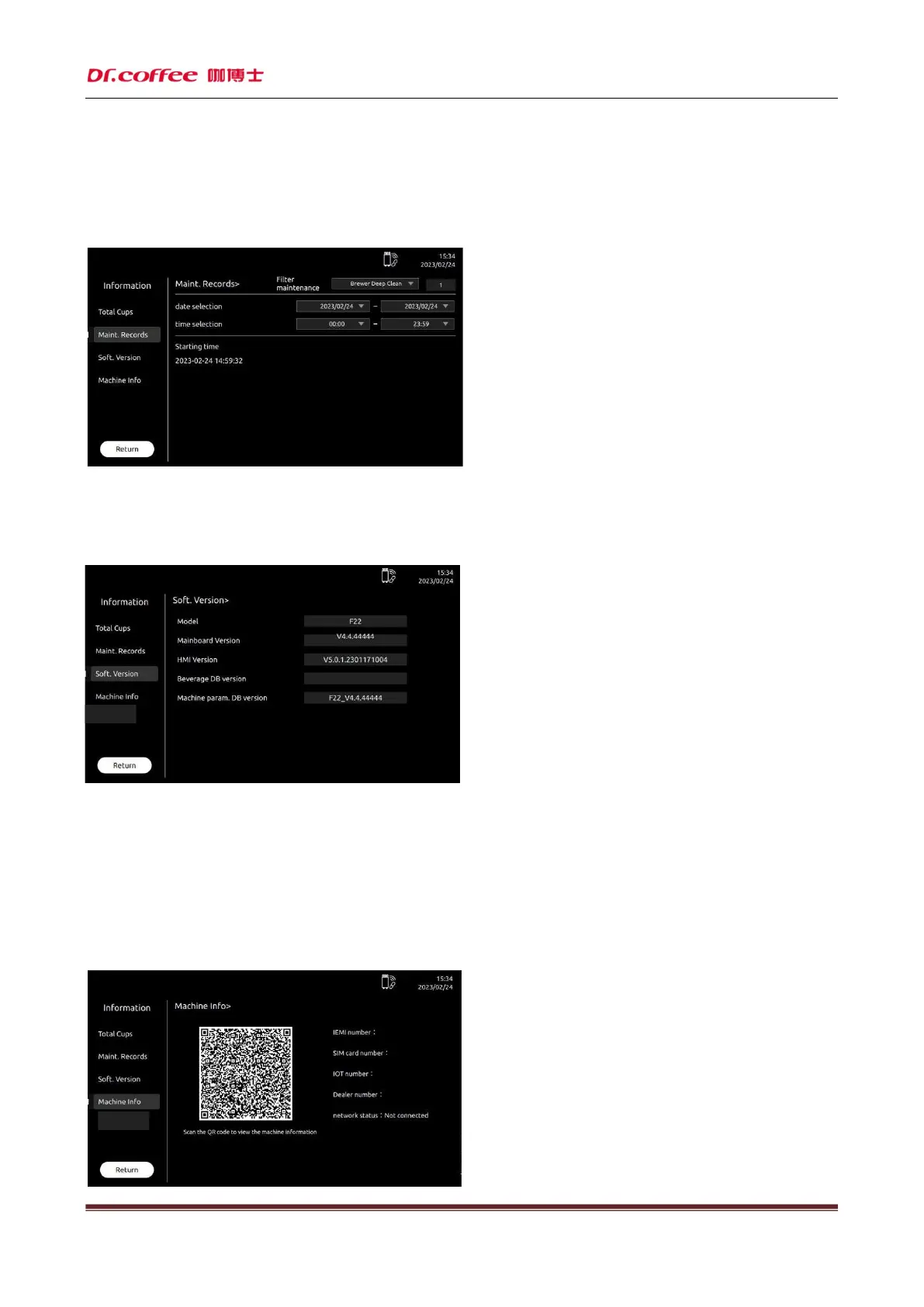
Maint. Records
Maint. Records: The times amount of maintenance Filter Maintenance:Click the “Arrow” to choose the difference maintenance record
Date Selection: Select the date period of data Time Selection: Select the time period of date
Soft. Version
Model:Machine model
Mainboard Version: Current Software Version Info of Mainboard;
HMI Version: Current Software Version Info of Mainboard;
Beverage DB Version: This column displays the version number of the beverage DB of the current machine
Machine parameter Version: this column displays the current machine parameter library version number
Machine Info.



 To Next Page