Rev 00
Dr.coffee Product Maintenance Manual 48
7.4.7.7 Advertising Mode
Means that during the production process, the screen will automatically loop image ads.
Step 1: Connect to U-disk, Tap “Original ad image” to see all logos available
Step 2: Tap the picture to replace, tap “Save”. Logo changing accomplished.
U disk requirements:
1) U disk capacity: less than or equal to 32GB;
2) USB interface: USB 1.0 or USB 2.0;
3) U disk format: FAT or FAT32;
4) The picture must be copied to the root directory of the U disk.
7.4.8 Param.Import&Export
7.4.8.1 Drinks Param
Connect to U-Disk and follow the tips in the interface to import or export the parameters.
Export steps: Connect to U-Disk, click“ ”icon,parameters export accomplished;
Import steps: Connect to U-Disk, click“ ”icon,parameters import accomplished.
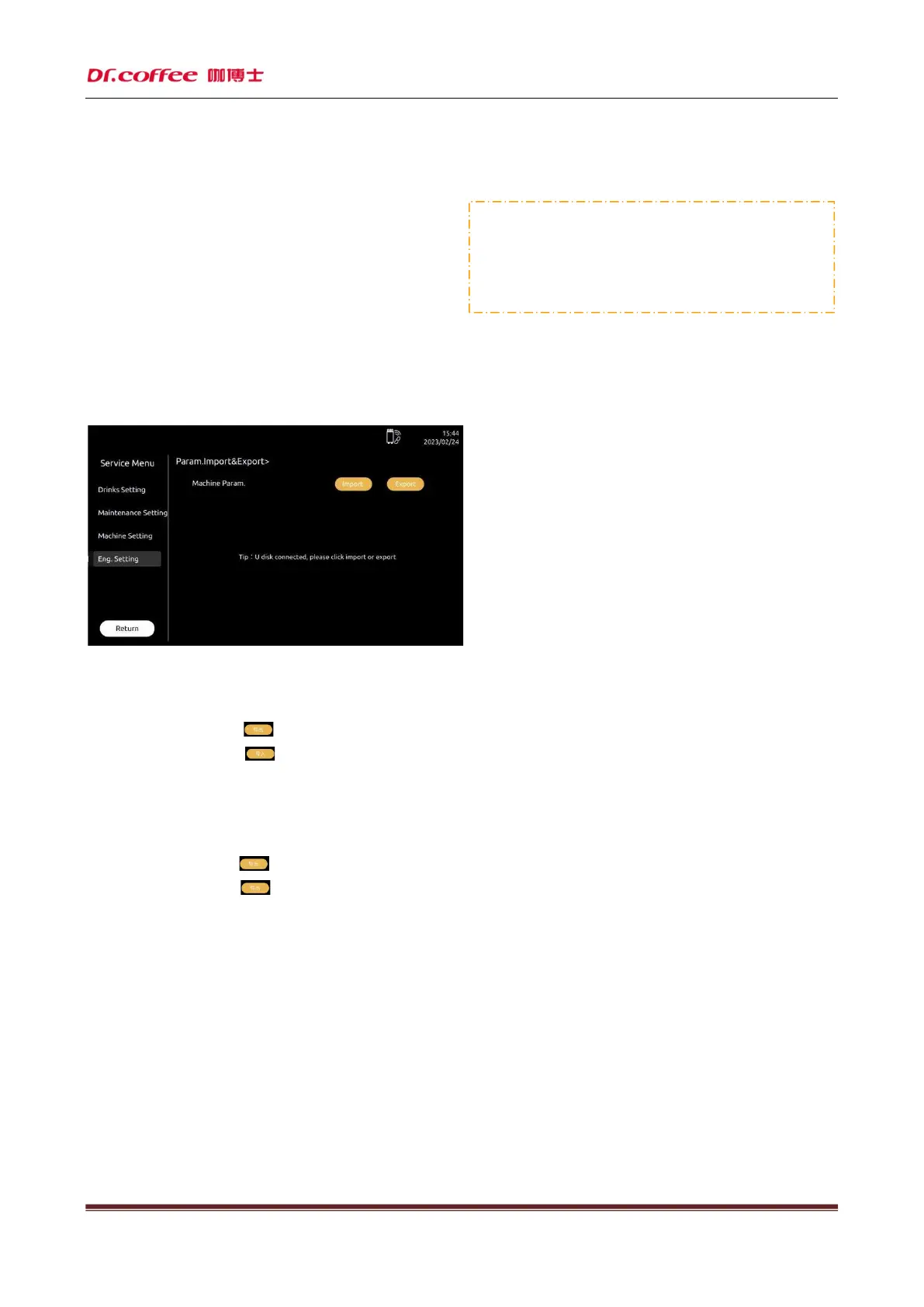
7.4.8.2 Machine Param
Connect to U-Disk and follow the tips in the interface to import or export the parameters.
Export steps: Connect to U-Disk, tap” ”, parameters export accomplished.
Import steps: Connect to U-Disk, tap” ”, parameters import accomplished.
Advertising Picture Requirements:
File name of picture: Only English words or number
Image Size: 620x540 pixels
;
Format: png
;
File Size: Less than 2MB;



 To Next Page