Rev 00
Dr.coffee Product Maintenance Manual 38
12/24H
This indicates the system for setting the time of the coffee machine system. Setting Choice: 12-hour, 24-hour
Date
This indicates the date the coffee machine system is set. Setting Choice: year, month, date.
Time
This indicates the time for setting the coffee machine system. Setting Choice: hours, minutes
7.3.3 Auto Power Off/On
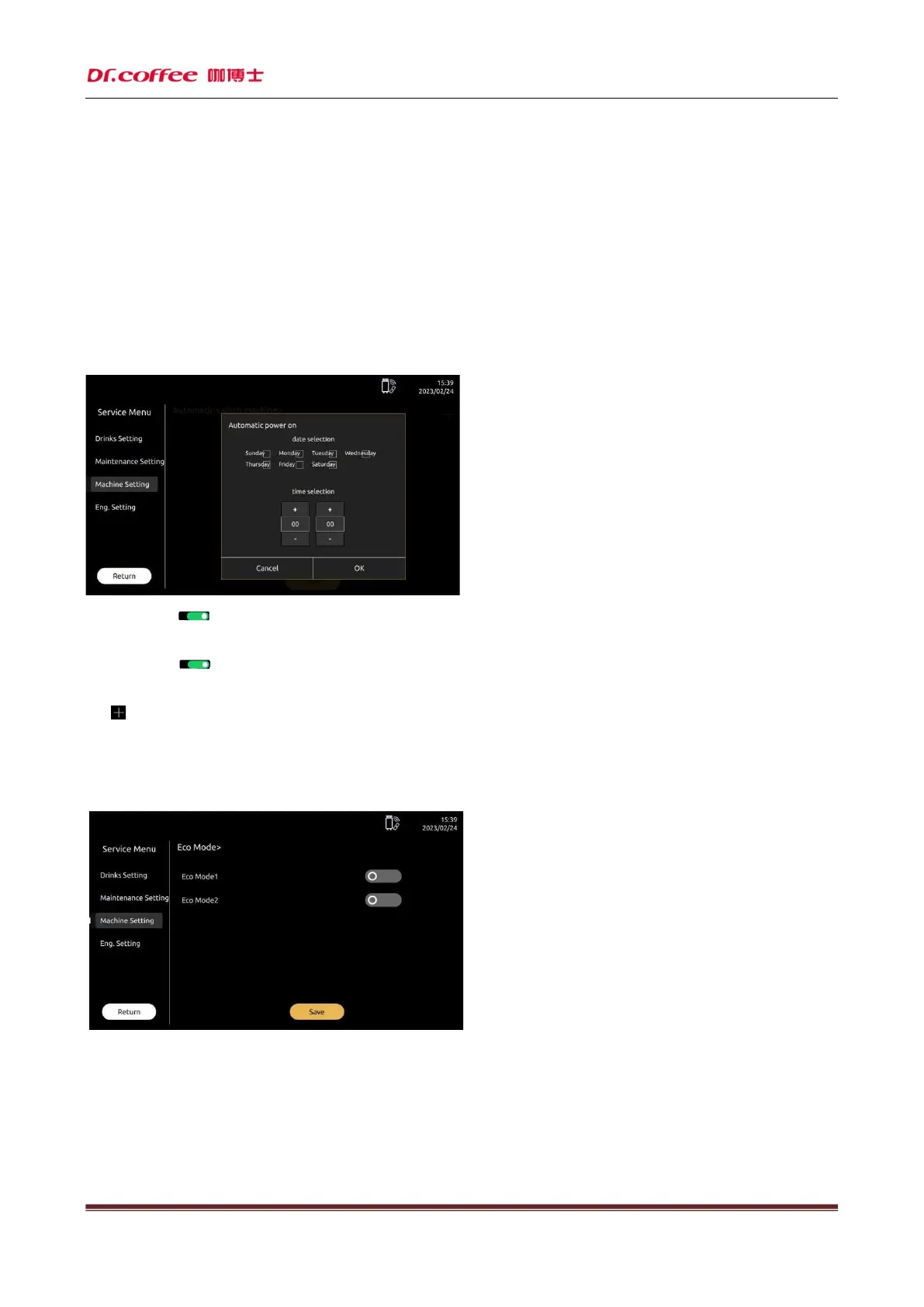
Auto power off/on: Set time of machine power off and power on. Click “Save” to effect
Auto power on: Click“ ”icon, turn on or turn off this function.(Green means turn on, dark means turn off)
Select the date of power on. Range: Monday, Tuesday, Wednesday, Thursday, Friday, Saturday, Sunday, Everyday; Select the time. Range: 00:00~23:59
Auto power off: Click“ ”icon,turn on or turn off this function.(Green means turn on, dark means turn off)
Select the date of power off. Range: Monday, Tuesday, Wednesday, Thursday, Friday, Saturday, Sunday, Everyday; Select the time. Range: 00:00~23:59
Click“ ”icon can add the function of auto power on or of
7.3.4 ECO Mode
ECO Mode: In this item, you can choose to turn on or off any of the modes. Click “Save” to effect.
ECO 1
After standing by for 1 hour, the temperature of Steam Boiler will drop to be the same with hot water thermoblock, coffee thermoblock and powder boiler. And maintain this
constant temperature.
ECO 2
After standing by after 1 hour, the temperature of Steam Boiler, hot water thermoblock, coffee thermoblock and powder boiler will drop to 60
℃,
And maintain this constant
temperature.



 To Next Page