Rev 00
Dr.coffee Product Maintenance Manual 49
7.4.9 Program Update
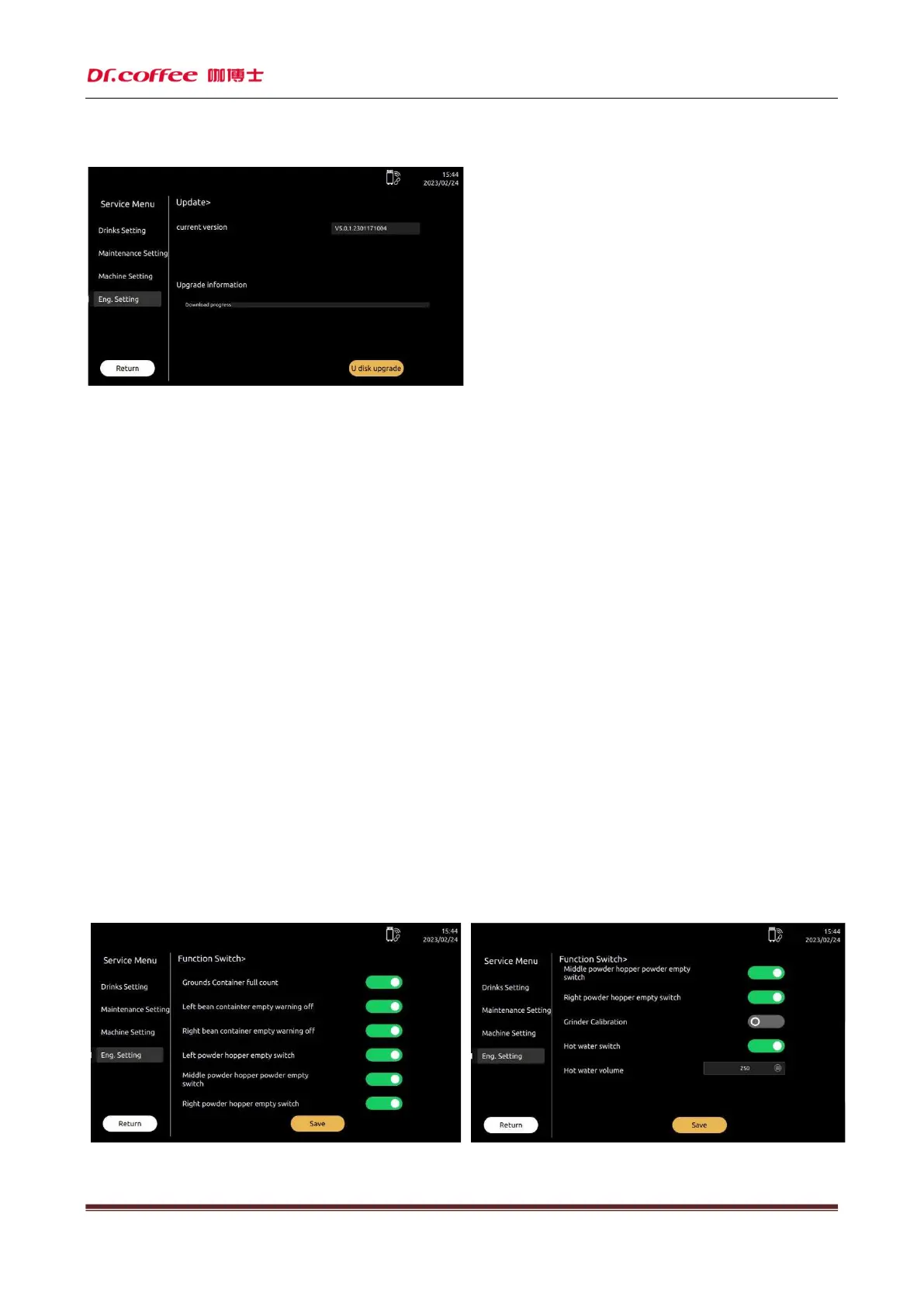
7.4.9.1 Current Version
The version information of the current machine
7.4.9.2 U-Disk Update
U-Disk update is available.
Steps 1: Open U-Disk on the computer, create a folder named” update_ipk ”
Step 2: Paste the update (.ipk program) to” update_ipk” Folder.
Step 3: Connect the U-Disk to machine, tap “USB Drive Update”, the system will do updating itself.
Step 4: After the whole process, Update successfully will appear in the interface, disconnect U-Disk, switch off the power, and restart the machines.
Updating done.
(If it has no access to Interface, the machine could also be updated.
1, Switch off the machine; 2, Connect to U-Disk; 3, Switch on the machine; 4, Tap “USB Drive Update” in the Screen)
Requirements for U-Disk:
Memory Capacity: No more than 32GB
Port: USB 1.0 or USB 2.0;(USB 3.0 is not available temporarily )
Format : FAT or FAT32;
The format of update program is “.ipk”. The program should be move into a folder named”update_ipk” (This is the only one useful name.)
7.4.10 Function Switch
Function Switch:This is where you can turn on or off the relevant functions in the menu. Click save to take effect
Grounds Counter



 To Next Page