Rev 00
Dr.coffee Product Maintenance Manual 27
7.1 DRINKS SETTING
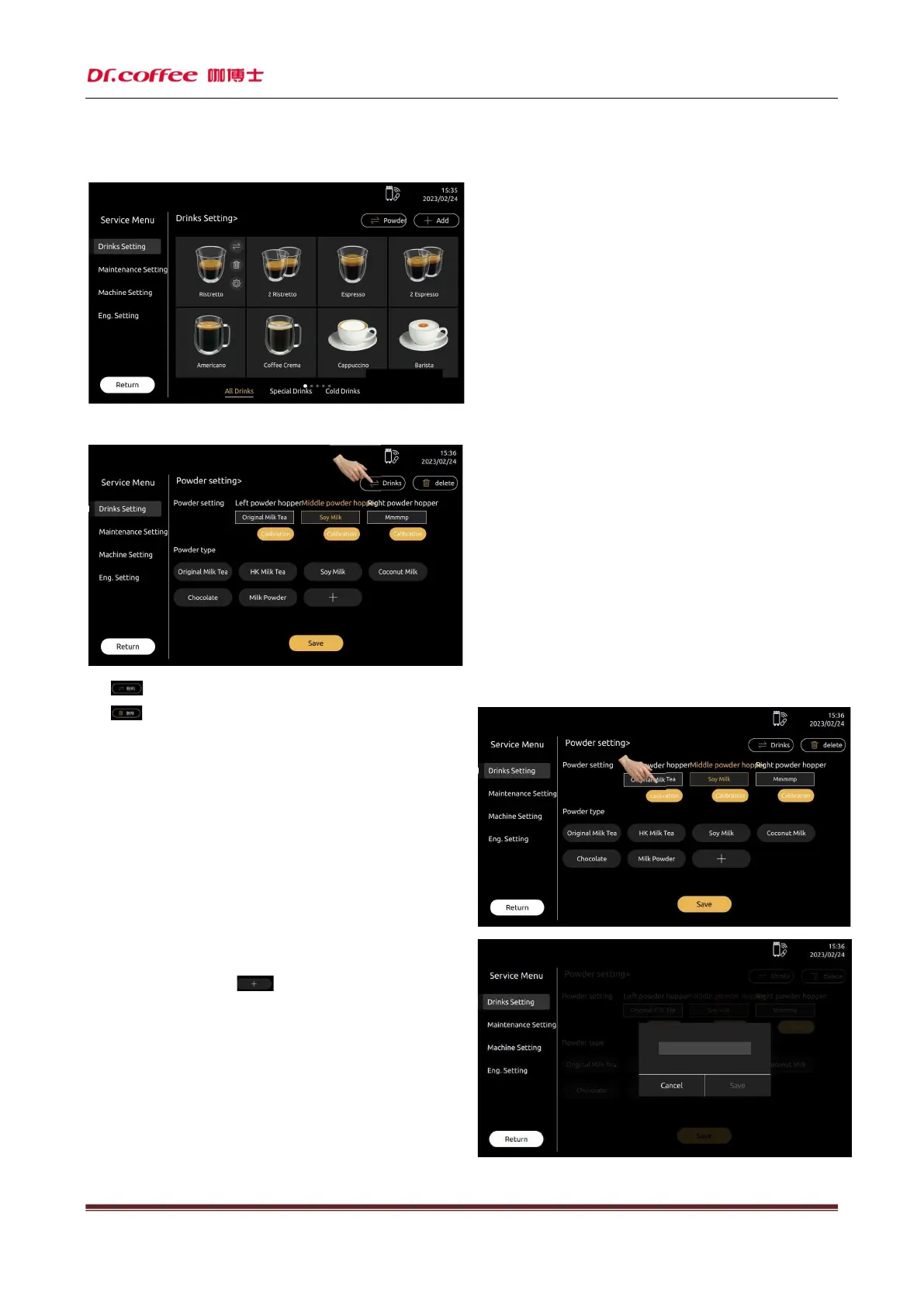
Drinks Setting: Tap the picture of beverage to modify the parameters.
7.1.1 Powder Setting
Click“ ”icon,for the powder setting interface;
Click“ ”icon,can delete the powder type.
7.1.1.1 Powder Setting
Powder box 1, powder box 2, powder box 3 represent left, middle, and
right powder box
Click the powder box, select the powder which match with the powder box.
Calibration:Click the calibration to do the powder calibration.
(Detail information please refer the Eng setting)
7.1.1.2 Powder Type
Represent the kind of powder, click to add type.



 To Next Page