Rev 00
Dr.coffee Product Maintenance Manual 81
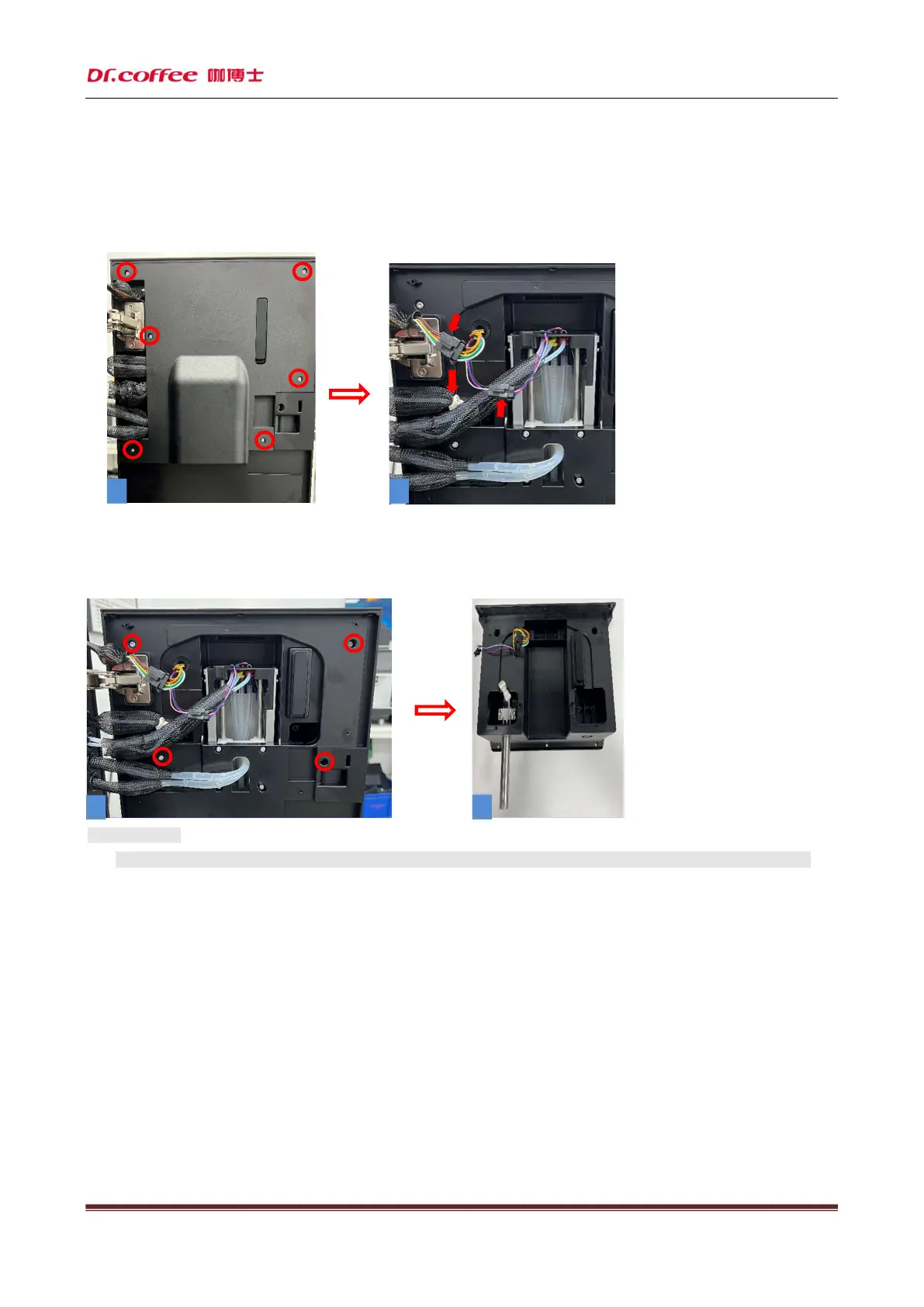
6.2.10 Remove HMI group
Step 1: Open the coffee machine door, unscrew the six screws (as shown in Figure 1) that fix the rear cover of the door, and
remove the rear cover of the door. Unplug the plug and connector shown by the arrow (as shown in Figure 2);
Step 2: Unscrew the four screws that fix the HMI group as shown in the circle (as shown in Figure 1), and finally remove the HMI
group, and then dismantle the HMI group.
★ Precautions:
1. The display screen is made of glass. Please handle it with care during disassembly to prevent glass breakage!
1
2
1
2



 To Next Page