Rev 00
Dr.coffee Product Maintenance Manual 46
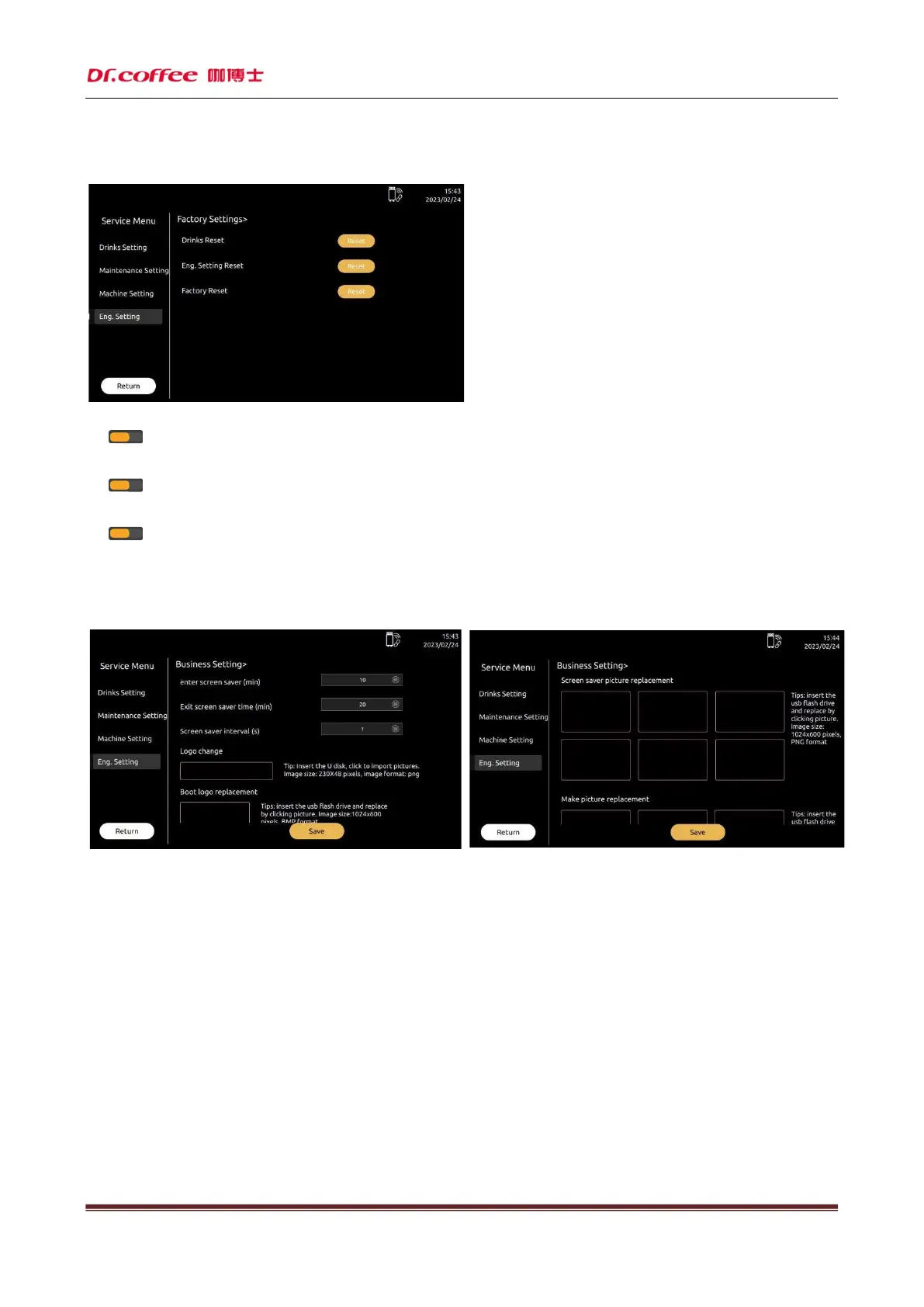
7.4.6 Factory Setting
Factory Setting:Restore the relevant parameters of coffee machine to the factory default value.
Drinks Reset
Tap “ ” and “Save” to Reset the Drinks Setting.
Eng. Setting Reset
Tap “ ” and “Save” to Reset the Eng. Setting.
Factory Reset
Tap “ ” and “Save” to Reset the whole Setting.
7.4.7 Business Setting
Business setting: Business-related functions can be set here
7.4.7.1 Screen Saver Setting
Means the time for setting to enter the screen saver function. Unit: minutes. Setting range: 1~30 minutes;
For example: setting "5" minutes means that the machine will automatically enter the screen saver mode after no one is used for 5 minutes;
7.4.7.2 Exit Screen Saver Time
Means the time for setting to exit the screen saver function. Unit: minutes. Setting range: 1~30 minutes;
For example: setting "5" minutes means that the machine will automatically exit the screen saver mode after no one is used for 5 minutes;



 To Next Page