Rev 00
Dr.coffee Product Maintenance Manual 36
7.3 MACHINE SETTING
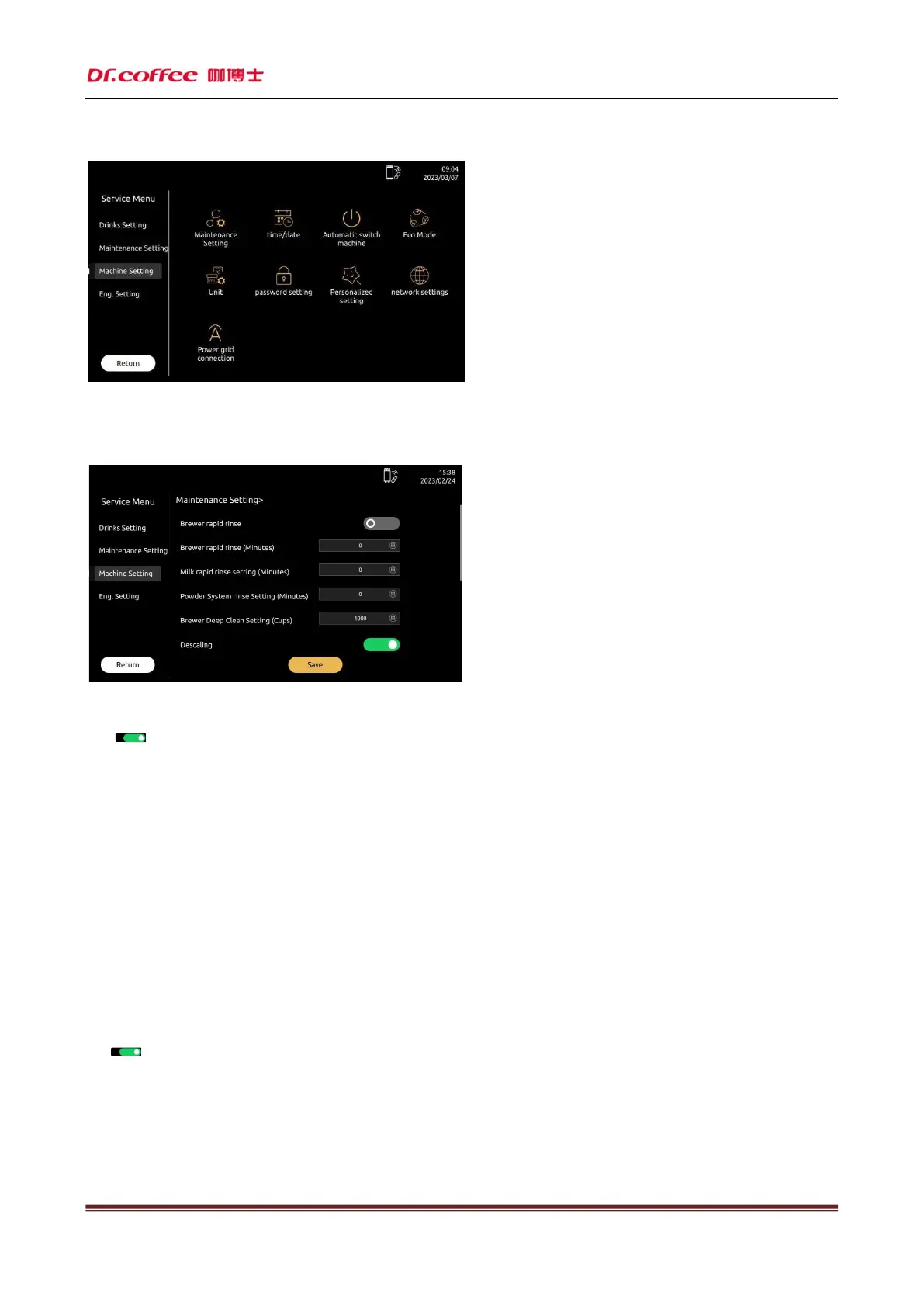
7.3.1 Maintenance Setting
Maintenance Setting: Set the condition values for various maintenance intervals of the machine. Tap “Save” to effect
Brewer Warming Up
Click“ ”icon,open or close this function.(Green means open, dark means close)
Means if need open the warming up function, also can set the time. Range:0-120 minutes.
For example: Setting”20 minutes later” which means that if the coffee machine is not operated after 20 minutes, the machine will turn on the warm-up function.
Specific explanation of this function: make any coffee drink after 20 minutes, will pop up the prompt "Brewer warming up?" , click "yes", the coffee machine will automatically
flush the brewing system with hot water to achieve the effect of preheating.
Brewer Deep Clean (Cups)
Means after how many cups of coffee have been made, the machine will automatically prompt you to use the tablets for deep cleaning of the brewing system. Setting range: see the
prompts in the input field on the screen.
For example: set to "1000", it means that after the coffee machine makes 1000 cups of coffee drinks, the machine will automatically prompt that the brewer system needs to be deep
cleaned with tablets.
Powder System Rinse Setting
Means set the time of rinsing the powder mixer. Range: No, Immediate, 5 minutes later, 10 minutes later...
Descaling
Click“ ”icon,open or close this function.(Green means open, dark means close)
Descaling Setting (Cups)
Means after how many cups of coffee made the machine will prompt you to descale coffee machine with descaling powder.
* For example: set to "1000", it means that after the coffee machine makes 1000 cups of drinks, the machine will automatical
ly prompt that the coffee machine needs to be descaled
with descaling powder.



 To Next Page