Rev 00
Dr.coffee Product Maintenance Manual 28
7.1.2 Drinks Position Changing
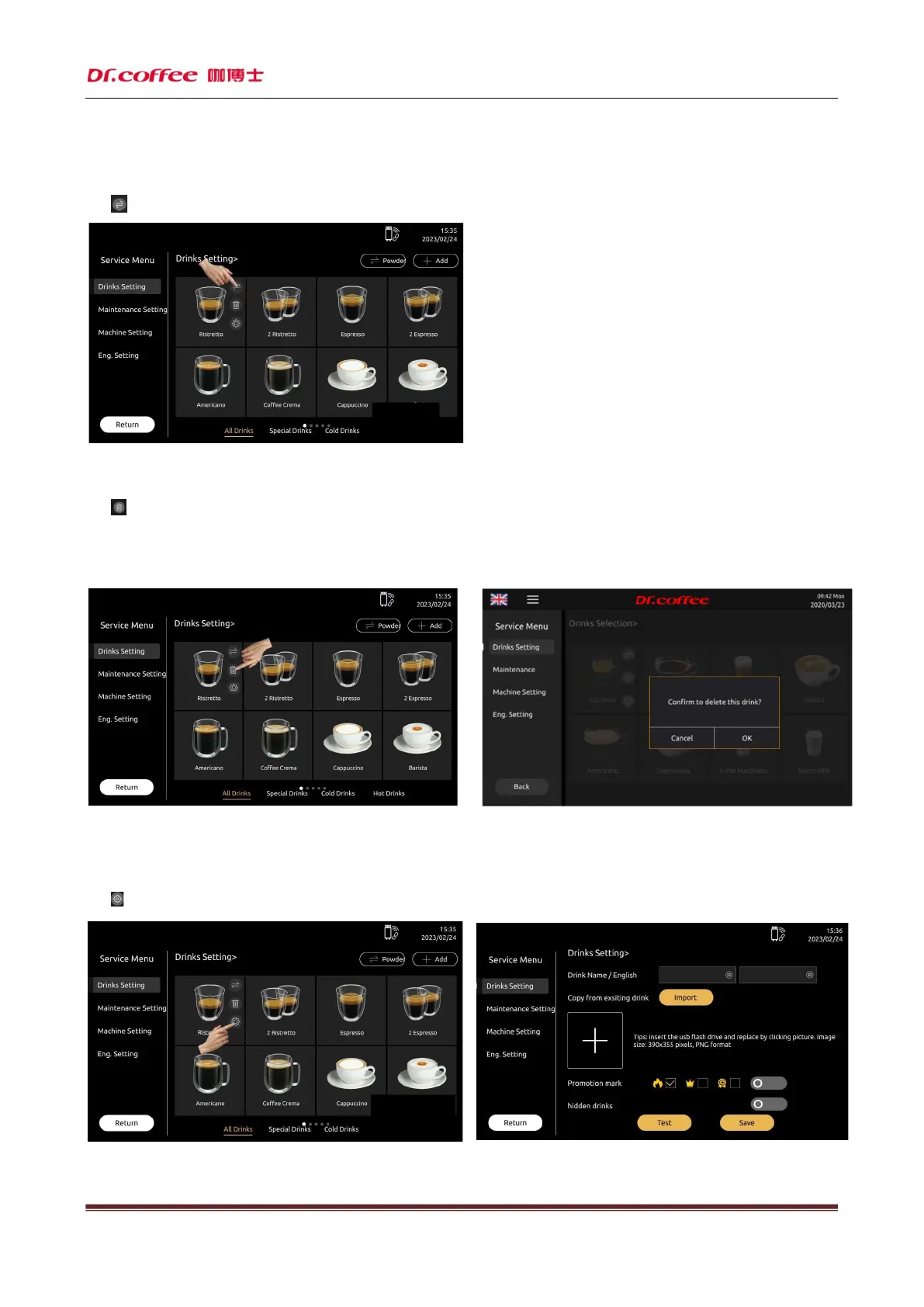
Click“ ”icon,then click the aim position. Click the image of the drink that needs to be exchanged to accomplish the position exchange of the two drinks.
7.1.3 Delete Drinks
Click“ ”icon to the interface to see the interface below.
Cancel: Cancel this process
OK: Delete this beverage.
7.1.4 Drinks Parameters Setting
Click“ ”to see the parameters setting interface



 To Next Page