Rev 00
Dr.coffee Product Maintenance Manual 79
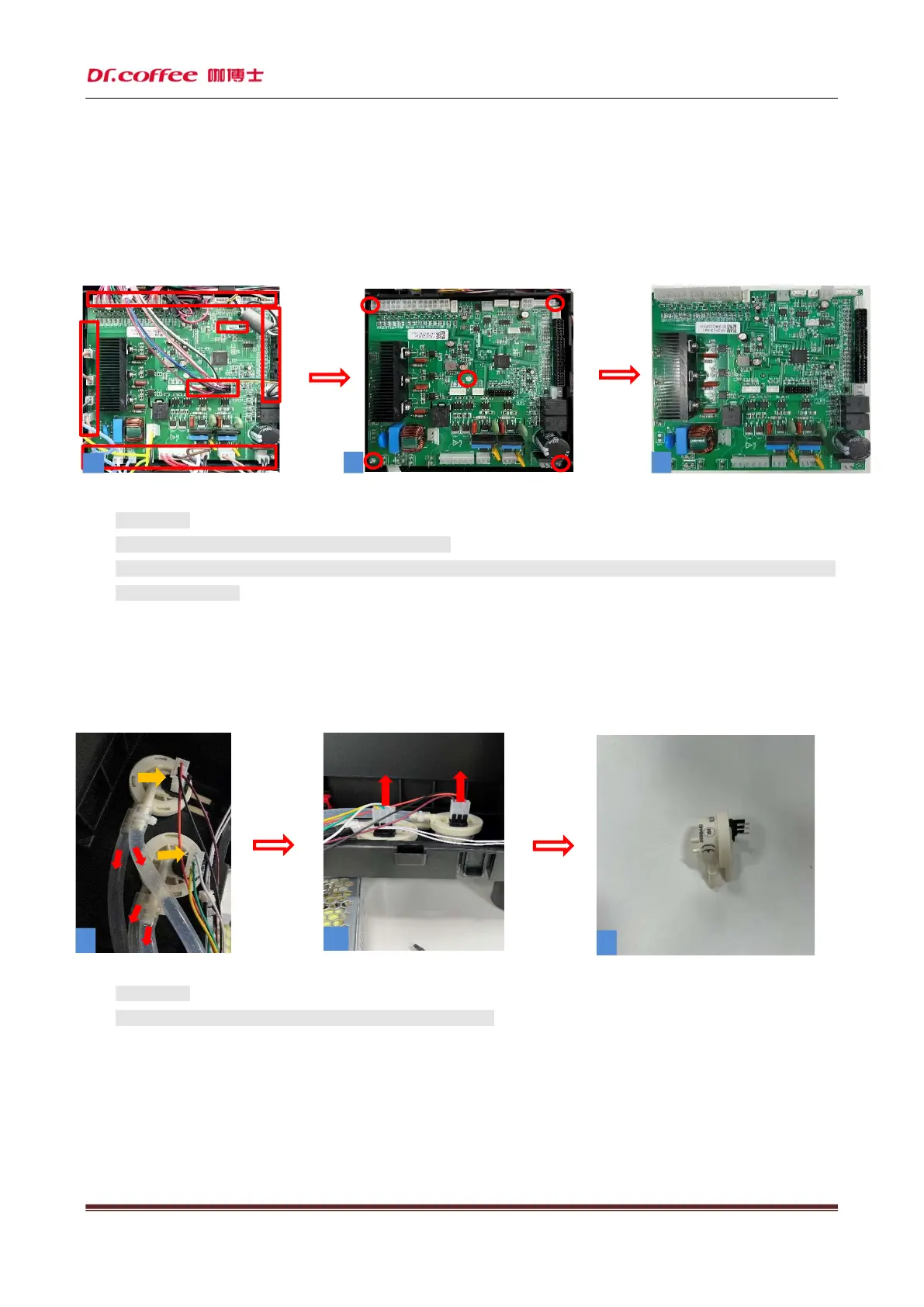
6.2.6 Remove the main control panel
Step: First (as shown in Figure 1) unplug the small adapter board and all the wiring plugs on the main board, then (as shown in
Figure 2) remove the five screws in the red circle that fix the main board, and finally remove the main control board. The main
control board is removed.
★ Precautions:
1. Please unplug the coffee machine before doing this!
2. When pulling out the wiring plug, please press the clip first and then pull out the plug to prevent pulling the
wiring terminal off!
6.2.7 Dismantle the flowmeter
Step: First (as shown in Figure 1) pull out the connecting water pipe of the flowmeter, then pull out the harness plug upwards,
then pull out the flowmeter upwards, and then remove the flowmeter.
★ Precautions:
1. Be careful during disassembly to avoid scratching fingers!
3
1
2



 To Next Page