Rev 00
Dr.coffee Product Maintenance Manual 89
6.3 P30 component disassembly steps
6.3.1 Removal appearance
6.3.1.1 Remove the rear cover plate
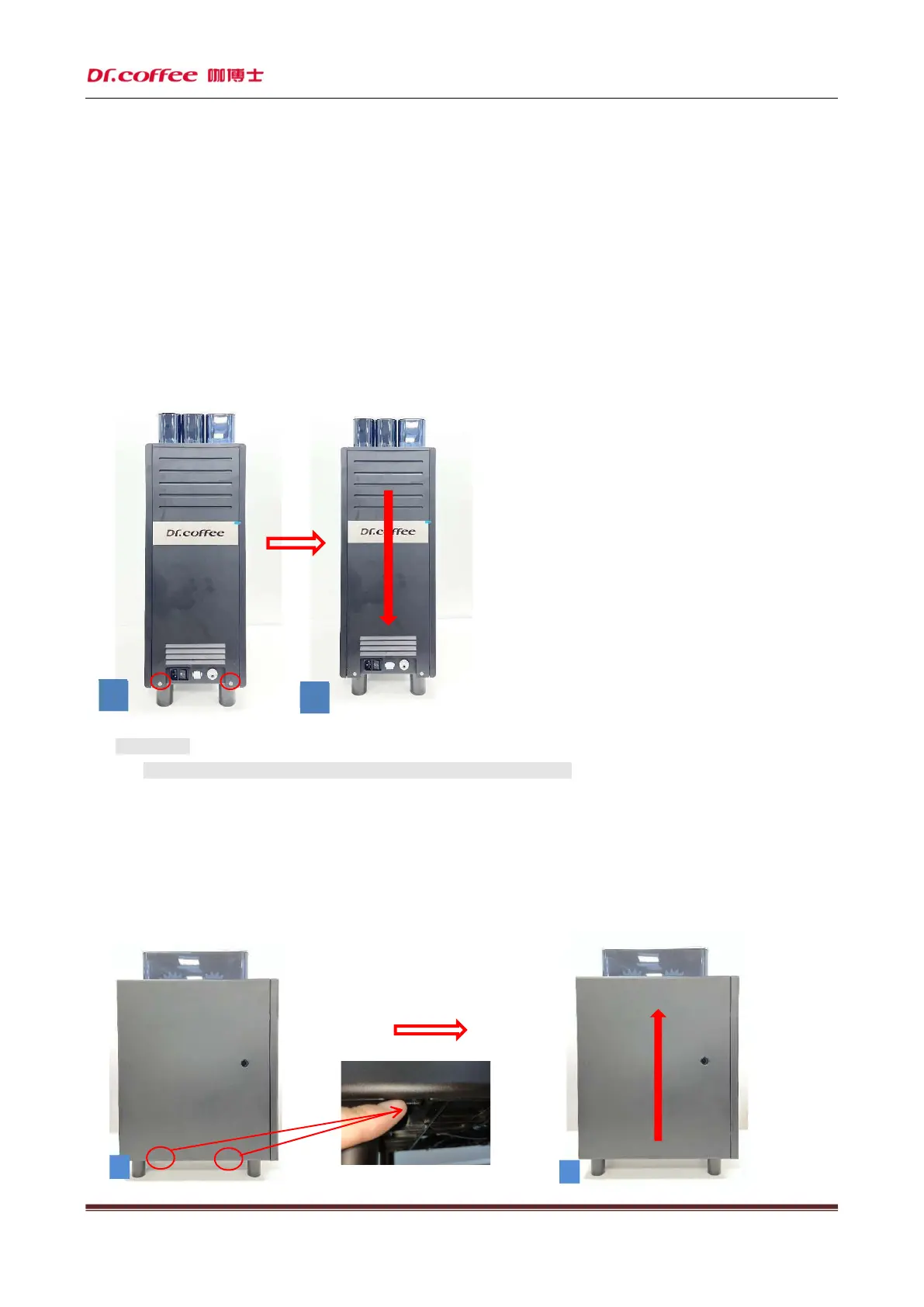
PP30 powder machine: first remove the two screws at the position shown in the red circle (as shown in Figure 1) with a
T20 screwdriver, and then (as shown in Figure 2) push out the rear cover plate from top to bottom and take it off. The
removal of the rear cover plate is completed.
★ Precautions:
1. Handle with care during disassembly to prevent scratching fingers!
6.3.1.2 Remove the left and right side panels
Step 1: First press the snap at the position shown in the red circle with your fingers inward (as shown in Figure 1), then
(as shown in Figure 2) push out the side cover plate from the bottom to the top and remove it, and then remove the left
side plate.
1
2



 To Next Page