Rev 00
Dr.coffee Product Maintenance Manual 44
7.4.4 Water Supply
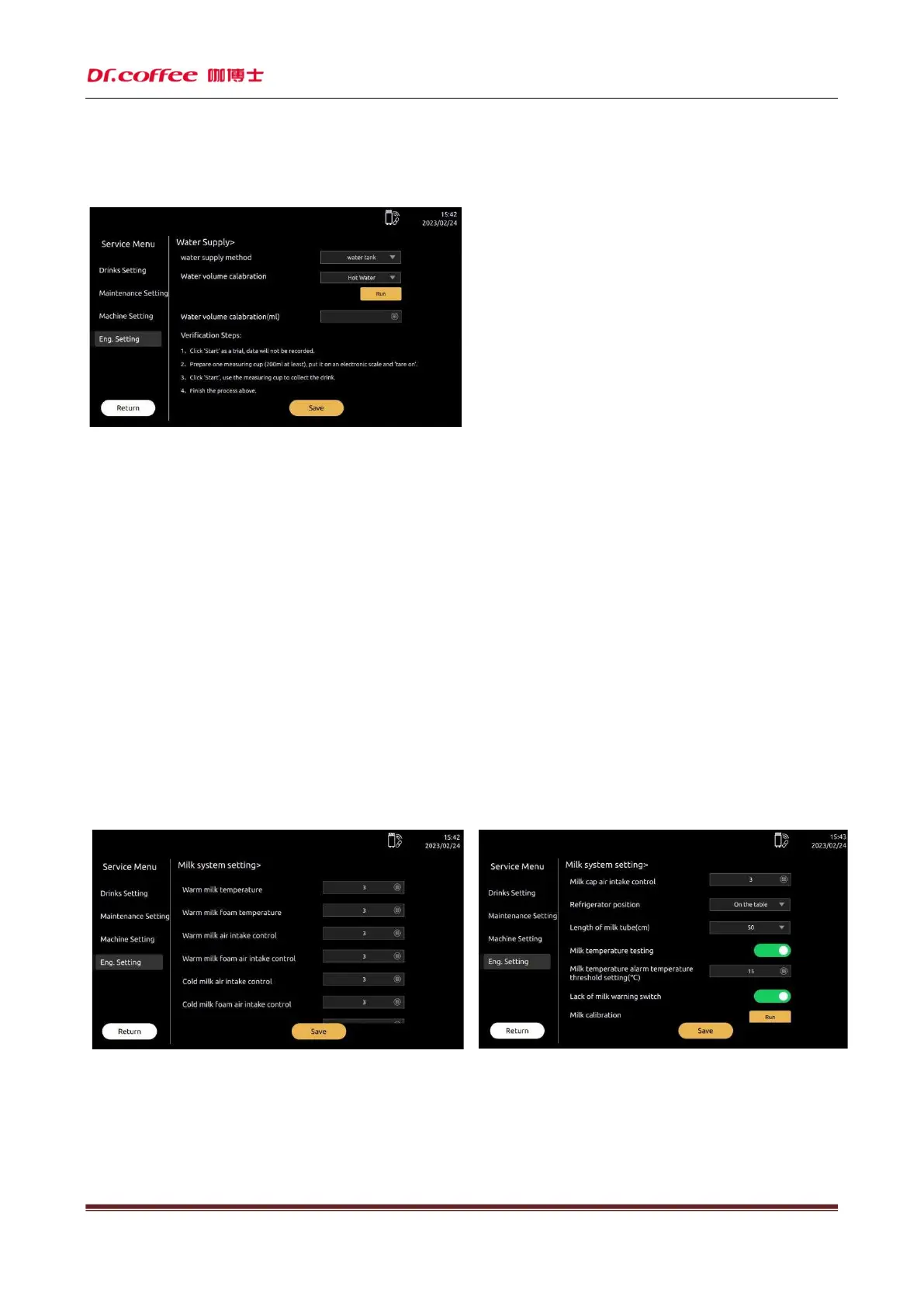
Water Supply: Set the way of water from and water calibration. Click “Save” to effect.
Water Supply
The way of water supply Setting Choice: Water Tank, Tap Water
(Note: The actual supply way should be the same with the setting in the machine.)
Water Calibration
Select the drinks water volume, click “Start” button. Option: Regular Coffee, Strong Coffee, Extra-strong coffee, Hot Water, Water, Powder Hot Water.
Water Calibration(ml)
Insert the real water volume, click”Save” button.
Method of water calibration(A rate formed by the actual measured water and expected water to reduce the error of water.)
Step 1: Click”Start”, the first data will not be recorded.
Step 2: Take a measuring cup(at least 200ml), weight and under the outlet.
Step 3: Click “Start”
Step 4: Waiting the water finish.
Step 5: Weight the water and record in machine, click “Save”.
7.4.5 Milk System Setting
Milk system setting:Set the parameter of milk. Click “Save” to effect.
Hot Milk Temperature
Set the milk temperature when making hot milk. Optional: 1-10. The bigger the number, the higher the temperature. Default: 3
Milk Foam Temperature
Set the milk foam temperature when making milk foam. Optional: 1-10. The bigger the number, the higher the temperature. Default: 3



 To Next Page