Instructions for Use Infinity Acute Care System - Monitoring Applications SW VG1 263
External Device - Ventilator
Ventilator Display
The Cockpit displays the following loops and
parameters:
– Airway-pressure waveform (paw) and
associated parameter box
– Expiratory flow waveform and associated
flow/volume (vent) parameter box
–CO
2 and associated parameter box
– Loops
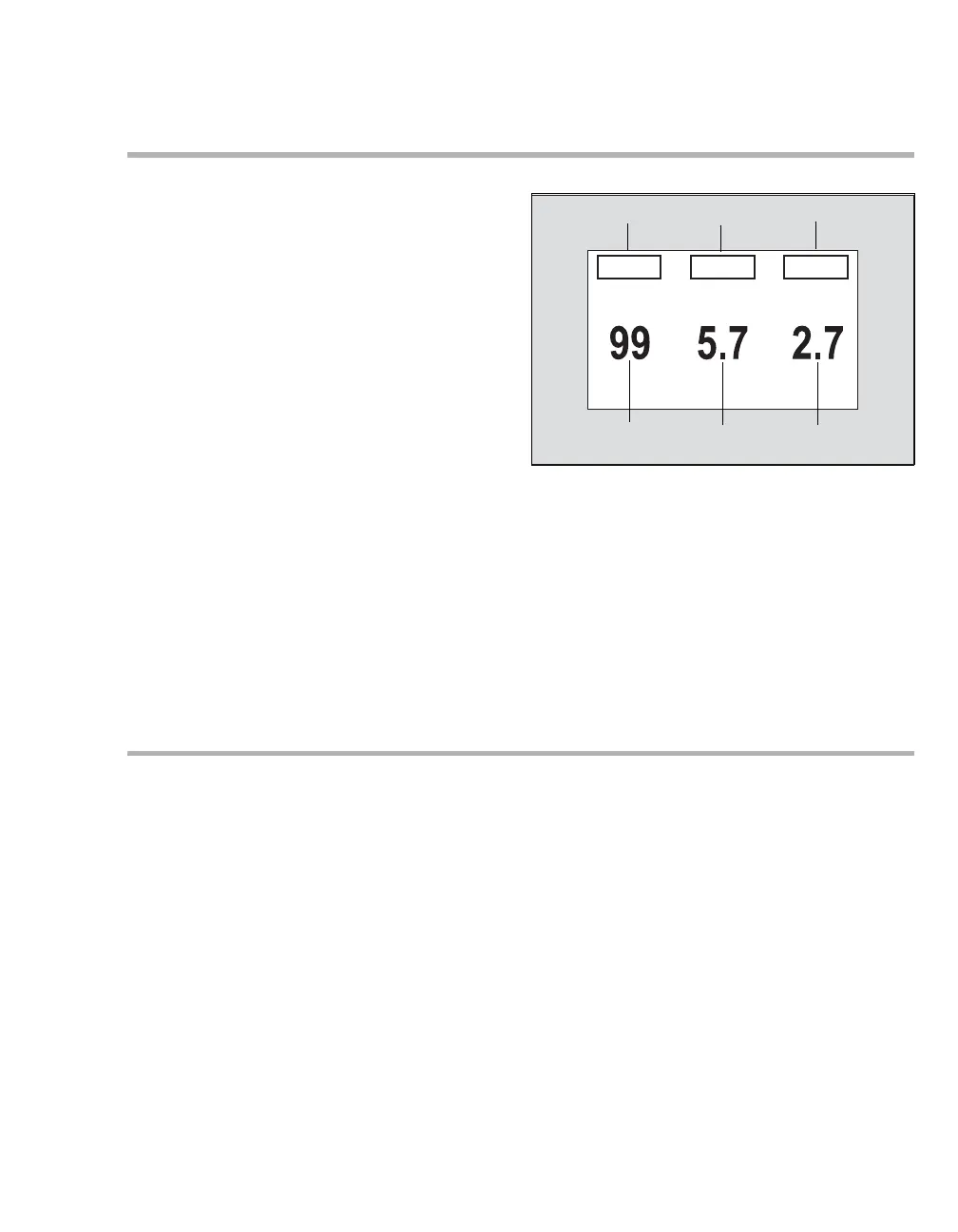
The following diagram shows a ventilator
parameter box.
A Primary parameter label
B Second parameter label
C Third parameter label
D Third parameter value
E Second parameter value
F Primary parameter value
Loops
Loops offer important information about the
response of the patient to mechanical ventilation.
You can review loops in two pages:
Pressure/volume and Flow/volume.
Pressure/volume loops illustrate changes in
compliance, resistance, and work of breathing. A
mechanical breath plots in an anti-clockwise
direction, while a spontaneous breath plots in a
clockwise direction. Inspiration starts at a point
defined by the baseline pressure and the volume
level at the beginning of inspiration.
Flow/volume loops also report mechanical and
spontaneous breaths. Inspiration begins at the
origin and moves upwards and clockwise.
Expiration plots below the horizontal axis and
progresses anti-clockwise to the original starting
point.
049










 To Next Page