Instructions for Use Infinity Acute Care System - Monitoring Applications SW VG1 65
Getting Started
To turn the Cockpit off
z Press the on/off key located in the lower-
left corner of the Cockpit > select
Shutdown in
the shutdown dialogue box.
To turn the M540 off
1 Press and hold the on/off key. The power-
off dialogue window appears.
2 Select the Shutdown button in the dialogue
window.
The Demographics Page
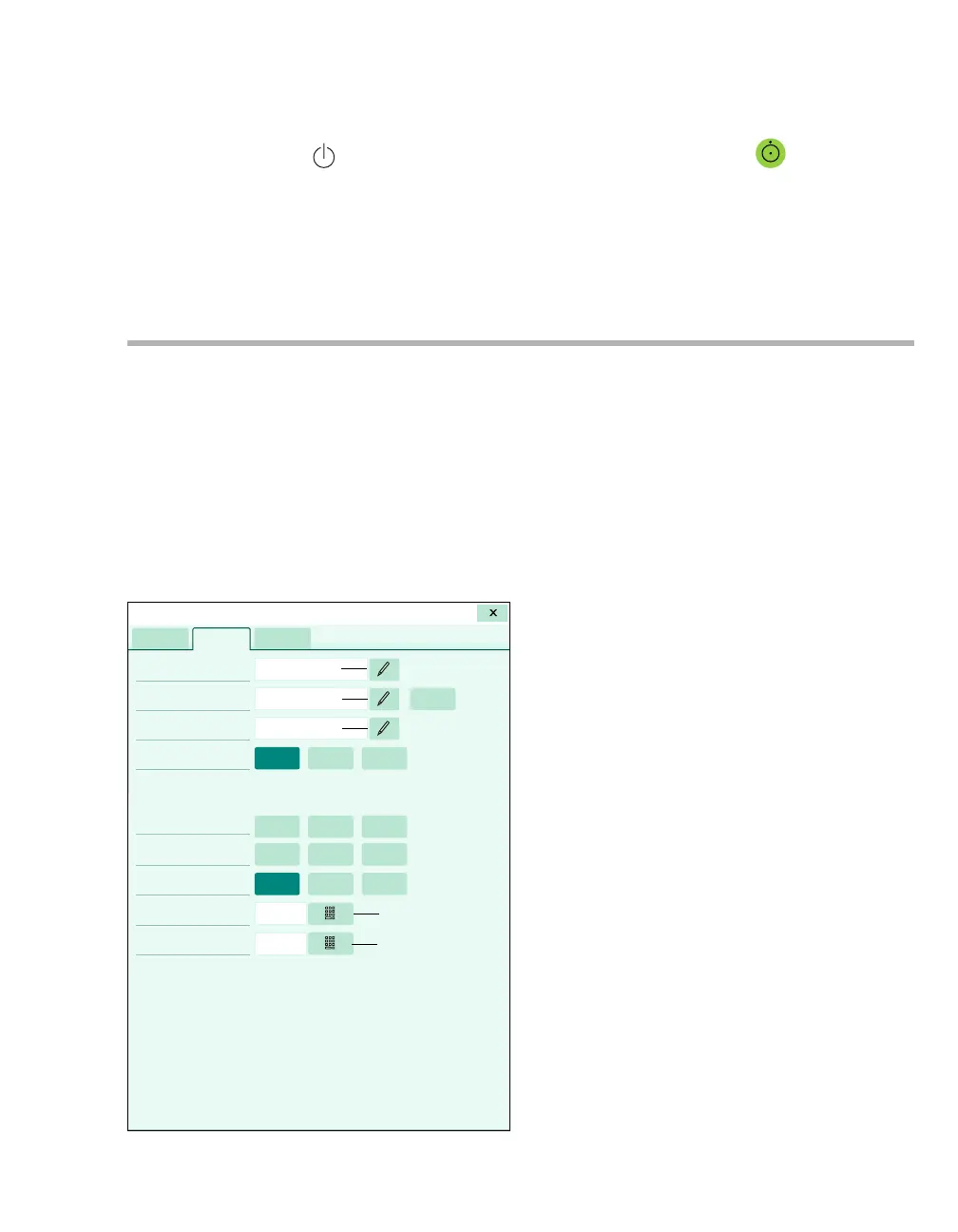
The following diagram shows the Demographics
page where you can perform the following
functions:
– Admit a patient manually (see page 66)
– Admit a patient over the network via the "Get
HIS" feature (see page 67)
– Discharge a patient (see page 67)
– Change the patient category (see page 69)
A The Patient name keyboard symbol
B The Patient ID keyboard symbol
C The Physician name keyboard symbol
D The Get HIS button
E The Patient category buttons (Adult,
Paediatric, Neonate)
F The Birth date fields
G The Admit date fields
H The Gender fields
I The Weight keypad symbol
J The Height keypad symbol
All demographic data entered on the
Demographics page is available to the network.
Demographic data is not deleted when you turn the
Cockpit off and on. To delete the demographic
data, discharge the patient.
015
A
B
C
D
EE
E
F
F
F
GGG
H
HH
I
J
Start/Standby










 To Next Page