System Configuration
310
Instructions for Use Infinity Acute Care System - Monitoring Applications SW VG1
Transferring Profiles
You can transfer profiles over the network or via an
USB memory stick.
Transferring Profiles over the Network
Transferring profiles over the network is only
possible among Cockpits within the same
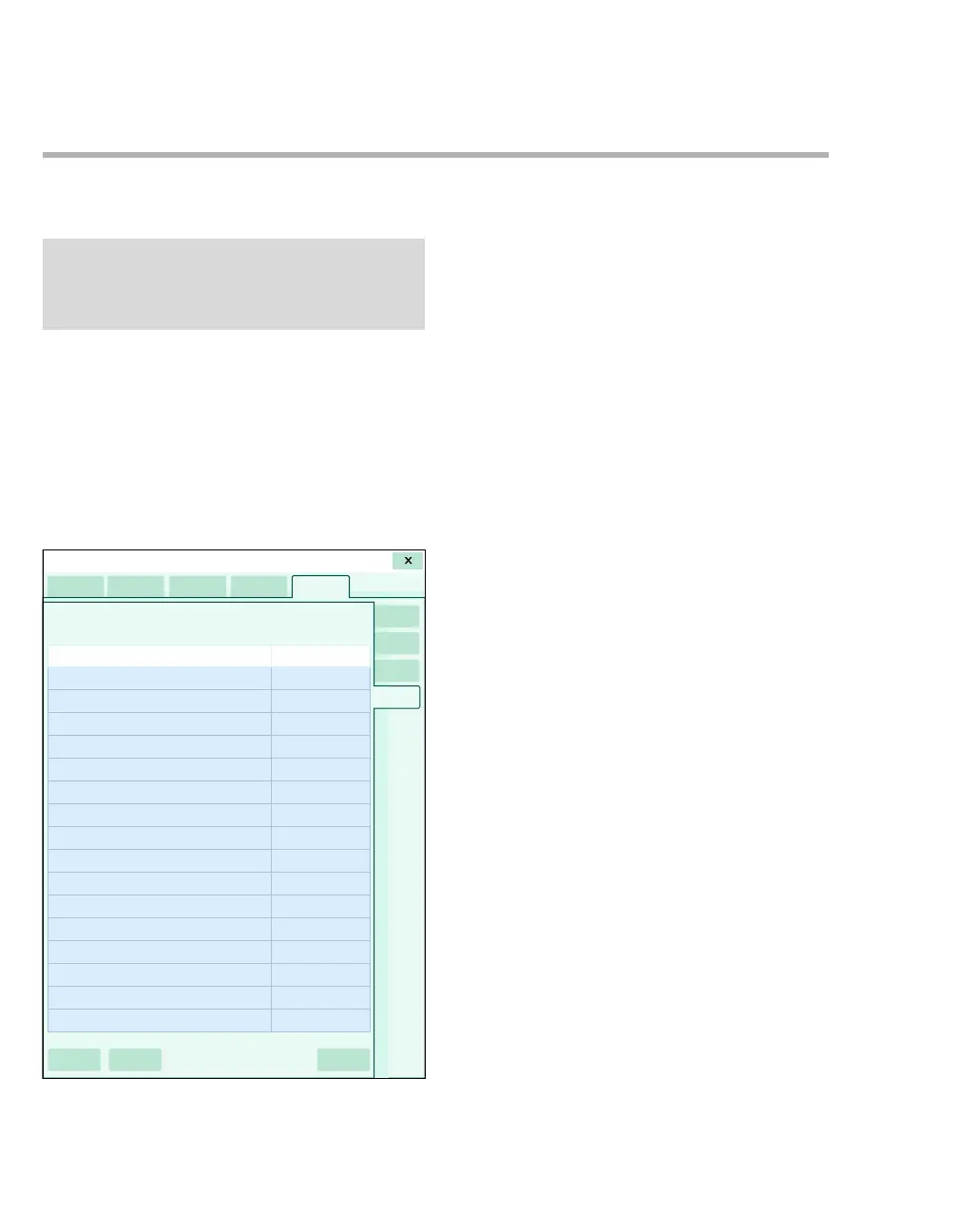
monitoring unit. The following diagram shows the
Profile transfer page, which consists of a list of
connected devices within the monitoring unit.
A The Profiles tab
B The Device name column
C The Status column
D The Profile transfer tab
E The Start transfer button
F The Clear selection button
G The Select all button
To transfer a profile over the network
1 Select the System setup... button on the main-
menu bar.
2 Select the Profiles > Profile transfer tabs.
3 Enter the clinical password. The Profile
transfer page which lists all the devices in the
care unit appears.
4 Select a device from the list or select one of the
following buttons:
–The Select all button (G) to select all
devices to transfer profiles to.
–The Clear selection button (F) to remove
any selection from the device list.
5 Select the Start transfer button (E) to start the
profile transfer.
The profiles are transferred to the target Cockpit,
but are not implemented until you select a new
profile.
NOTE
Whenever you use the transfer-profile function, all
existing profiles for all patient categories are
transferred simultaneously.
064










 To Next Page