Getting Started
64
Instructions for Use Infinity Acute Care System - Monitoring Applications SW VG1
Overview of Monitoring a Patient
This chapter describes the necessary steps to start
monitoring a patient on the IACS.
Specifically, this section describes how to:
– Turn the IACS on/off
– Admit/discharge a patient on the Cockpit
– Change the patient category
Turning the IACS On/Off
Before monitoring a patient on the IACS, the
Cockpit and the M540 must be turned on. The
following steps assume that the M540 has been
docked in the M500 (for information see
"Docking/Undocking the M540" on page 59).
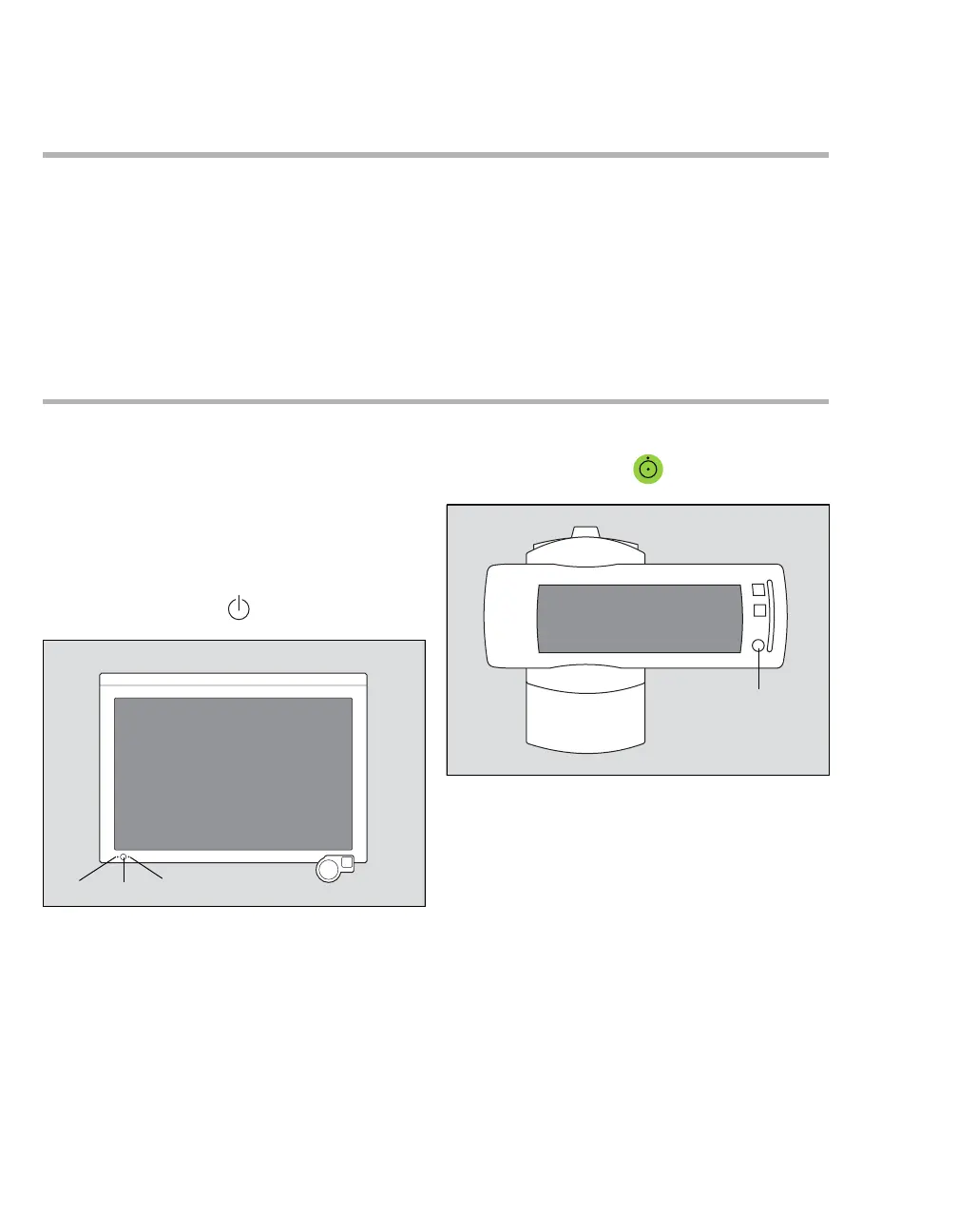
To turn the Cockpit on
z Press the on/off key (B) of the Cockpit.
The two LEDs (A) on either side of the on/off
key light up green. The Cockpit emits a power-
up tone and performs a self-test. After a brief
moment, the Dräger startup screen appears
before the Cockpit main screen is displayed.
To turn the M540 on
z Press the on/off key (C) of the M540.
The M540 emits a high-pitched tone followed by
two power-up tones, performs a self-test and
displays the New Patient prompt. Select
Discharge to delete the patient data or Cancel
to continue monitoring the patient and append
the new data to the previous data set. The main
screen appears.
The audible alarm signals are paused for
2 minutes.
003
300
C










 To Next Page