MimioView
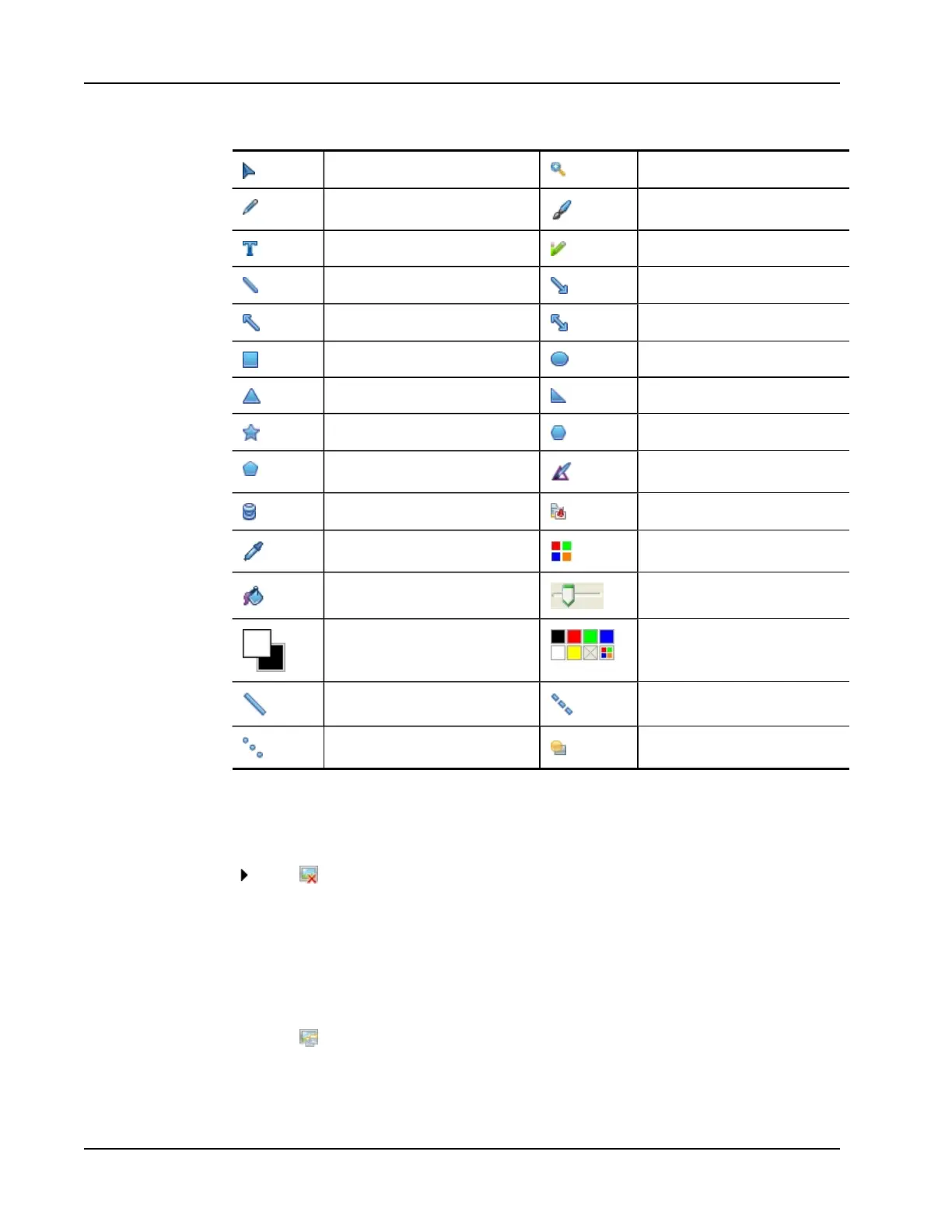
Selection tool Zoom
Pen Brush
Text Highlighter
Line Arrow End
Arrow Start Arrow Both
Rectangle Ellipse
Triangle Right Triangle
Five Pointed Star Hexagon
Pentagon Shape Recognition
Eraser Insert file
Color picker More colors
Object Fill Thickness slider
Outline and Fill color Color palette
Solid Line Dash Line
Dotted Line Transparency
Clearing All Annotations from the Image
You can quickly clear all annotations from the View window.
To clear all annotations
Click on the View toolbar.
All annotations, including any added objects, are cleared from the View window.
Transferring an Image
You can transfer all or part of an image from the View window to a Notebook page, the
Gallery, or another application.
To transfer an image
1.
Click on the View toolbar.
The Image area is displayed with a transparent mask.
2. Drag the cursor to draw a selection box around the area to copy.
120



 To Next Page