MimioTeach
You can also use the MimioTeach bar with MimioCapture to capture notes from your
whiteboard into MimioStudio Notebook. For more information about using MimioTeach
with MimioCapture, see MimioCapture.
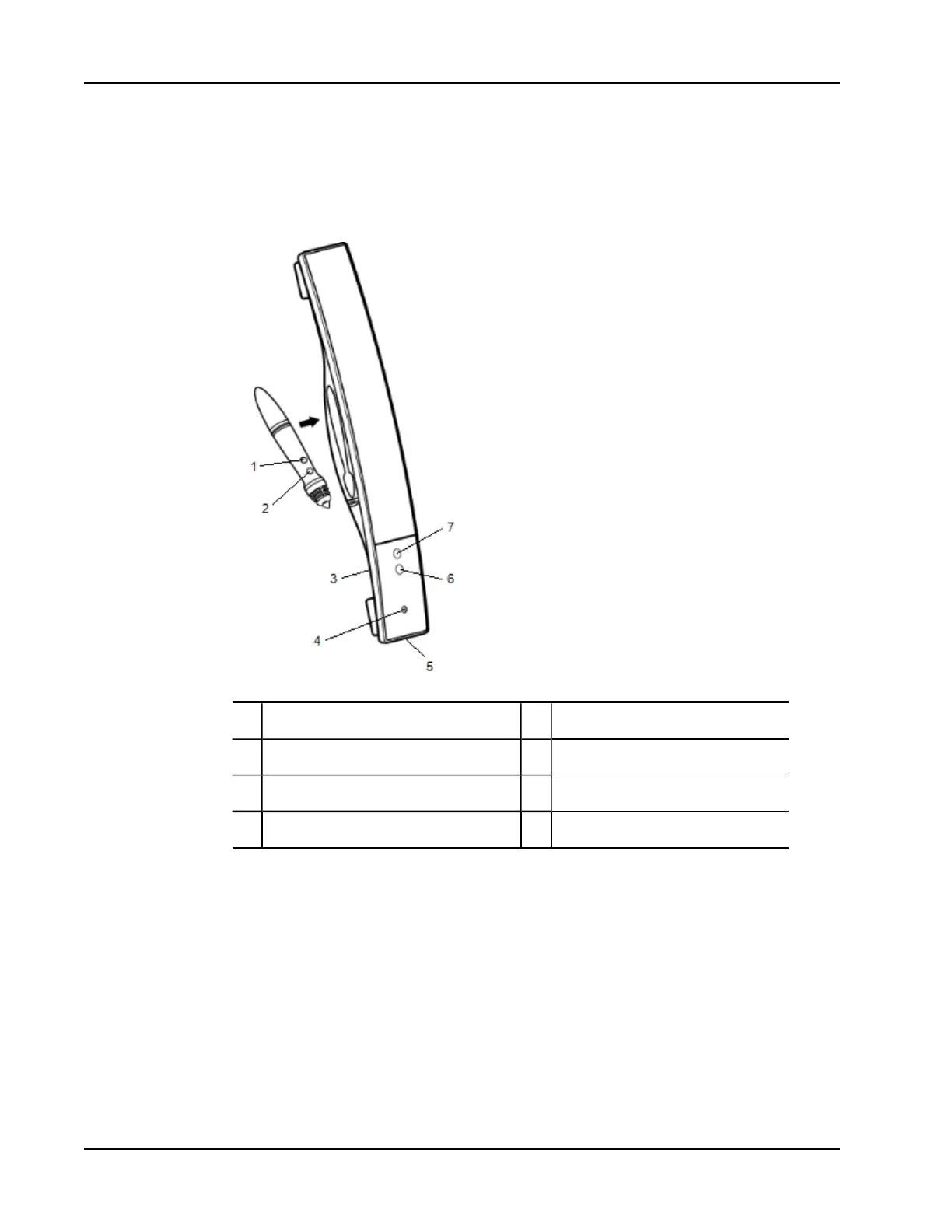
The following figure shows the major components of the MimioTeach.
1 Start Tools (button A) 5 USB/Power connector
2 Hover/Right-click (button B) 6 Launch
3 MimioHub dock 7 Calibrate
4 Power/Status light
Status Lights
The status light visually shows the status of the MimioTeach bar.
30



 To Next Page