Using Mimio Capture Kit
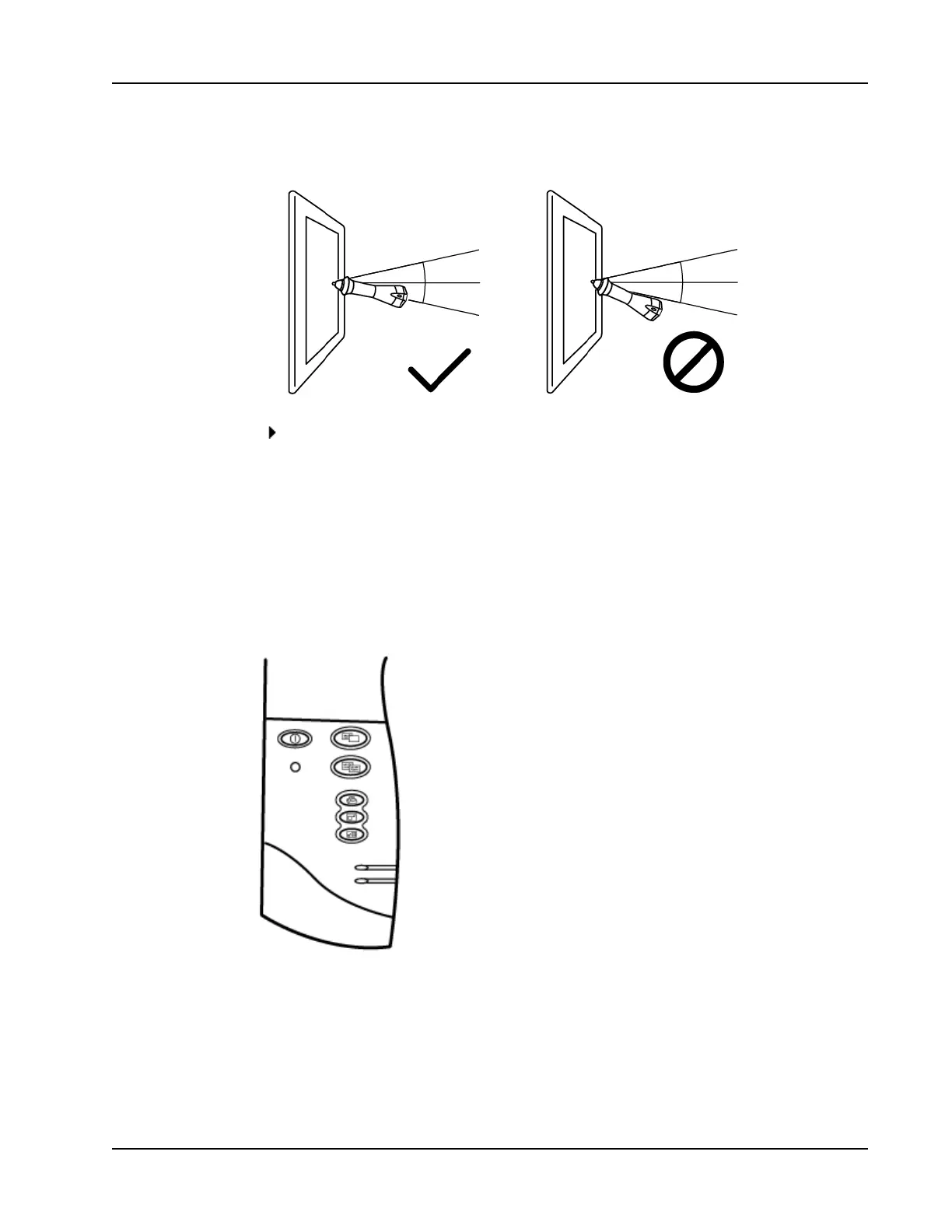
Keep the pen within 15 degrees of its perpendicular position to the whiteboard to
ensure that the data is accurately captured.
To erase digital ink
Erase the ink from the whiteboard using the Mimio Capture Kit eraser.
Keep the eraser surface flat against the whiteboard to ensure that the data is accurately
erased.
Adding, Copying, and Printing Notebook Pages
When using Ink Capture mode, the buttons on the Mimio Interactive bar can be used to
easily access features directly from your whiteboard. Using the buttons on the Mimio
Interactive bar, you can insert a new Notebook page, insert a copy of the current page into
Notebook, or print the current Notebook page.
The following figure shows the Mimio Interactive bar buttons.
The following table describes the functions of the Mimio Interactive bar buttons.
89



 To Next Page