Mimio Pad
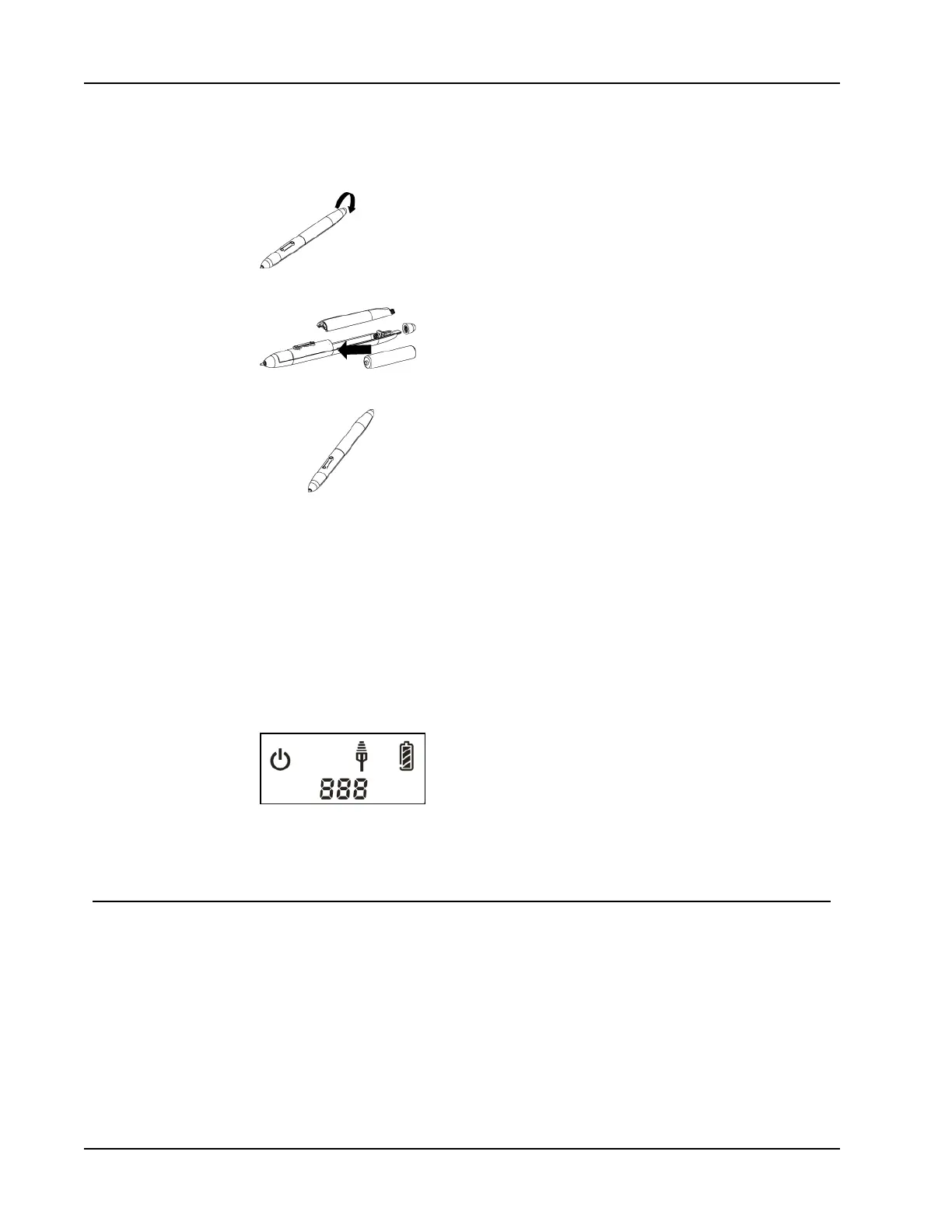
To insert the pen battery
1. Twist the top of the pen counterclockwise.
2. Lift the battery cover, and insert battery as shown.
3. Replace battery cover and pen top.
Configuring Mimio Pad
Delete this text and replace it with your own content.
To configure Mimio Pad
1. Plug the wireless receiver into a USB port on your computer.
2. Press and hold the power button on the pad for at least three seconds to turn on the
power.
3. Place the pen tip anywhere on the active area of the pad to wake up the pad.
4. Verify that the LCD display shows at least the following indicators.
Your Mimio Pad is now ready to use.
Using Mimio Pad
Using the Shortcut Keys
Shortcut keys are available across the top of the active area of the pad. These keys allow
you to quickly access features in the MimioStudio software.
126



 To Next Page