Getting Started
Setting Up the MimioCapture Tray
The MimioCapture tray is powered using the USB cable and power adapter that were
included with your MimioTeach. The MimioTeach bar connects to the MimioCapture tray
using the connector bar that was included with your MimioCapture.
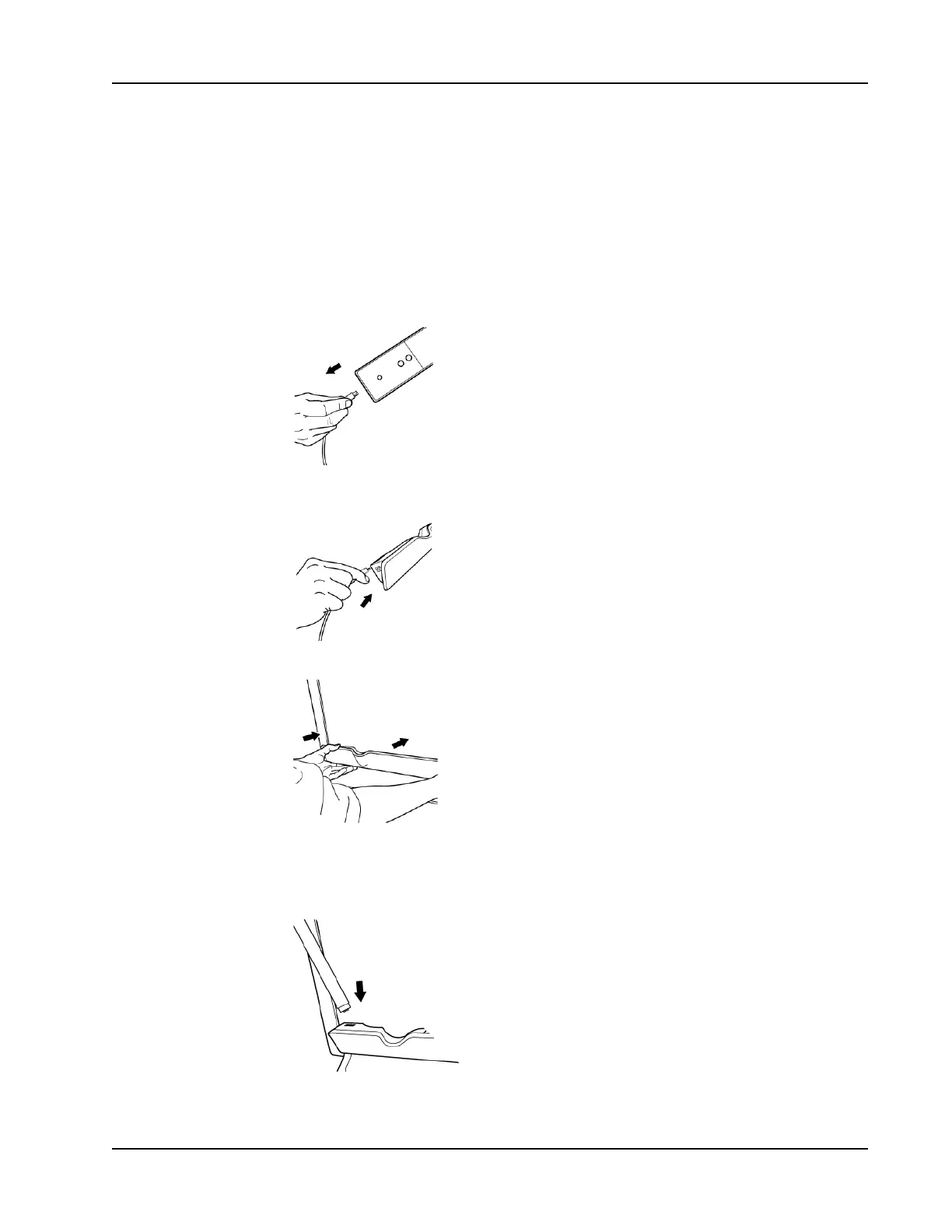
To connect
1. Remove the MimioTeach bar from the whiteboard.
2. Unplug the USB cable from the MimioTeach bar.
3. Plug the USB cable into the USB port on the MimioCapture tray.
4. Place the MimioCapture tray along the bottom-left edge of the whiteboard as shown.
The MimioCapture tray attaches securely to any magnetic whiteboard. See Mounting
MimioCapture to a Non-Magnetic Whiteboard for information about mounting the tray
to a non-magnetic whiteboard.
5. Connect the connector bar to the MimioCapture tray as shown.
6. Connect the other end of the connector bar to the MimioTeach bar as shown.
75



 To Next Page