Contextual help of the web interface – 106
•
•
•
•
•
•
•
•
PressSaveafter modifications.
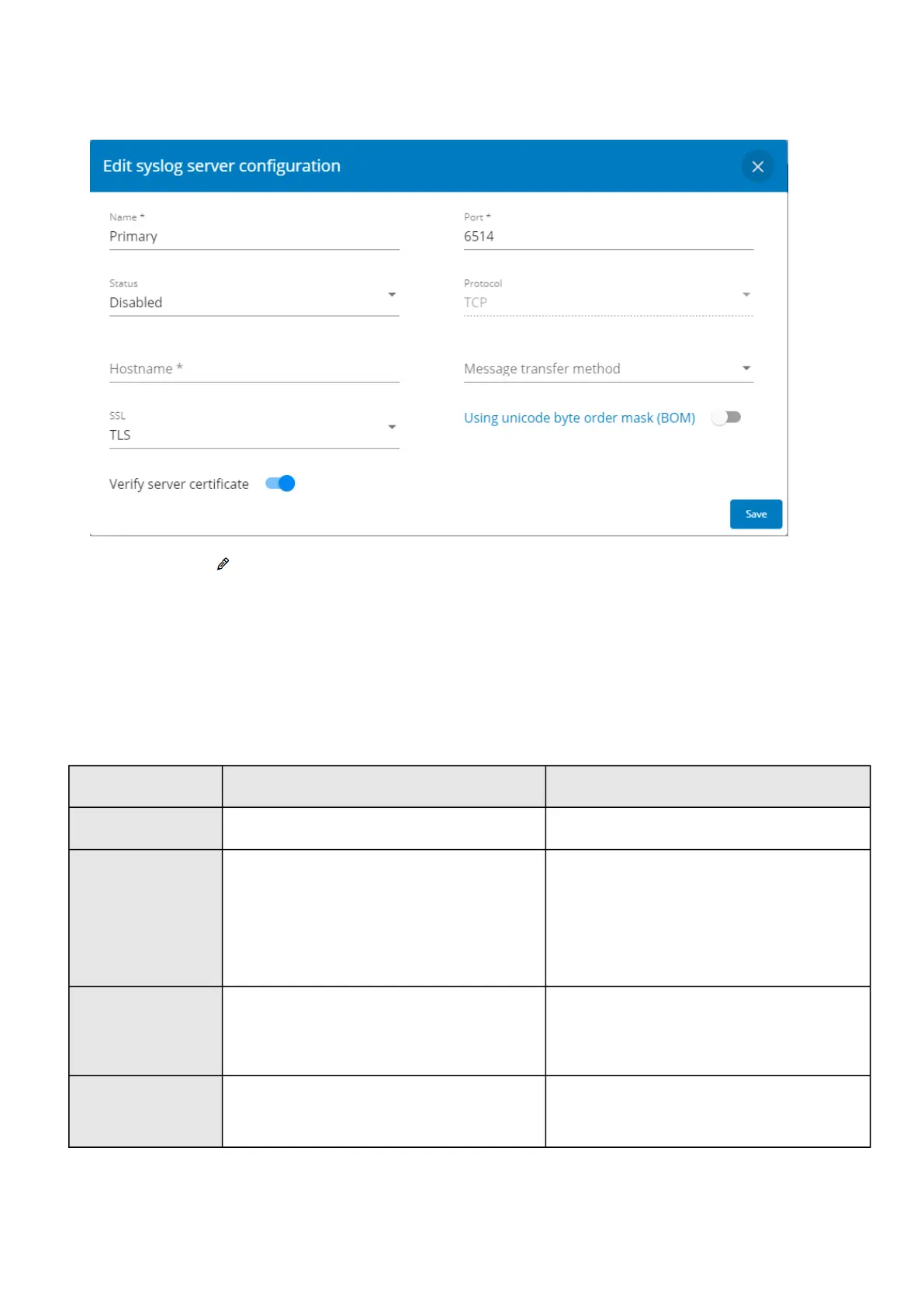
2-Configurethe syslog server:
Click the edit icon to access settings.
Enter or change the server name.
SelectYesin the Active drop-down list to activate the server.
Enter the Hostname and Port.
Select the Protocol – UDP/TCP.
In TCP, select the message transfer method – Octet counting/Non-transparent framing.
Select the option Using Unicode BOM if needed.
PressSaveafter modifications.
3.7.4.3 Default settings and possible parameters - Network & Protocol
Default setting Possible parameters
IPV4 Mode — DHCP Mode — DHCP/Manual (Address/Netmask/Gateway)
IPV6 Enable — checked
Mode — DHCP
Enabled — Active/Inactive
Mode — DHCP/Manual (Address/Prefix/Gateway)
DNS/DHCP Hostname —
device
-[MAC address]
Mode — DHCP
Hostname — 128 characters maximum
Mode :DHCP/Manual (Domain name/Primary DNS/
Secondary DNS)
Ethernet Configuration — Auto negotiation Configuration — Auto negotiation - 10Mbps -Half duplex
- 10Mbps -Full duplex - 100Mbps - Half duplex -
100Mbps -Full duplex - 1.0 Gbps - Full duplex



 To Next Page