Contextual help of the web interface – 116
•
•
•
•
•
•
•
•
•
3.7.5.2.1 Actions
a Add
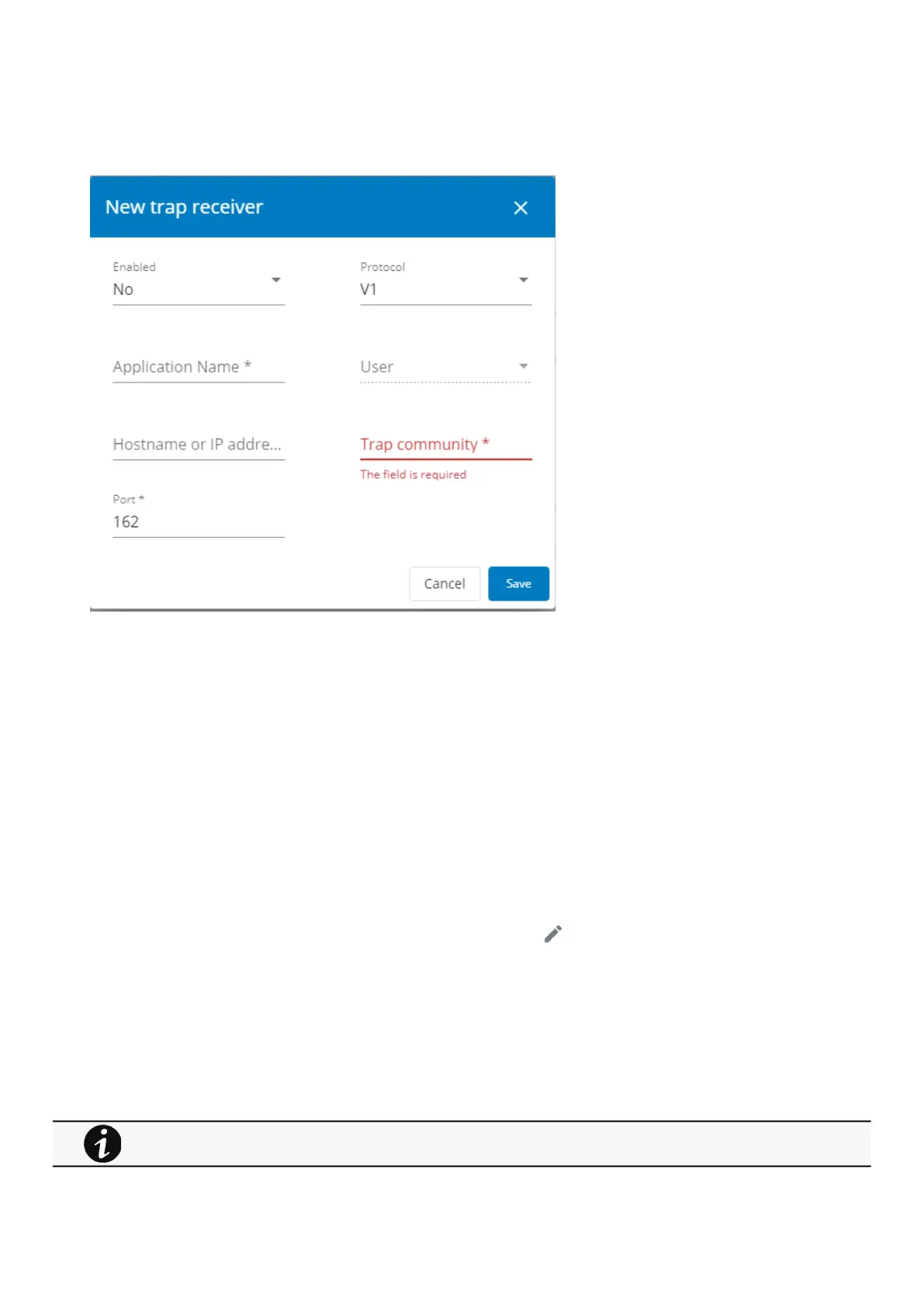
1.Press theNewbutton to create new trap receivers.
2. Set following settings:
Enabled – Yes/No
Application name
Hostname or IP address
Port
Protocol– V1/V3
Trap community (V1) / User (V3)
3. Press theSAVEbutton.
b Remove
Select a trap receiver and press theDeletebutton to remove it.
c Edit
Press the pen iconto edit trap receiver information and access to its settings:
d Test trap
Press theTest trapbutton to send the trap test to all trap receivers.
Separate window provides the test status with following values:
In progress
Request successfully sent
invalid type
For details on SNMP trap codes, see the Information>>>SNMP traps
section.



 To Next Page