Contextual help of the web interface – 53
•
•
•
•
•
•
•
•
•
•
•
•
•
•
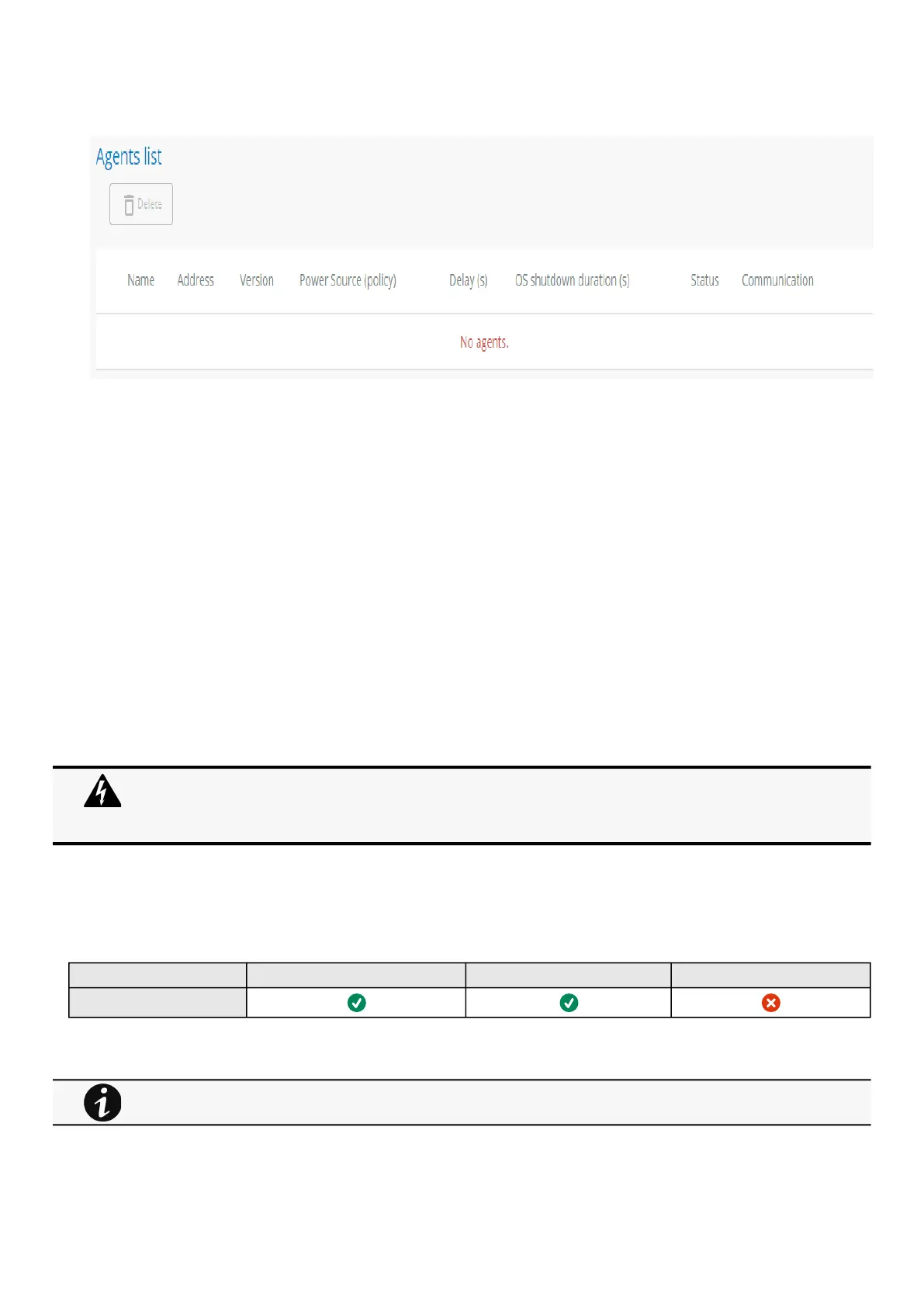
3.5.1.2 Agents list table
The table displays theIPPagent list that is connected to the Network Moduleand includes the following details:
Name
Address
Version of the Agent
Power source (Policy)
Delay (in seconds)
OS shutdown duration (in seconds)
Status
In service | Protected
In service | Not protected
Stopping | Protected
Stopped | Protected
Communication
Connected | yyyy/mm/dd hh:mm:ss
Lost|yyyy/mm/dd hh:mm:ss
3.5.1.3 Actions
3.5.1.3.1 Delete
When communication with the agent is lost, agent can be deleted by using the Delete button.
Select an agent and press the Deletebutton to delete the agent.
3.5.1.4 Access rights per profiles
Administrator Operator Viewer
Protection/Agent list
3.5.1.4.1 For other access rights
When the agent is connected, the Delete function will not work correctly because the agent will keep on trying to
re-connect.
So connect to the software, remove the Network module from the Software nodes list (in the nodes list, right click
on the Network module and click remove nodes).
For other access rights, see the Information>>>Access rights per profiles section.



 To Next Page